1
2.2.11 Adjusting Properties of a Component
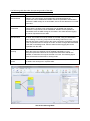
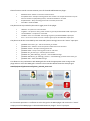
The component properties define the behaviour of the component and can be adjusted with the ACS
property editor. There are properties for the main functions of a component and properties for the
input- and output ports (for example time-synchronization of incoming data).
The usage of the properties and their effects can be found in the documentation of each component
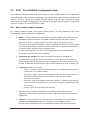
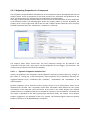
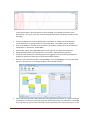
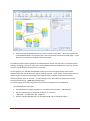
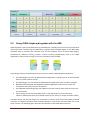
in the ACS help system. The following figure shows the property editor in the ACS. By default, the
property area is on the right hand side of the ACS and it adapts context-sensitively to the currently
selected component (here the “Comparator” component is selected):
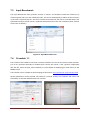
The Property editor offers several tabs. The most important settings can be defined in the
“Properties” tab and in the “Input Ports” tab (the properties of event trigger-, event listener- and
output ports are informal and cannot be changed).
2.2.11.1
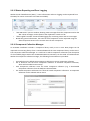
Dynamic Properties and their Use
Usually, the properties of a component can be adjusted by entering a numeric value (e.g. a range- or
gain value) or a string (e.g. a text field caption). Some properties can be defined by selection of a
suggested element from a combo-box (like “condition”, “outputMode” and “eventMode” in the
above example).
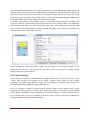
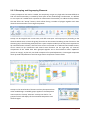
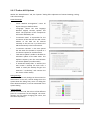
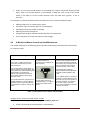
Dynamic Properties are an extension of that concept, where a list of valid property values can be
obtained from the ARE. This is especially useful when reasonable values depend on the system
environment of the ARE and cannot be known by the ACS or the model designer (for example
installed devices or available sound files in the ARE file system). If ACS and ARE are connected and
the model is uploaded to the ARE (synchronized connection mode, see chapter 2.2.6) dynamic
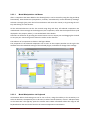
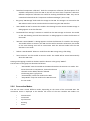
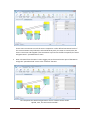
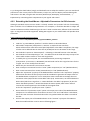
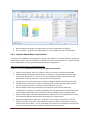
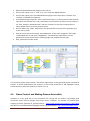
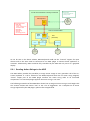
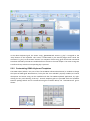
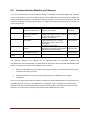
property suggestions are displayed in form of a combox. The following figures show the dynamic
property “filename” of the WavefilePlayer component.
AsTeRICS User Manual
Page 21