1
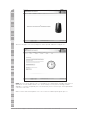
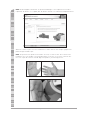
4. When dispensing the pCal standard for calibration, use only enough pCal standard to completely
fill the well. Any less may cause an inaccurate calibration reading while more simply wastes
pCal standard (too much pCal standard will not negatively affect the measurement).
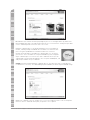
5. Do not store these tubes in extreme temperatures (e.g. less than 50°F, or greater than 100°F).
6. Each tube contains enough material for 40–60 calibration sessions.
7. The calibration material is extremely expensive so great care should be taken to not waste any
of the material. Do not use an unnecessarily large amount during the calibration procedure.
8. There is a clear section near the top of the pCal standard stick designed to notify the user that
the stick is running out and a new set needs to be ordered.
9. The pCal standard has a “shelf life” of one year. The expiration date (month/year) is stamped on
the bottom of each pCal standard tube.
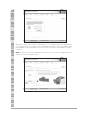
10. To avoid mixing up the pCal standards, namely red and blue, place each standard on the corresponding cap. If you are not sure which standard is which, throw them out and start over with a
fresh sample
Scanner Accuracy and Repeatability
It is normal to have slight variations in the Skin Carotenoid Score due to several factors. First, skin
carotenoids vary slightly depending on the exact location on the palm of the hand being scanned.
Also, dietary changes, dietary supplementation, sun exposure, percent body fat, and tobacco use
causes more long-term changes in skin carotenoids that can result in a different score.
There are variations in all measurements. The Skin Carotenoid Score, which reflects the amount of
carotenoids in human skin, is a difficult measurement. The carotenoid response to the laser light
on the skin has an intensity of about 1/10,000th of the total light intensity coming from the illuminated spot on the skin. To return an accurate Skin Carotenoid Score value the Scanner hardware
and software must pick out the 0.01% percent carotenoid signal from the other 99.99% of the light,
and accurately measure the carotenoid Raman response.
Because of the nature of the Skin Carotenoid Score measurement, there are several additional
sources of variation in the measurement beyond those mentioned above. Some examples of these
variations are the following: non-uniform distribution of carotenoids in the skin, fluorescent properties
of the skin, thickness differences due to calluses, scarring, or crease-lines, incorrect positioning of
the hand, operation of the Scanner outside the approved temperature range, and any movement of
the hand during scanning.
What this means in practical terms:
:: A statistical analysis has been performed for Skin Carotenoid Score measurements on the same
subject over multiple properly calibrated and functioning BioPhotonic Scanners. It has been
determined that consecutive measurements on multiple Scanners (for a given individual) will fall
within one shade of each other 85% of the time.
:: Regular measurement of an individual over time will clearly show changes (or constancy) in their
Skin Carotenoid Score consistent with their eating habits and use of LifePak.®
Laser Power Management
Operation of the laser in the BioPhotonic Scanner is controlled by a microprocessor that determines the laser power output and the laser operating mode. The laser power must be precisely
controlled because the intensity of the carotenoid signal is directly proportional to the laser power.
The intensity of the laser output is monitored by a sensor; the signal from the sensor is fed continuously to the microprocessor. The microprocessor sets the laser operating parameters to ensure
the power output is stable within a very narrow operating range.
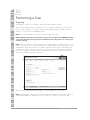
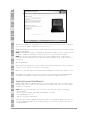
The red indicator light on the front of the Scanner (above the laser probe) indicates the laser microprocessor is in a self diagnostics mode. Scanning cannot be initiated when the red light is on. If it
comes on during a scan, the results will not be correct. The diagnostic mode will occur more frequently with a new or seldom-used Scanner than with one that is fully conditioned by frequent use.
The software will automatically detect this “red light” condition and notify the Scan Operator.
Scanning can continue once the red light turns off.
Scanner Technical Support 1.800.487.1000 (Outside U.S. and Canada 1.801.345.6670)
6