1
APSoft
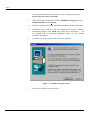
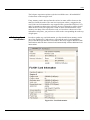
When you open PCCard Control, appears a window similar to shown below. It
has a menu bar, optional tool bar, optional status line, and a graphical
representation of your PCCard sockets and installed cards:
Figure 1: PCCard Control Main Window
Note: The exact content of menus is context specific and depends from selected
User Level and inserted PC Cards.
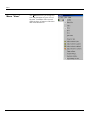
Menu “Cards”
The Cards menu lets you
view/edit PC Card settings.
Stop or power off a card,
reconfigure an installed card,
and format a storage card. Note
that the content of Cards
menu may vary, depending on
the installed cards.
Cards Settings
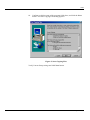
Card Settings dialog consists of several property sheets:
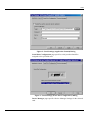
Application Launch page specifies application which should be started
when specified card is inserted:
22 CardWare User Interface
CardWare for Windows 7/Vista/Server 2008 R7.00 User's Guide