1
CLC Multi-Axis Coordinated Motion Control
Contents
1 Introduction and Overview
1-1
1.1 Purpose of Manual .....................................................................................................................................1-1
1.2 Manual Overview........................................................................................................................................1-2
1.3 CLC Overview ............................................................................................................................................1-2
CLC-D Overview..................................................................................................................................1-3
CLC-P Overview ..................................................................................................................................1-6
CLC-V Overview ..................................................................................................................................1-8
2 Monitoring and Diagnostics
2-1
2.1 System Diagnostics - Codes and Messages..............................................................................................2-1
2.2 Status Messages (001-199) .......................................................................................................................2-2
2.3 Warning Messages (201-399)....................................................................................................................2-3
2.4 Shutdown Messages (400 - 599) ...............................................................................................................2-4
2.5 Fatal System Errors..................................................................................................................................2-18
2.6 Communication Error Codes and Messages ...........................................................................................2-19
3 CLC DDE Server
3-1
3.1 Dynamic Data Exchange............................................................................................................................3-1
The Dynamic Data Exchange Server ..................................................................................................3-1
Dynamic Data Exchange Interface ......................................................................................................3-2
3.2 The Communication Servers Main Window ...............................................................................................3-3
Settings Menu - CLC Server Configuration .........................................................................................3-3
Settings Menu - Serial Communications .............................................................................................3-6
Settings Menu - VME Communications...............................................................................................3-7
Settings Menu - PC Bus Communications .......................................................................................... 3-8
3.3 AT Modem Configuration Dialog ..............................................................................................................3-11
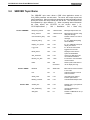
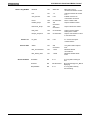
3.4 SERVER Topic Name ..............................................................................................................................3-12
4 Teach Pendant
4-1
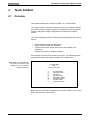
4.1 Overview.....................................................................................................................................................4-1
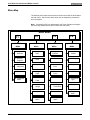
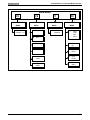
Menu Map............................................................................................................................................4-2
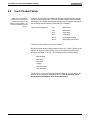
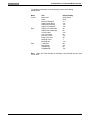
4.2 Teach Pendant Setup.................................................................................................................................4-4
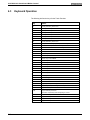
4.3 Keyboard Operation ...................................................................................................................................4-6
Keyboard Map .....................................................................................................................................4-7
Cursor Control and Editing ..................................................................................................................4-8
End User Manual
Contents
I