1
SUPERSERVER 6023L-8R User’s Manual
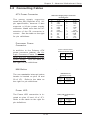
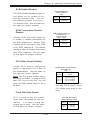
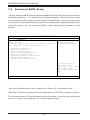
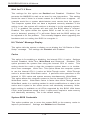
Speaker Enable/Disable
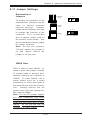
To disable the onboard speaker,
remove the jumper from JP2 (see
the table on the right).
Speaker Enable/Disable
Jumper Settings
(JP2)
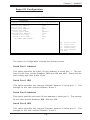
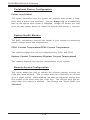
Fan Detection Select
Jumper
Jumper Settings
(JP58)
Position
Definition
Closed
Enabled
Jumper
Open
Disabled
Position
Definition
Open
CPU1/2 Fans
Closed CPU1/2 Ch Fans
Fan Detection Select
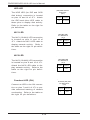
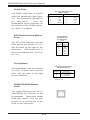
JP58 allows you to select which fan
speed to have displayed in the Hardware Monitors section of BIOS (the
CPU1/2 fans or the CPU1/CPU2 Chassis
fans). The default position is open to
select the CPU1/2 fans. See the table on
the right for jumper settings.
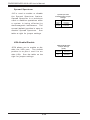
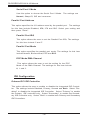
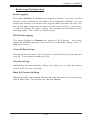
Chassis/Overheat Fan Select
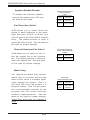
JP48 allows you to select to use either the chassis fan or the overheat
fan. The default position is closed to
select the chassis fan. See the table
on the right for jumper settings.
Chassis/Overheat Fan
Select Jumper Settings
(JP48)
Jumper
Position
Open
Closed
Definition
Overheat Fan
Chassis Fan
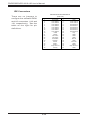
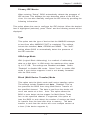
Watch Dog
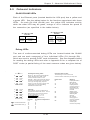
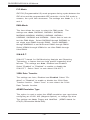
JP3 controls the Watch Dog function.
Watch Dog is a system monitor that
takes action when a software application freezes the system. Pins 1-2
will have WD reset the system if a
program freezes. Pins 2-3 will generate a non-maskable interrupt for the
program that has frozen (requires
software implementation). See the
table on the right for jumper settings.
Watch Dog must also be enabled in
BIOS.
5-22
W atch Dog
Jumper Settings (JP3)
Jumper
Position
Pins 1-2
Pins 2-3
Open
Definition
W D to Reset
W D to NMI
Disabled