1
CAMERA FUNCTION
CAMERA MODES
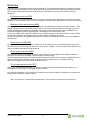
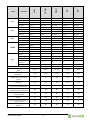
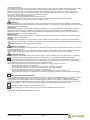
The EYE-02 camera has three main working modes: S L E E P , WAT C H and C O N F I G .
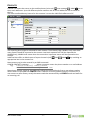
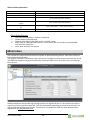
Button on Remote
control
Mode
Description
SLEEP
SLEEP mode is a stand-by mode of camera. The camera doesn’t detect any
movement in the targeted area and the major detectors are disabled. The
only active detectors are the those which protect camera itself against the
unwanted manipulation by some intruder.
WATCH
In WATCH mode camera guards fully the targeted area, all detectors are
active
CONFIG
CONFIG mode allows the user to change camera’s settings, enroll a new
external device (as remote control) to cooperate with camera or enroll a new
user contacts (see more details in CONFIG mode chapter)
REMOTE CONTROL
The package contains a wireless remote control (type RC-86), which can be used
to switch between camera modes – see detail of each button’s function in the
table above.
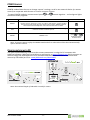
Camera confirms a change of mode by LED lights on the front panel and also by a
beep signal.
Camera
mode
LED lights signaling
Sound signal
WATCH
Lights are Off
One long
beep
SLEEP
Green light is permanently
On
Two long
beeps
CONFIG
Red and Green lights blink
slowly together
Three long
beeps
ENROLL
Red and Green lights swap
blinks slowly
-
ERROR
Red light is permanently
On
Four short
beeps
EYE-02 User Guide
-4-
press and
together