1
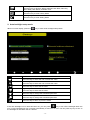
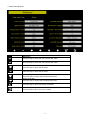
Right key
Press this key to select the set value.
Up arrow key
Press this key to change the activated option field
Down arrow key
Press this key to change the activated option field
Set key
Press this key to select the Setting sub-Mode
Return key
Press this key to return to previous mode
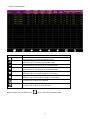
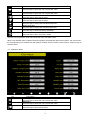
Solar Rad. Gain calibration (default is 1.0, adjustment range 0.75 to 1.25)
UV calibration (default is 1.0, adjustment range 0.75 to 1.25)
Wind Calibration (default is 1.0, adjustment range 0.75 to 1.25)
Rain calibration (default is 1.0, adjustment range 0.75 to 1.25)
The conversion factor for Lux converter to w/m2. (The range is 100-1000, default 126.7.)
4.4 Factory reset
4.4.2
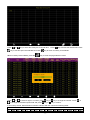
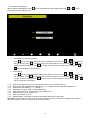
Re-register indoor transmitter
Press
or
key to select re-register indoor transmitter. Press
or
key to popup the
Message Box ”Are you sure you want to register the new inddor transmitter?” Press
or
to select
key or
key to confirm the selection.
Yes or No. Press the
4.4.3
Re-register outdoor transmitter
Please reference section 4.4.1. Procedures and settings are similar to re-register indoor transmitter
4.4.4
Clear History
Please reference section 4.4.1.
4.4.5
Clear Max/Min
Please reference section 4.4.1.
4.4.6
Reset Factory
Please reference section 4.4.1
- 19 -