1
Table of Contents
1 Instructions..........................................................................................................................................................................................................1
1.1 General Description .........................................................................................................................................................................................1
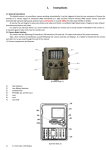
1.2 Camera Body Interfaces ..................................................................................................................................................................................1
1.3 Camera Components and Features…..............................................................................................................................................................1
1.4 Shooting Information Display ...........................................................................................................................................................................2
1.5 Supported Format............................................................................................................................................................................................2
2 Cautions..............................................................................................................................................................................................................3
3 Easy Operations.................................................................................................................................................................................................4
3.1 Power Supply...................................................................................................................................................................................................4
3.2 Insert the SD-card............................................................................................................................................................................................4
3.3 Power on and Enter into the ON Mode ............................................................................................................................................................4
3.4 Enter into the TEST Mode................................................................................................................................................................................4
3.4.1 Custom Settings.............................................................................................................................................................................................4
3.4.2 Manual Capturing...........................................................................................................................................................................................4
3.4.3 View Images or Videos...................................................................................................................................................................................4
3.5 Power Off ........................................................................................................................................................................................................4
4 Advanced Operations..........................................................................................................................................................................................5
4.1 Settings Menu .................................................................................................................................................................................................5
4.1.1 Photo setting.......................................................................................................................................................................................….......5
4.1.2 Video setting……………………….……………………………..........................................................................................................………....5
4.1.3 System setting…………………………….………………………...…............................................................................................................…6
4.1.4 Fix the setting by software on the computer..................................................................................................................................................6
4.1.5 Default.........................................................................................................................................................................................................8
4.1.6 General Settings...........................................................................................................................................................................................8
4.1.7 Set Camera Mode.........................................................................................................................................................................................8
4.1.8 Format SD-Card............................................................................................................................................................................................8
4.1.9 Set Photo Size...............................................................................................................................................................................................8
4.1.10 Set Video Size.............................................................................................................................................................................................8
4.1.11 Set Date and Time ......................................................................................................................................................................................9
4.1.12 Set Multi......................................................................................................................................................................................................9
4.1.13 Set ISO……………........................................................................................................................................................................................9
4.1.14 Set Video Length ........................................................................................................................................................................................9
4.1.15 Set Video Sound .........................................................................................................................................................................................9
4.1.16 Set Interval..................................................................................................................................................................................................9
4.1.17 Set Timer......................................................................................................................................................................................................9
4.1.18 Enter Password.........................................................................................................................................................................................10
4.2 Playback........................................................................................................................................................................................................10
4.2.1 Viewing Photo or Video ..............................................................................................................................................................................10
4.2.2 Delete Photo or Video.................................................................................................................................................................................10
4.3 Laser Pointer..................................................................................................................................................................................................10
4.4 File Numbering...............................................................................................................................................................................................10
4.5 Firmware Upgrade.........................................................................................................................................................................................10
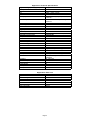
Appendix I: Technical Specifications.......................................................................................................................................................................11
Appendix II: Parts List .....................................................................................................................................................................................11