1
4. Advanced Operations
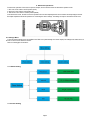
From the basic operations of the camera in previous chapter, we know that the camera has three basic operation modes:
1. OFF mode: Power switch is at OFF position (Down).
2. ON mode: Power switch is at ON position (Up).
3. TEST mode: Power switch is at TEST position (Middle).
In the above three modes, the OFF mode is the specified safe mode when replacing the SD-card or batteries and transporting the camera.
This chapter explains the advanced operations for customizing the camera settings. The settings can only be customized in TEST mode.
4.1 Settings Menu
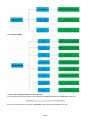
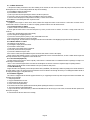
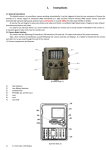
To view the camera settings menu, press MENU in the TEST mode (called settings menu in this chapter).The settings menu will be shown on
the LCD on camera or the external TV monitor.
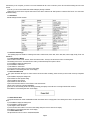
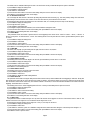
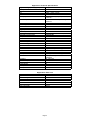
There are 3 setting parts for the Menu:
4.1.1Photo Setting
4.1.2 Video Setting
Page5