1
Quick Start
2 Operation
General
Information
2.1 Printer Features
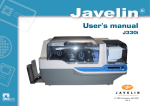
The following shows the features found on your J310i/J330i printer:
6
1
Getting
Started
7
2
8
3
Operation
4
B
5
Starting to
Print Cards
A
Cleaning
Trouble
Shooting
Technical
Specifications
5
STANDARD FEATURES
OPTIONAL FEATURES
1. Printhead
2. Printhead Unlock lever
3. LCD Display
4. Panel Button
5. Card Output Hopper
6. Card Thickness Control
7. Card Feeder Casette
8. Card Cleaning Cartridge
A. Magnetic Encoder Station
B. Smart Card Contact Station
PLEASE NOTE : Any blue items inside the printer can be operated by the user.
OPERATION
Rev. 1.4