1
Notes
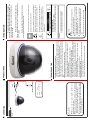
Power
Video
Link
wire
DC12V Power Supply
12V DC
Video
●Please use only the power supplies provided by or
recommended by the vendor.
●When using the camera in conditions where lightening is
possible, please earth the camera. If this is not possible, make
sure you power off the camera in lightening conditions.
●For best results, cables running 12v power and video should
not exceed 50m in length. For longer cable runs, please ensure
you check the cable tolerances.
DVR
CONNECTING
1. No Picture after powering up the Camera
. Check the power supply. Usually our power supplies will have a light on the
back. If not, please try exchanging the power supply with another unit to see
if that helps, making sure it is the same output voltage and current.
. Check the connections on both the cameras and the screen or DVR. Make
sure they are snug and well connected. Disconnect and reconnect to make
sure.
2. Fluctuating picture and waves across the screen.
. This can be caused by a fluctuating power source (faulty power adapter) or
where an AC adapter is used instead of a DC adapter. Please use only
recommended power adapters.
. Check the monitor and peripheral equipment used in the set up.
3. The picture background has constant color changing
. If the cameras are installed in a room with fluorescent lamp’s, this is a
normal phenomenon of the cameras. The camera is Auto sensing the light.
. Reduce the number of fluorescents or increase the distance between the
camera and the fluorescent lamps.
. If can you point the cameras in a different direction, away from the lights,
this may also help reduce the colour issues.
4. The picture is unclear or blurry
. Check the focus from the vari-focal camera. Each time you adjust the zoom
you will need to adjust the focus too.
. If you have a fixed lens camera, please contact the technical team
TROUBLE SHOOTING
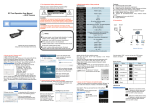
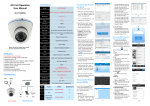
PRODUCT IMAGE
Note:
To prevent electric shock and risk of fire hazards,
Only use specified power source's or supplies
● Please note the camera’s operating temperature and
operating environment requirements.
●Avoid using the camera at too high or too low temperatures.
The operating temperature is -10℃-50℃. (Recommended
operating temperature is -5℃--40℃.)
● Never point the camera towards the sun or bright object.
This will damage the SONY chip and invalidate the warranty.
● Do not mount the camera near radiators or heaters.
CAUTION:
CAUTION: TO REDUCE THE RISK OF ELECTRIC SHOCK
DO NOT REMOVE COVER.
NO USER SRVICEABLE PARTS INSIDE.
REFER SERVICING TO OUALIFIED SERVICE PERSONNEL.
RISK OF ELECTRIC. DO NOT OPEN
CAUTION:
Enclosure that may be of sufficient to constitute a risk
of electric shock.
Un-insulated ‘dangerous voltage’ within the product
The symbol is intended to alert the user to the presence of
read them carefully to prolong the use of your camera.
important operating and maintenance instructions. Please
This symbol is intended to alert the user to the presence of
workings of the camera to water or rain.
To prevent fire or electric shock, do not expose the inside
Before operating the camera, please ensure you
have fully read the instruction manual.
These cameras are suitable for indoor use only.
Simple to install and easy to use, it is a great addition to any
CCTV system.
Congratulations on your purchase of this Gamut
CCTV camera. Our cameras use only the latest SONY first
generation imaging technology, the most vivid colour and
clear crisp image.
INTRODUCTION