1
4
Cnfiguration
D-Link Web Smart Switch User Manual
OUI
Vendor
Mnemonic Name
00:E0:BB
3Com
3com
00:03:6B
Cisco
cisco
00:E0:75
Veritel
veritel
00:D0:1E
Pingtel
pingtel
00:01:E3
Siemens
siemens
00:60:B9
NEC/ Philips
nec&philips
00:0F:E2
Huawei-3COM
huawei&3com
00:09:6E
Avaya
avaya
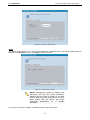
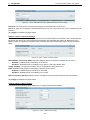
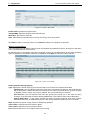
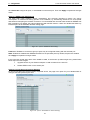
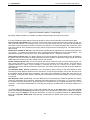
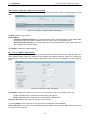
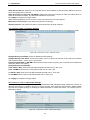
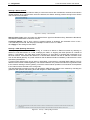
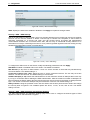
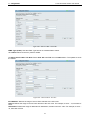
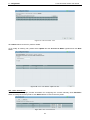
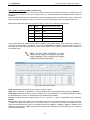
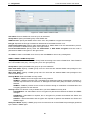
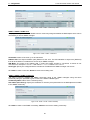
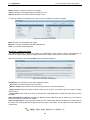
Default OUI: Pre-defined OUI values, including brand names of 3COM, Cisco, Veritel, Pingtel, Siemens,
NEC/Philips, Huawei3COM, and Avaya.
User defined OUI: You can manually create a Telephony OUI with a description. The maximum number of
user defined OUIs is 10.
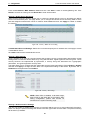
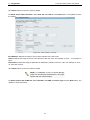
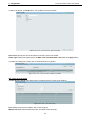
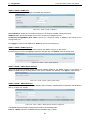
Select the OUI and press Add to the lower table to complete the Auto Voice VLAN setting.
Note: Voice VLAN has higher priority than any
other features (including QoS). Therefore the voice
traffic will be operated according to the Voice
VLAN setting and not impacted by the QoS
feature.
Note: It is recommended setting the highest
priority for Voice VLAN to guarantee the quality of
VoIP traffic.
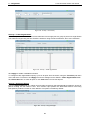
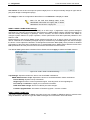
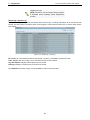
VLAN > Voice VLAN > Voice VLAN Port Settings
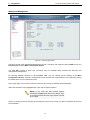
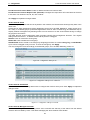
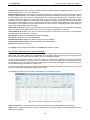
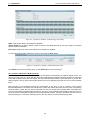
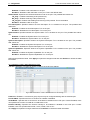
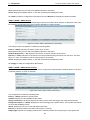
The Voice VLAN Port Settings page allows users to automatically place the voice traffic from IP phone to an
assigned VLAN to enhance the VoIP service. With a higher priority and individual VLAN, the quality and the
security of VoIP traffic are guaranteed.
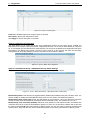
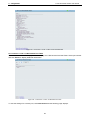
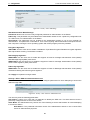
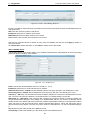
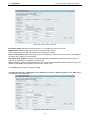
Figure 4.40 – VLAN > Voice VLAN > Voice VLAN Port Settings
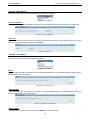
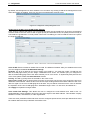
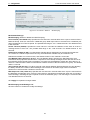
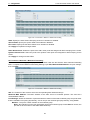
From Port / To Port: A consecutive group of ports may be configured starting with the selected port.
Auto Detection: Switch will add ports to the voice VLAN automatically if it detects the device OUI matches
the Telephony OUI configured in Voice VLAN OUI Setting page. Use the drop-down menu to enable or
disable the OUI auto detection function. The default is Disabled
Tagged / Untagged: tagged or untagged the ports.
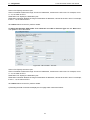
Click Apply to implement changes made and Refresh to refresh the voice vlan table.
34