1
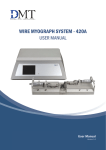
WIRE MYOGRAPH SYSTEMS - 520A
USER MANUAL
User Manual
Version 1.0
1
TRADEMARKS
PowerLab® and LabChart® are registered trademarks of ADInstruments Pty. Ltd. The names of specific recording units,
such as PowerLab 4/35, are trademarks of ADInstruments Pty. Ltd.
DMT reserves the right to alter specifications as required.
This document was, as far as possible, accurate at the time of printing. Changes may have been made to the software and
hardware it describes since then. New information may be supplied separately.
This documentation is provided with Wire Myograph system - 520A
No part of this document may be reproduced by any means without the prior written permission of Danish Myo Technology A/S.
Copyright © Danish Myo Technology A/S
2
WIRE MYOGRAPH SYSTEM - 520A - USER MANUAL
CONTENTS
Trademarks.........................................................................................................................................................................................2
Safety ..................................................................................................................................................................................................4
EC Declaration of Conformity ...........................................................................................................................................................4
Unpacking the Wire Myograph system ............................................................................................................................................5
Chapter 1 - Wire Myograph System overview ..................................................................................................................................6
1.1 Wire Interface - front and rear .........................................................................................................................................................6
1.2 Auto Dual Wire Myograph - 520A .....................................................................................................................................................7
Chapter 2 - Setting up .......................................................................................................................................................................8
2.1 Setting up the Wire Myograph System .............................................................................................................................................8
2.2 The first force calibration ..................................................................................................................................................................9
Chapter 3 - The Wire Interface Menus .......................................................................................................................................... 10
3.1 General description on how to navigate the touch screen .......................................................................................................... 10
3.2 Power-up screen ............................................................................................................................................................................. 10
3.3 Main Menu ...................................................................................................................................................................................... 11
3.4 Zero Menu ....................................................................................................................................................................................... 12
3.5 Heat Menu ...................................................................................................................................................................................... 12
3.6 Timer Alarm Menu .......................................................................................................................................................................... 12
3.7 Settings Menu ................................................................................................................................................................................ 13
3.7.1 Force Calibration Menu ............................................................................................................................................................ 13
3.7.2 Normalization results ............................................................................................................................................................... 16
3.7.3 pH Calibration Procedure......................................................................................................................................................... 17
3.7.4 Select Analog Output (optional) .............................................................................................................................................. 18
3.7.5 Interface Settings ..................................................................................................................................................................... 19
3.7.6 Normalization Parameter ......................................................................................................................................................... 20
3.7.7 Mounting .................................................................................................................................................................................. 20
Appendix 1 - System specifications ............................................................................................................................................. 23
CONTENTS
3
SAFETY
The Wire Myograph System has been designed for use only in teaching and research applications. It is not intended for clinical
or critical life-care use and should never be used for these purposes. Nor for the prevention, diagnosis, curing, treatment, or
alleviation of disease, injury, or handicap.
• Do not open the apparatus: the internal electronics pose a risk of electric shock.
• Do not use this apparatus near water.
• To reduce the risk of fire or electric shock, do not expose this apparatus to rain or moisture. Objects filled with liquids should
not be placed on the apparatus.
• Do not block any ventilation openings. Install in accordance with the manufacturer’s instructions.
• Do not install near any heat sources such as radiators, heat registers, stoves, or other apparatus that produce heat.
• Only use attachments and accessories specified by the manufacturer.
• Unplug this apparatus during lightning storms or when unused for long periods of time.
The Wire Interface is delivered with an external 100-240VAC to 24VDC adapter. Protect the power adapter and cord from being
walked on or pinched. Particularly at power plugs and the point where they connect to the apparatus. Refer all servicing to
qualified service personnel. Servicing is required when the apparatus has been damaged in any way; such as, the power-supply
cord or plug is damaged, liquid has spilled onto or objects have fallen into the apparatus, the apparatus has been exposed to rain
or moisture, does not operate normally, or has been dropped.
EC DECLARATION OF CONFORMITY
Danish Myo Technology A/S
Certify and declare that the following apparatus:
Wire Myograph System - DMT520A
Restrictive use: Only for laboratory use.
Manufactured by:
Danish Myo Technology A/S
Skejbyparken 152
8200 Aarhus N.
Denmark
Conforms with the essential requirements of the EMC Directive 2004/108/EC.
Based on the following specifications applied by:
EN 61326-1:2006
EN 61326-2-6:2006
EN 61326-2-6/Corr.:2007
And with the LVD Directive 2006/95/EC.
Based on the following specifications applied by:
EN 61010-1:2010
EN 61010-2-030:2010
General warnings regarding EMC:
Do not use this device in close proximity to sources of strong electromagnetic radiation (e.g. unshielded intentional RF sources),
as these may interfere with the proper operation.
4
WIRE MYOGRAPH SYSTEM - 520A - USER MANUAL
UNPACKING THE WIRE MYOGRAPH SYSTEM
Please take a few minutes to carefully inspect your new Wire Myograph System for damage which may have occurred during
handling and shipping. If you suspect any kind of damage, please contact DMT immediately and the matter will be pursued as
quickly as possible. If the packing material appears damaged, please retain it until a possible claim has been settled.
We recommend that you store the packing material for any possible future transport of the Wire Myograph System. Please
contact DMT Sales Department for packing instructions if the original packing material is unavailable.
After unpacking your new Wire Myograph System, please use the following list to check that the system is complete:
Wire Interface
• Power supply (the shape of the AC plug varies by country; be sure that the plug has the right shape for your location)
Wire Myograph - 520A
• Wire Myograph connection cable with a temperature probe
• Two sets of stainless steel mounting jaws with supports
• Chamber cover
Accessories:
• 1 x calibration kit (including bridge, T-balance and 2 gram weight)
• 1 x spool of 40 µm stainless steel wire
• 1 x tube of high vacuum grease
• 1 x tube of grease for linear slides
• 4 x spare screws for mounting of jaws
• 10 x extra myograph window glasses
• 1 x bath divider
• 2 x Allen keys
• 1 x small screwdriver
• 2 x 40 mm funnel
Optional Accessories:
• PowerLab
• LabChart
• DMT Device Enabler
• Stimulator
• pH meter
• Vacuum Pump
• Electronic vacuum valve
• Waste bottle
• Gas supply manifold
UNPACKING THE WIRE MYOGRAPH SYSTEM
5
CHAPTER 1 - WIRE MYOGRAPH SYSTEM OVERVIEW
1.1 Wire Interface - front and rear
Touch display
Power indicator
Figure 1.1 Wire Interface - front
Analogue recorder output - connection to
external data acquisition software (optional)
Grounding, connect to
Data Acquisition
ON/OFF switch
24V DC port
for power
USB connection port
for computer
Connection port for
Wire Myograph
Figure 1.2 Wire Interface - rear
6
WIRE MYOGRAPH SYSTEM - 520A - USER MANUAL
Connection port
for pH electrode
(optional)
1.2 Auto Dual Wire Myograph - 520A
Connection to Wire Interface
Arrow buttons for manual adjustment
of the jaw position
Allen screws for fine alignment of the jaws
(4 on each side)
Motorized micrometer
Window at the bottom of the chamber
(under the wire jaws)
Chamber separator
Wire jaw connected to micrometer
Wire jaw connected to force transducer
Figure 1.4 Auto Dual Wire Myograph - 520A with close-up of the chamber
CHAPTER 1
7
CHAPTER 2 - SETTING UP
2.1 Setting up the Wire Myograph System
Wire Interface
rear panel
pH Meter
Power supply
Data Acquisition System
via BNC cables or USB
Gas supply manifold
Electronic vacuum valve
Vacuum Pump
Suction Bottle
Auto Dual Wire Myograph
Oxygen/
Carbogen/
Compressed air
Figure 2.1 Example of a complete Wire Myograph System - 520A
Figure 2.1 is a complete set-up for the Wire Myograph System - 520A. The set-up includes optional equipment such as pH
electrode for measuring pH in the buffer, an electronic vacuum valve, suction bottle, vacuum pump, and a computer and Data
Acquisition System.
IMPORTANT
TO RECORD A NOISE-FREE SIGNAL IT IS IMPORTANT TO CONNECT THE WIRE INTERFACE GROUND CONNECTION TO THE
DATA ACQUISITION SYSTEM’S GROUND CONNECTION.
1. Wire Myograph to Wire Interface connection:
Connect the Wire Myograph to the Wire Interface using the grey 44/25-pin connector cable. The end of the cable with the
temperature probe is attached to the Wire Myograph.
2. Wire Interface to computer connection:
Data acquisition is possible either by connecting the Wire Interface directly to a computer, or through a data acquisition
system able to collect voltage output (0-2.5volts) such as a PowerLab data acquisition system or similar system.
• Direct computer USB connection for Labchart (AD Instruments) users (latest version of Labchart):
Connect the Wire Interface to the computer with the USB cable from the back panel to the USB port.
• Analog Data Output through a PowerLab or similar data acquistion system (optional):
Connect the Wire Interface to the analog data acquisition system using BNC cables. Connect Rec 1 (Chamber 1) on the
Wire Interface to Input 1 on the analog data acquisition system. Rec 2 (Chamber 2) to Input 2 on the analog data acquisition system 2, and so forth. Connect the analog data acquisition system to one of the USB-ports on the computer.
8
WIRE MYOGRAPH SYSTEM - 520A - USER MANUAL
3. Turn on the Power:
Turn on the power to the Wire Interface at the power switch and then turn on the computer. Start the data acquisition program on the computer and the Wire Myograph System is now ready for use.
4. Gas supply:
Connect the pipes for gas supply on the Wire Myograph chamber cover (see figure 2.2) to an adjustable gas supply using
thin silicone tubing.
5. Suction connection:
Connect the suction pipes on the Wire Myograph chamber cover (see figure 2.2) to a vacuum pump via a suction bottle and
the electronic vacuum valve as illustrated in figure 2.1.
6. pH electrode (optional):
Connect the pH electrode to the pH port on the rear of the Wire Interface.
Suction pipes for connection
to vacuum pump
Pipes for gas supply
Access for temperature probe
Access for reagents and buffer
Figure 2.2 Chamber cover for Wire Myograph 520A
2.2 The first force calibration
Prior to shipping, the Wire Myograph System has gone through two days of continuous testing including final force calibration.
However, DMT recommends that a new force calibration is performed before using the Wire Myograph System. The force calibration procedure is described in detail in chapter 3.7.1.
CHAPTER 2
9
CHAPTER 3 - THE WIRE INTERFACE MENUS
This chapter contains a detailed description of how to navigate the touch screen menus and how to use the special features of
the Wire Interface.
3.1 General description on how to navigate the touch screen
Menus on the Wire Interface are all accessible by a touch screen. To access
a menu, simply touch the screen. When a setting needs to be changed,
press SELECT beside the line to be changed.
SELECT
The line to be modified will turn blue, indicating that the Wire Interface is
waiting for input. When ALL is chosen, all lines corresponding to all four
channels will turn blue.
ALL
Changing the numeric value for the chosen parameter can be done by
touching UP or DOWN arrows.
Once the desired setting has been chosen, pressing ENTER will lock the
selection and be stored in memory.
ENTER
Pressing the white X in the red box will exit the menu and take you automatically to the Main Menu.
GE
200 m N
S E LE C T
800 m N
S E LE C T
400 m N
S E LE C T
200 m N
S E LE C T
3.2 Power-up screen
After turning on the Wire Interface, an introduction screen appears. It displays the product system, model no., software version number, date and the
system ID number.
ENTER
The system is auto-initializing while this screen is displayed.
10
WIRE MYOGRAPH SYSTEM - 520A - USER MANUAL
520A
3.3 Main Menu
The Main Menu gives a good overall status on how the Wire Interface is working. It displays the force, pH, probe temperature,
timer and the active status (buzzer, timer, heat).
Icon for Heater ON/OFF *
Timer
Icon for Buzzer ON/OFF *
* If ON the icon is green
Zero Menu
Heat Menu
Timer/Alarm Menu
Settings Menu
Buzzer icon:
This icon indicates the status on the Buzzer.
If the icon is grey the Buzzer is OFF.
If the icon is green the Buzzer is ON (active) and will make a sound when
the timer reaches zero.
OFF
Timer:
The Timer is a countdown timer that can be set to maximum 24 hours. If the
Buzzer is activated it will buzz when the timer reach zero.
Heat icon:
This icon indicates the status of the chamber heat.
If the icon is grey the Heat is OFF.
If the icon is green the Heat is ON (active).
ON
00:00:00
OFF
ON
Four sub-menus are accessible from the Main Menu screen:
Zero Menu
Heat Menu
Timer/Alarm Menu
Setting Menu
CHAPTER 3 11
3.4 Zero Menu
This menu is used to zero the output of the transducers. When using a data
acquisition program like LabChart by AD Instruments®, this feature will
reset the baseline of the chart traces without affecting the calibrations or
physically changing any pre-load tensions placed on the mounted vessels.
The channels can be changed individually by pressing SELECT or all at once
by pressing ALL. Pressing ENTER will execute the zero function and return
the user to the Actual Force display.
3.5 Heat Menu
The heating temperatures are controlled from this menu. To turn the heat
on, or to change the temperature for the system, press HEAT in the Main
Menu. The Heat Menu will be displayed allowing the user to change the
system temperature, as well as turn the heat on or off. Pressing DEFAULT
will automatically reset the temperature setpoint to 37°C. Manually change
the temperature by pressing UP or DOWN arrows. Pressing ENTER will save
the new temperature setpoint.
To turn the heat on press ON and it will turn green. The system will heat to
the desired temperature setpoint. In the Main Menu the heat icon turns
green when the heat is on.
ON
3.6 Timer Alarm Menu
The timer and buzzer are controlled from this menu. Use SELECT to program
the timer. The timer can be programmed in the interval from 0 to 23:59:59
(Hours : minutes : seconds). When Set Timer is selected use the UP and
DOWN arrows to program the timer. Use the RIGHT arrow to move from
hours, minutes and seconds. Press ENTER to save the programmed time.
12
WIRE MYOGRAPH SYSTEM - 520A - USER MANUAL
CHAPTER 3
To start the timer press ON and it will turn green.
When the timer reaches zero it automatically switches to OFF.
If the buzzer is turned on it will make a tone when the timer reaches zero.
To activate the buzzer alarm press ON and it will turn green.
In Main Menu the bell icon also turns green.
ON
3.7 Settings Menu
The Setting Menu contains several sub-menus. These sub-menus include:
Force calibration
Normalize parameter results
pH calibration
Record out select
Interface settings
Normalize set-up
Mounting near
Mounting far
3.7.1 Force Calibration Menu
Prior to shipping the Wire Myograph System has gone through two days
of continuous testing, including final force calibrations. However, DMT
recommends that new force calibrations are performed before starting to
use the Wire Myograph System for the first time.
Begin the calibration procedure by pressing Force Calibration in the Settings Menu. The sub-menu will list 2 chambers for calibration. The calibration procedure is listed in 6 individual steps and needs to be performed to
calibrate the system. Before starting the Force calibration the following is
performed.
• Place the calibration bridge and T-balance on the Wire Myograph (see
figure 3.1) allowing it to be warmed up together with the Wire Myograph. Turn on the heating in the Heat sub-menu to the appropriate
temperature used during your experiments
• Mount a 40 μm stainless steel wire on the jaws connected to the force
transducers.
13
The 2 g weight is placed on the pan
Figure 3.1 Force calibration set-up - showing placement of the calibration bridge and T-balance
for Auto Dual Wire Myograph - 520A
Step 1 - Involves setting up the chamber for calibration. Fill the chamber to
a normal level with double distilled water. Move the jaws apart.
Press NEXT STEP.
IMPORTANT
TURN ON THE HEAT AND SET THE TEMPERATURE AT THE LEVEL AT WHICH
THE EXPERIMENTS WILL BE PERFORMED.
Step 2 - Involves setting up the Calibration Kit for the actual force calibration. Make sure that the pin of the T-balance is placed between the wire and
the jaw as illustrated in figure 3.2. Carefully move the calibration bridge until
the pin of the T-balance is placed freely between the wire and the jaw, which
means it does not touch the wire or the jaw, see figure 3.2.
NOTE
THE WEIGHT SHOULD NOT BE PLACED ON THE T-BALANCE YET.
Press NEXT STEP when the calibration kit has been properly placed.
14
WIRE MYOGRAPH SYSTEM - 520A - USER MANUAL
Figure 3.2 Illustration of how to fit the T-balance pin between the wire and the gap in the jaw support
Step 3 - Initiates the heating process for the chamber. In order for the calibration to be accurate, the transducers must be heated to the experimental
temperature to be used. This accommodates heat-induced expansion of
the electronic parts in the transducer. Otherwise, inaccurate readings and
transducer drift may occur, producing errors into the experiment. Therefore
now turn the heat on by pressing HEAT ON.
Covering the chamber with the chamber cover will expedite the heating.
Place the temperature probe into the chamber for the first calibration to
determine when the chamber has reached the target temperature. Heating
will take about 20 to 30 minutes for the chamber and transducers to reach
37°C with the chamber cover in place. Once the chamber are heated and
have reached the target temperature, press NEXT STEP.
Step 4 - is the first step in the actual force calibration process. A four digit
number will be displayed in blue at the bottom of the screen. If nothing has
been disturbed during the heating process, the zero, 0 gram, or 0.0 mN
calibration should be stable as indicated by the four digit number. Wait at
least 30 to 45 seconds until the four digit number is stable before pressing
NEXT STEP.
NOTE
NORMAL OPERATING VALUES FOR THE FORCE TRANSDUCER DURING
CALIBRATION SHOULD BE BETWEEN 3000 AND 3500. IF THE VALUE IS 0,
A SINGLE DIGIT, OR A THREE DIGIT NUMBER, THE FORCE TRANSDUCER IS
BROKEN AND NEEDS TO BE REPLACED. IF THE VALUE IS LESS THAN 2000
OR GREATER THAN 4500 BUT STILL A FOUR DIGIT NUMBER, THE FORCE
TRANSDUCER IS BROKEN BUT SHOULD BE ABLE TO BE REPAIRED BY A
TEMPERATURE COMPENSATION DONE BY DMT. IF THE MESSAGE OFF IS
DISPLAYED ON THE MAIN PAGE OF THE WIRE INTERFACE, EVEN THOUGH
THE CHAMBER IS PLUGGED IN AT THE REAR OF THE WIRE INTERFACE,
THE FORCE TRANSDUCER IS BROKEN AND NEEDS TO BE REPLACED.
IN ADDITION, IF THE FORCE READING(S) APPEAR YELLOW, CANNOT BE
RESET TO ZERO, AND THE TRANSDUCER CANNOT BE RECALIBRATED,
THE FORCE TRANSDUCER IS BROKEN AND NEEDS TO BE REPLACED.
CHAPTER 3 15
Step 5 - At this step, place the 2 gram weight at the pan on the calibration
T-balance closest to the transducer (over the transducer) see figure 3.1, to
simulate the stretch created by the contraction of a mounted ring preparation.
Remember, a 2 gram weight in a 90° vector is divided, and the transducer
will only detect 1 gram or 9.81 mN of force. The weight placement should
cause a positive increase in the four digit number. Wait at least 30 to 45
seconds for the applied force to stabilize before pressing NEXT STEP.
Step 6 - is to verify that the calibration was performed correctly. The Force
Chamber reading should be 9.81 ± 0.1 mN. If the Force Chamber reading
is off by more than 0.1 mN then remove the weight, press BACK to return to
Step 4, and repeat the calibration process. If the Force Chamber reading is
satisfactory, then press NEXT STEP to end the calibration.
3.7.2 Normalization results
Is used to check the normalization results. Select which one to check and
press ENTER.
The normalization results.
16
WIRE MYOGRAPH SYSTEM - 520A - USER MANUAL
CHAPTER 3
3.7.3 pH Calibration Procedure
Before the pH calibration is performed, be sure to select the way the pH electrode is intended to be used. See pH Set-up Menu
(under Interface Settings) in chapter 3.7.5.2
The temperature is an important parameter in the calibration formula and is obtained automatically if the Temperature compensation has AUTO selected. If MANUAL is chosen, the Manual temperature is used in the pH calibration formula, and the
temperature probe is not used. In the MANUAL mode, the temperature of the calibration buffers is measured with a thermometer
and entered manually in the Manual temperature line.
The calibration procedure is listed in 4 individual steps and needs to be performed one by one to calibrate the pH
Step 1 - Involves cleaning the pH electrode and the temperature probe with
double-distilled water. When ready press NEXT STEP.
Step 2 - Place the pH electrode and temperature probe in the high buffer
solution (here pH 7) and turn on stirring. When the relative pH output in the
blue line is stable, press NEXT STEP.
Step 3 - Place the pH electrode and temperature probe in the low buffer
solution (here pH 4) and turn on stirring. When the relative pH output in the
blue line is stable, press NEXT STEP.
17
Step 4 - The calibration is now finished. The readings in the two bottom lines
are the actual pH and temperature readings.
3.7.4 Select Analog Output (optional)
The Analog Output Menu determines what will be sent to the BNC analogue
output (REC 1, REC 2 REC 3, REC 4 at the back of the Wire Interface). There
are 4 analog outputs, and each output is individually programmable. Any
change made to the analog output will affect the data sent from the Wire
Interface to a data acquisition system such as AD Instruments PowerLab.
Therefore remember to check the data acquisition system’s set-up when a
change is made. The analog output is working in range of -2,5V to +2,5V.
Use SELECT to select the out channel number to be changed. Press ENTER
to go to the output set-up.
Use SELECT to select the out channel number to be changed. Press ENTER
to go to the output set-up.
Use the UP and DOWN arrow or DEFAULT to change/select a new set-up.
The following parameters in the Wire Interface can be selected as output to
the analog channels. Force Near, Force Far, Temperature Probe, Chamber
Temperature, pH1, (Optional: Digital Output 1, Digital Output 2, Digital Input
1, Digital Input 2).
When the chosen parameter is selected press ENTER to save the value in
the memory.
The output range is -2,5V to +2,5V. The user can select the parameter value
that gives -2,5V and the value that gives +2,5V. In this example -100mN is
-2,5V and +100mN is +2,5V. Selecting asymmetrical values is also valid.
They can be -2,5V = 0mN and +2,5V = 100mN.
OBS
REMEMBER TO PRESS ENTER TO SAVE THE LINE CHANGES IN MEMORY.
18
WIRE MYOGRAPH SYSTEM - 520A - USER MANUAL
CHAPTER 3
3.7.5 Interface Settings
The Interface Settings sub-menu has an additional three sub-menus:
Temperature Difference
pH Set-up
Factory Diagnostics
3.7.5.1 Temperature Difference (offset)
The temperature difference function allows the user to fine tune the temperature set point of the system. Although the temperature set point for
the system can be set in the Heat Menu there may be a small discrepancy
between the actual temperature of the system and the defined set point.
The user can adjust the temperature of each chamber individually to finetune the temperature setting, so the exact temperatures are achieved in
each chamber. This is referred to as a temperature offset (TEMP OFFSET
ON CHAMBER). The SELECT and ALL functions are the same in this menu
as for previously described menus. Pressing ENTER will store the numbers
in memory for future experiments.
3.7.5.2 pH Set-up Menu
The pH calibration is a 2-point calibration. In the pH set-up menu the two pH
values used for the 2-point pH calibration should be selected. The default
in the pH Calibration setup is the pH values 4 and 7. If using pH buffer with
different pH values than 4 and 7 for the pH calibration enter the appropriate pH.
The temperature is an important parameter in the calibration formula and
is obtained automatically if the temperature compensation it is set to AUTO
as shown.
If MANUAL is chosen, a manually set temperature is used in the pH calibration formula, and the temperature probe is not used. In the MANUAL mode,
the temperature of the calibration buffer is measured with a thermometer
and entered manually in the Manual temp. Value line.
3.7.5.3 Factory Diagnostics
Entering Factory Diagnostics will display the Login code to diagnostics
window. This window is only for trained technicians and used for diagnostics and troubleshooting purposes. The general user will not have access to
this window. Entering the proper five digit login code however will allow the
trained technician access to diagnostics panels that will provide information
during a malfunction, or mechanisms to change other settings controlled by
the onboard computer.
CHAPTER 3 19
3.7.6 Normalization Parameter
In the M.J.Mulvany manual “Procedures for investigations of small vessel
using small vessel Wire Myograph” there is a description on how the normalization is done, and also a description of the parameters used. Before
the automatic normalizations are started, the normalization parameters
must be set.
Norm. Time:
The Time setting in seconds that defines the duration of each step in the
automatic normalization.
Wire diameter:
The diameter of the wire used to mount the tissue.
Release Near and Release Far:
The pre-defined distance that the jaws will move apart, when RELEASE is
pressed. The motor run until the distance between the jaws is equal to the
release value.
IMPORTANT
BE CAREFUL NOT TO ENTER A TOO HIGH VALUE AND THEREBY STRETCH
YOUR MOUNTED TISSUE TOO MUCH WHEN THE ‘RELEASE NEAR’ OR
‘RELEASE FAR’ BUTTON IS PRESSED.
Norm. Pressure:
The target transmural pressure; usually 13.3 kPa (100 mmHg).
Norm. Factor:
IC100 is the internal circumference corresponding to a certain target transmural pressure, typically 13.3 kPa (100 mmHg). IC1 is the normalized internal circumference calculated from IC100 by multiplying it with a factor less
than 1, usually 0.9.
Eyepiece cal:
The distance in [mm] between lines on the eyepiece.
3.7.7 Mounting
Mount the vessel using the LEFT or RIGHT arrows for either the NEAR or FAR
chamber to move the jaws together or apart.
After setting the normalization parameters, go to Mounting on chamber
near or Mounting on chamber far.
RESET makes the jaws move together. When the jaws touch each other the
motor stops and the Actual Motor pos. is set to 0.00µm
RELEASE makes the jaws move apart the distance set in the “Release Set
Value” (see x.x).
TOGETHER makes the jaws move together until they touch each other. When
the jaws touch the motor stops.
LEFT and RIGHT arrows move the jaws manually in the given direction.
STOP MOTOR stops the motor.
20
WIRE MYOGRAPH SYSTEM - 520A - USER MANUAL
3.7.7.1 Mounting step-by-step
1. With no wires on the jaws and with the jaws apart, and therefore with no force on the force transducers, press ZERO in the
Main Menu.
2. Go into the Mounting Menu and press RESET to zero the position of the micrometers. Make sure that the display shows zero
force and Actual Motor pos. Near shows 0.0µm
3. Press RELEASE or the ARROWS to move the jaws apart. Use the manual controls to move them further apart. Position the
first wire between the two jaws and press TOGETHER. The jaws will now move together and grip the wire.
4. Fix one end of the wire beneath the screw and press the RELEASE or manual motor controls. Place the artery in position,
bring the jaws together again and fix the other end of the wire beneath the screw.
5. Press RELEASE or the manual motor controls and mount the second wire through the artery on the other jaw.
6. When the artery is mounted on both jaws, make sure that the two wires are aligned so that they will touch each other when
TOGETHER is pressed.
7. Press TOGETHER. The force readings should be zero.
After the vessel is mounted go to Arteries Parameter to put in the dimensions of the vessel.
a1:
Microscope eyepiece reading from the far end of the mounted segment.
a2:
Microscope eyepiece reading from the near end of the mounted segment.
IMPORTANT
MAKE SURE THE EYEPIECE CALIBRATION FACTOR HAS BEEN ENTERED
IN THE NORMALIZATION PARAMETER 2 MENU.
Norm. Force:
This is the force that the vessel is stretched successively at the stretch steps
1, 2, 3...
When all parameters are programmed, start the automatic normalization.
CHAPTER 3 21
If the normalization is successful a parameter screen is shown and the
mounted artery is ready for use with the optimal pre-load tension.
If the normalization is NOT successful an error message is shown.
22
WIRE MYOGRAPH SYSTEM - 520A - USER MANUAL
APPENDIX 1 - SYSTEM SPECIFICATIONS
Technical specifications - Wire Interface
Voltage:
Current max.:
Dimensions:
Net weight:
Environmental humidity:
Environmental operating temperature:
Environmental storage temperature:
USB connector:
4 Analog outputs:
External 100-240VAC to 24VDC ADAPTER +/-10%
3.3Amps at 24VDC.
34 x 25 x 15 cm (LxDxH)
5kg.
20% to 80% RH, none condensing.
+15 to +40°C.
+4 to +70°C.
For Download of Firmware and connection to PC-Software.
BNC connector at the back, used to Connect to ext. acquisition system. Analog
output range: Range is +-2.5Volt.
Technical specifications - Auto Dual Wire Myograph - 520A
Vessel size:
Vessel alignment:
Mounting supports:
Chamber:
Chamber cover:
Force range:
Force resolution:
Force calibration:
Chamber size:
Chamber material:
Chamber temperature range:
Chamber heating:
Chamber temp. Resolution:
Chamber temp. Stability:
Temperature probe:
Micrometers:
One pH input:
pH calibration:
Output impedance:
Data on the transducer:
Max. Range:
Operating temperature:
Frequency range:
>30μm
Manually in the X, Y and Z plan.
Jaws.
One chamber
Supplied.
± 200mN.
On display 0.1 mN. Resolution on analog BNC connector is higher than 0,01mN.
Manual with guidens on display.
Standard 10ml.
Acid resistant stainless steel.
20 - 45°C.
Built in. With built in pipes for suction, gassing/superfusion in chamber cover.
0.1°C.
+/- 0.2°C. (When target temperature attained).
External PT1000
Manually operated precision micrometers max. 12mm.
Range pH 0-14.
Manual with guidance on display.
<200 Ohm.
+-200mN.
+15 to +50°C.
0 – 20Hz.
Optional accessories
Enable pH electrode on the Wire Interface
- range:
- temp. correction:
Electronic valve:
pH 0 - 14
0 - 50°C
100 to 240 VAC (auto) 50/60 Hz via external power supply
APPENDIX 1 23
Aalborg Hospital South • Academic Medical Center Amsterdam • Academy of Sciences of the Czech Republic • Actelion Pharmaceuticals Ltd • Ahmadu Bello University • Akzo Nobel/Organon • Albert
Einstein College of Medicine • Albert-Ludwigs-Universität Freiburg • Arete Therapeutics • Aarhus Kommunehospital • Arizona State University • Asterand UK Ltd. • Aston University • AstraZeneca •
AstraZeneca R&D Mölndal • Aventis Pharma • Bayer HealthCare AG • Baylor College of Medicine • Bristol-Myers Squibb • Brock University • Bulgarian Academy of Sciences • Campus Charité Mitte •
Cardiff University • Case Western Reserve University • Charles University • Childrens Hospital of Pittsburgh • Chinese University of Hong Kong • Christian-Albrechts-Universität zu Kiel • Clinica Medica,
PUGD Udine • CNRS d’Orléans • CNRS UMR 6097 • Columbia University • Copenhagen Hospital Glostrup • Copenhagen University • Cork University Maternity Hospital • Cornell University • Coventry
University • CV Therapeutics Inc. • Cytokinetics Inc. • Daegu Catholic University • Deakin University • Der Universität Freiburg • Der Universität Im Neuenheimer Feld 326 • Deutsche Forschungsgemeinschaf
(DFG), Bonn • Duke University • Duke University Pharmacology • Dundalk Institute of Technology • East Carolina University • Eastern Virginia Medical School • Ecole Polytechnique Fédérale De Lausanne
• Ege University • Emory University • Emory University, School of Medicine • Erasmus Universiteit Rotterdam • Federal University of Minas Gerais • Ferring Research Institute Inc. • Florida Atlantic
University • Florida International University • Forschungsverbund Berlin E.V. • Fourth Military Medical University • Franz-Volhard-Clinic • Free University Berlin • Freie Universität Berlin • Friedrich Schiller
University • Fudan University • Georgetown University • Glasgow Caledonian University • Glasgow University • GlaxoSmithKline • Glenfield Hospital • Göteborg University • Grand Vally State University
• Harefield Hospital • Harvard Medical School • Harvard University • Hebei Medical University • Henry Ford Health System • Hospital Clinic (Barcelona) • Hospital Lariboisiere • Hospital Ramón y Cajal
(Madrid) • Hospital Universitario de Getafe (Madrid) • Hospital Universitario La Fe (Valencia) • Hospital Universitario Virgen del Rocío (Sevilla) • Humboldt Universität zu Berlin • ICBM University of Chile
• Imperial College London • Indiana University • INSERM U541 • INSERM U637 • INSERM U644 • INSERM U772 College de France • Inserm U858 • Institut de Pharmacologie Moléculaire et Cellulai
• Institut De Recherches Cliniques De Montréal • Institute of Cellular Biology and • Institute of Immunology & Physiology • Istanbul University • J.W. Goethe-Universität • Jagiellonian University • James
Cook University • Johann-Wolfgang-Goethe-Universität • Johns Hopkins University • Juntendo University • Justus-Liebig-Universität Giessen • Kaohsiung Medical University • Karolinska Institute • KAS
Glostrup • Katholieke Universiteit Leuven • King’s College London • King’s College London GKT School of Medicine • KK Women’s and Children’s Hospital • Klinikum Der Universität Zu Köln •
København Universitet • Korea University • Laboratorios Almirall (Barcelona) • Linköping University • Liverpool University • Loma Linda University • Loyola University At Chicago • Ludwig Maximilians
University • Lund Universitet • Lundbeck Pharmaceuticals • Luther College • M.V.Lomonosov Moscow State University • Manchester Royal Infirmary • Manchester University • Manitoba Institute of Child
Health • Marquette University • Martin-Luther Universität Halle-Wittenberg • Massachusetts General Hospital • Max-Delbrück-Centrum • Mayo Clinic • McMaster University • MDC Berlin • Medical
College of Georgia • Medical College of Wisconsin • Medical University of South Carolina • Memorial University Of Newfoundland • Michigan State University • Mogiglass Artigos Para Laboratorio LTDA
• Monash University • Mount Sinai School of Medicine • Nanyang Technological University • Nat. Inst. Of Pharnaceutical Education & Research • National Defencse Medical Center • National Institute
on Aging • National University of Ireland • NeuroSearch A/S • Neurox Pharmaceuticals LLC • New York Medical College • New York Presbytarian • North Carolina Central University • North Sichuan
Medical College • Norwegian Univ Sci Tech • Novo Nordisk A/S • Ohio State University • Ono Phamaceutical Co., Ltd. • Oregon Health And Science University • Orthologic Corp. • Pathology “Nicolae
Simionescu” • PDL BioPharma • Pennsylvania State University • Pfizer Ltd. • Philipps Universität • Proteon Therapeutics • Queen Mary University London • Queen’s University • Queens University
Belfast • Radboud University Nijmegen Medical Centre • Ranbaxy • RMIT University • Robert Gordon University • Royal College Of Surgeons In Ireland • Ruhr-Universität Bochum • Saarland University
• Saint Louis University • Samsung Deutschland GmbH • Sanofi-Aventis • Shanghai Institute of Materia Medica • Skejby Sygehus, Aarhus • Slovak Academy of Sciences • SmithKline Beecham • South
Florida VA Hospital • St. George’s Hospital • St. Paul’s Hospital • St. Thomas’ Hospital, London • State University of New York • Stony Brook University • Sultan Oaboos University • Swedish Defence
Research Agency, FOI • Swiss Cardiovascular Ct. Bern • Swiss Federal Institute Of Technology • Syddansk Universitet • Technischen Universität Dresden • Technischen Universität München • Temple
University School of Medicine • Texas A&M University HSC • Texas Southern University • The American Cardiovascular Research Institute • The Australian National University • The Chinese University of
Hong Kong • The Cleveland Clinic • The College Of William & Mary • The Edith Wollfson Medical Center • The John Curtin School of Medical Research • The Ohio State University School of Public Health
• The Panum Institute, Copenhagen • The University of Alabama At Birmingham • The University of Chicago • The University of Edinburgh • The University of Hong Kong • The University of Liverpool •
The University of Naples -Federico II • The University of Newcastle • The University of Queensland • The University of Sydney • The University of Texas Medical Branch • Theravance, Inc. • Tokyo Medical
and Dental University, School of Medicine • Tufts University • UCL Université Catholique • UHI Millennium Institute • Ulleval University Hospital • Universidad Autónoma de Barcelona • Universidad
Autónoma de Madrid • Universidad Complutense de Madrid • Universidad de Castilla-La Mancha (Albacete) • Universidad De Chile • Universidad De Murcia • Universidad de Salamanca • Universidad
de Santiago de Compostela • Universidad de Sevilla • Universidad de Valencia • Universidade Do Estado Do Rio De Janeiro • Universit Milano Bicocca • Universitá Degli Studi De Torino • Universitá
Degli Studi Di Brescia • Universitaet Göttingen • Universitaet Hamburg • Universität Bern • Universität Geissen • Universität Göttingen • Universität Hamburg • Universität Heidelberg • Universität
Klinikum Der JWG • Universität Marburg • Universität Regensburg • Universität Rostock • Universität Tübingen • Üniversität Zürich • Universitätshospital Zürich • Universitätsklinik Essen •
Universitätskliniken des Saarlandes • Universitätsklinikum Berlin • Universitätsklinikum Bonn • Universitätsklinikum Carl Gustav Carus • Universitätsklinikum Eppendorf, Hamburg • Universitätsklinikum
Essen • Universitätsklinikum Münster • Universitätsklinikum Schleswig-Holstein • Universitätsmedizin Berlin-Charité • Universite Bordeaux 2 • Université catholique de Louvain • Université D’Angers •
Université de Genéve • Université de Tours • Université Henri Poincaré • Université Victor Segalen • Universiteit Antwerpen • Universiteit GENT • Universiteit Maastricht • Universitetssjukhuset UMAS
MALMÖ • Universitetssykehuset Nord-Norge • Universiti Brunei Darussalam • University College Dublin • University College London • University Hospital (CHUV) • University Hospital of Copenhagen Rigshospitalet • University Hospital Zürich • University Newcastle upon Tyne • University of Aarhus • University of Alberta • University of Amsterdam AMC • University of Arizona • University of Bath •
University of Bern • University ff Birmingham • University of Bonn • University of Brescia • University of Brighton • University of Bristol • University of British Colombia • University of Calgary • University
of California - Irvine • University of Cambridge • University of Catania • University of Cologne • University of Colorado • University of Debrecen Inst Cardio • University of Dresden • University of Dundee
• University of Edinburgh • University of Essen • University ff Exeter • University of Florida • University of Georgia • University of Glasgow • University of Göttingen • University of Groningen • University
of Guelph • University of Heidelberg • University of Iceland • University of IL Urbana-Champ • University of Iowa • University of Kansas • University of Kentucky • University of Leeds • University of
Leicester • University of Liverpool • University of London • University of Louisville • University of Lübeck • University of Lund • University of Maastricht • University of Malaya • University of Manchester
• University of Manitoba • University of Maryland • University of Medicine and Pharmacy • University of Melbourne • University of Miami • University of Michigan • University of Missouri •
University of Montreal • University of Nevada, Reno • University of New Hampshire • University of New Mexico • University of New South Wales • University of North Dakota • University of
North Texas • University of Northern British Columbia • University of Nottingham • University of Osijek • University of Otago • University of Ottawa • University of Oxford • University of
Padova • University of Pennsylvania • University of Pisa • University of Pittsburgh • University of Queensland • University of Rochester • University of Sao Paulo • University of
Saskatchewan • University of Scranton • University of Sheffield Medical School • University of South Alabama • University of Southampton • University of St. Andrews •
University of Strathclyde • University of Sunderland • University of Sydney • University of Szeged • University of Tampere • University of Texas • University of Texas
Health Science Center • University of Toronto • University of Tsukuba, Graduate School of Comprehensive Human Sciences • University of Tübingen •
University of Turku • University of Utah • University of Vermont • University of Virginia • University of Wales • University of Warwick • University of
Washington • University of Zurich • University of Virginia • University Victor Segalen • Virginia Commonwealth University • Wake Forest
University School of Medicine • Washington University in St. Louis • Wayne State University • Wenzhou Medical College •
West Virginia University • Western Michigan University • Westfälische Wilhelms-Universität
DMT A/S
Skejby Science Center
Skejbyparken 152
DK-8200 Aarhus N
Denmark
DMT-Asia Ltd.
Rm 2402B, Great Eagle Centre
23 Harbour Road
Wanchai, Hong Kong S.A.R.
P.R. China
DMT-Asia (China office)
Rm 28C, No. 8 Dong Fang Road
Lu Jia Zui Financial District
Shanghai 200120
P.R. China
DMT-USA, Inc.
525 Avis Drive
Suite 10
Ann Arbor, MI 48108
USA
Tel.: +45 87 41 11 00
Fax: +45 87 41 11 01
Tel.: +852 6621 8337
Fax: +852 3020 7554
Tel.: +86 (0) 21 5425 1330
Fax: +86 (0) 21 5877 0063
Tel.: +1 770 612 8014
Fax: +1 678 302 7013
www.dmt.dk
[email protected]
[email protected]
www.dmt-asia.com
[email protected]
[email protected]
www.dmt-asia.com
[email protected]
[email protected]
www.dmt-usa.com
[email protected]
[email protected]
24
USER MANUAL/520A/02/2014
Münster • William Harvey Research Limited •