1
Reset/Restore
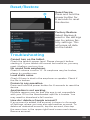
Reset Device
Press and hold the
power button for
6 seconds to reset
the device.
Factory Restore
Select Backup &
reset in the settings
app to restore factory settings. This
will erase all data
on the tablet.
Troubleshooting
Cannot turn on the tablet.
Check the tablet’s power level. Please charge it before
starting it. If your tablet still cannot be turned on, you may
reset it before you turn it on.
No sound from earphones.
Check if volume is set to ‘0’. Or earphone may be broken,
please try another one.
Loud static noise.
Check if there is dust in the earphone or speaker. Check if
the file is broken.
Frozen to any operation.
Press and hold the power button for 6 seconds to reset the
device.
Application is not working.
Possible reasons may be that this app is not compatible
with your OS or the downloaded .apk file is broken. You
may need to download a full version.
How do I delete a Google account?
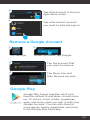
If an account is added, the account is shown in Accounts
of Settings, where you may also add another account. To
delete an undesired account, tap the account, then tap
the menu icon in the upper right hand corner and choose
Remove account.
29