1
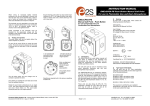
Adjusting the angle of your keyboard:
There are two feet on the bottom of the keyboard that can be flipped up or down to give you
the most comfortable position for keyboard use.
Computer system requirements:
PC running Windows 2000/XP/Vista/7
Will operate on an Apple computer running OS 10 or newer
Available USB Port
Additional information:
1. Operational distance can be affected by the work environment.
2. Typical usage will provide you with 60 – 90 days of battery life. The batteries will have
a longer or shorter life depending on your mouse and keyboard use.
3. If the keyboard or mouse stops functioning, replace the batteries.
4. Dispose of batteries properly.
5. There is a reset button on the bottom of the keyboard case. When pressed, the
computer will re-discover the keyboard. This will result in the keyboard becoming nonfunctional for a few seconds while the process is being completed.
This device complies with part 15 of the FCC rules. Operation is subject to the
following two conditions:
(1) This device may not cause harmful interference and (2) This device must accept any
interference received including interference that may cause undesired operation.
Chester Creek Technologies, Inc.
Arrowhead Place
Suite 130
nd
205 West 2 Street
Duluth, MN 55802
218-722-1837
www.chestercreek.com