1
2.6 Mounting Instructions
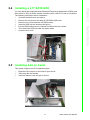
There are two ways to mount the system: panel mounting or rack mounting.
2.6.1 Panel Mounting
1.
2.
3.
Take the four mounting brackets out of the accessory box.
Attach the four mounting brackets by inserting the screws into the keyhole slots
on the cover of the monitor.
Use the screws to secure the brackets to the cover. Tighten the screws to
secure the monitor to the back panel.
2.6.2 Rack Mounting
Please order IPPC-6152A-RMKE option kit to install to a 19" industrial rack
IPPC-6152A User Manual
12