1
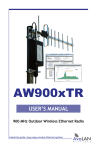
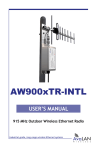
AW900xTR
User’s Manual
Physical Setup
1. Before mounting the radio in its final location, you may want to perform the
digital setup procedure described in the next section.
2. Mount the AW900xTR securely. Maximize lightning resistance by providing a
strong DC ground connection to the metal housing. Connect the AW900xTR’s TNC RF
connector to a suitable antenna. A simple omni-directional dipole unit (AW2-900) is
included and may be used for testing and for relatively undemanding applications.
If greater range and/or directionality is required, choose one of our other antenna
models. You may see them on our website at www.avalanwireless.com.
3. Power is provided to the unit by means of the Ethernet cable, allowing the power
supply to be located at a convenient location. The included power-over-Ethernet
injector (POE) provides the means for adding DC power to unused wires in the cable.
Decide where to place the POE based on proximity to AC power at some point along
the desired path of the Ethernet cable. Plug the included power supply into an appropriate electrical outlet and into the POE. Connect an Ethernet cable between
your network and the “DATA IN” port on the POE. Connect a second cable from the
“P + DATA OUT” port on the POE and the AW900xTR. The AW900xTR is provided with
a cable clamping device that allows an RJ45 plug on the cable to pass through it and
can be tightened down around the cable to provide a weatherproof seal.
4. This radio is suitable for use in Class I, Division 2, Groups A,B,C,D or non-hazardous locations only. The radio is Class I, Division 2 when using the POE and power
supply provided with the product and installed using wiring methods in accordance
with the Canadian Electrical Code (CEC) for Canada and the National Electric Code
(NEC) for U.S. The POE and power supply should be used only in areas known to be
non-hazardous.
WARNING - EXPLOSION HAZARD - DO NOT DISCONNECT EQUIPMENT UNLESS POWER HAS
BEEN SWITCHED OFF OR THE AREA IS KNOWN TO BE NON-HAZARDOUS;
AVERTISSEMENT - RISQUE D’EXPLOSION - AVANT DE DÉCONNECTER L’EQUIPEMENT, COUPER
LE COURANT OU S’ASSURER QUE L’EMPLACEMENT EST DÉSIGNÉ NON DANGEREUX.
Digital Setup
1. Digital configuration is done by means of the AW900xTR’s built in browser interface. It should be powered on and connected at least temporarily to a network
containing a computer that can run a conventional web browser.
2. Download the AvaLAN IP Discovery Utility from our website and extract
ipfinder.exe from the zip archive, placing it on your desktop or in a convenient
folder. Just go to www.avalanwireless.com and choose Support >> Downloads from
the top menu. Note that this utility only runs on MS Windows, not linux or MAC. If
you must use a non-Windows computer for configuration, make sure your subnet
Technical support (650) 384-0000
PAGE 4
www.avalanwireless.com