1
Laser User’s Manual
Thank you for using DHOM series products, please read this instruction manual
carefully before using these products, and store it for later references.
1. Safety Precautions
1-1 Please ensure the shell temperature of the laser head is similar to room
temperature before turning on the laser, to prevent differences between
temperatures that may be harmful to the device.
1-2 Laser beams are extremely dangerous, to ensure the safety of you and others, do
not point the beam at one’s body or flammable objects. Do NOT point the beam
directly at one’s eyes.
1-3 This product should be used in a dry, clean and static-free area. Avoid heat, damp
and shock.
2. Installation Notices.
2-1 Please place the laser head and the power supply on a heat-proof surface. (e.g.
metal board.)
2-2 This product has an air-cooled system, please ensure that there is 5cm ~ 10cm
space between the laser head and an object, to avoid overheating.
2-3 When this product and other parts are placed inside the box, ensure that there is
enough ventilation room, ensuring that air can flow freely in and out of the box.
2-4 If putting ventilation fan within the package, please ensure that the wind direction
and the laser ventilation fan are in the same direction.
NOTE: Not following the above instructions could lead to damages to the parts.
3. Product Knowledge
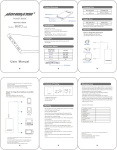
3-1 Power switch placed in “OFF” is turned off. “ON” is on.
3-2 Key position placed in “OFF” is turned off. “ON” is on.
3-3 AC input, voltage of this product is 50-60Hz, AC 85-260V
-------------------------------------------------------------------------------------------------------Ultralasers, Inc.
Address: 610-3050 Pharmacy, Ave. Toronto, Canada. M1W 2N7
E-Mail:[email protected]
3-4 Modulated signal access port can be used for TTL or analog modulation; as for
the access to TTL signal, red for positive, white for negative; as for the access to
analog modulation, red for positive, blue for negative.
3-5 Work Status Indicators
3-6 Laser head power connector.
3-7 Power supply connector.
3-8 Laser aperture.
4. Operation
4-1 Connect the wires from the laser head to the power supply, and secure the screw.
4-2 Remove the sticker over the laser head. (To avoid the beam from harming others,
before starting, a rather dark metal object should be placed in front of the laser
head to absorb the beam.)
4-3 Plug in the power supply to the outlet.
4-4 Turn on the power switch; “Power” indication light should turn on.
4-5 Turn on the key switch; “Laser” indication light should light up in approximate.
10 seconds, laser will start operating; After ten minutes under room temperature,
the product will operate stably.
4-6 If indication “Alarm” lights up, turn off the product immediately by the power
supply, let system cool down and then restart it, the laser will operate at normal
status.
4-7 When need to access to TTL and analog modulation, please refer to "Instruction of
Laser Modulation"
4-8 To turn off device: turn off the key switch, turn off the power supply, then pull out
the plug.
4-9 Re-attach the sticker to the laser aperture.
5. Warranty
5-1 This product has a warranty of ONE year after the date of purchase.
5-2 Signs of destruction, dismantling, self-repair, disobeying the instructions, broken
in appearance or mismatch of serial numbers and records are NOT included in the
warranty
5-3 Service is only available within the warranty limit and by normal operation of the
device.
-------------------------------------------------------------------------------------------------------Ultralasers, Inc.
Address: 610-3050 Pharmacy, Ave. Toronto, Canada. M1W 2N7
E-Mail:[email protected]