1
Changes since the last version of the manual
Preface
1.4 Changes since the last version of the manual
This section describes the changes in openFT V12.0 for Unix systems compared to openFT
V12.0 for Unix systems.
i
The functional extensions to the openFT commands, whether they relate to administrators or users, are also available in the openFT Explorer. For details, see the
New functions section in the associated online help system.
Configuration Editor for remote administration
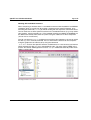
With the new Configuration Editor, openFT provides a graphical user interface which can
be used to create or modify a configuration file for remote administration. The configuration
can be seen immediately in the Configuration Editor in the form of a tree structure and corresponds to the subsequent display in the openFT Explorer.
The Configuration Editor is started via the openFT Explorer.
Extended logging functions
The logging functions have been extended as follows:
●
Switch log file and offline logging
The log file can be changed during operation. After switchover, new log records are written to a new log file. The previous log file is retained as an offline log file. The log records
it contains can still be viewed using the tools available in openFT.
To permit this, the command interface has been extended as follows:
–
ftmodo:
New option -lf=c to switch the log file.
–
ftshwl:
New options -lf, -tlf and -plf to view the log records present in offline log files.
New option -llf to output the names of all log files (including offline log files).
–
ftdell:
New selection criterion -tlf to delete offline log records.
●
Automatic deletion of log records
Intervals for the automatic deletion of log records can be set in the operating parameters. To make this possible, the following options have been added to the ftmodo command: -ld, -lda, -ldd and -ldt. The settings can be displayed using the ftshwo command.
14
openFT V12.0 for Unix Systems - Administration