1
Dokuschablonen (FDSA5) V4.1.
by ff
Internationales Dokuzentrum SNI BU TD DOK © Siemens Nixdorf Informationssysteme AG 1995
4. October 2012 Stand 13:41.42
Pfad: D:\Projekte-01-FSC\openft\satz_V12-korr\adm_x_e.k02
Installation of openFT
Update installation
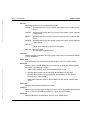
3. If you have made modifications in the old startup and shutdown files, then you must also
–
make them in the new startup and shutdown files in the case of an update installation under Linux, HP-UX or AIX
–
make them in SMF in the case of Solaris, see section “Solaris SMF” on page 41.
See also section “openFT instances and cluster operation” on page 96.
Steps performed automatically
The following steps are performed automatically for an update installation:
●
Running openFT processes and the openFT Explorer are terminated.
●
openFT-Script requests are cancelled.
●
In the case of an openFT V10.0 update installation, the default TNS entries for openFT
are handled as follows:
–
Default TNS entries from older openFT versions < V10.0 that are no longer required
are deleted
–
Missing required default TNS entries are created.
–
Existing required default TNS entries remain unchanged.
●
The language setting from the previous version is used. On Linux platforms, however,
the openFT man pages are installed in both German and English, i.e. users see the
man pages in the language set for their login session.
●
The instance directories of currently existing instances including the standard instance
are updated, i.e.:
–
The log file is deleted.
–
The old, instance-specific startup and shutdown files are backed up under
/var/openFT/instance/etcinit/openFTinst.old (instance = name of the instance). The new
instance-specific startup and shutdown files are then read in on Linux, HP-UX and
AIX platforms. On the Solaris platform, SMF is supported, see section “Solaris
SMF” on page 41. As a result, no further startup or shutdown files are created.
–
During this, the following configuration data are used:
– Operating parameters (the operation CMX with remains activated)
– Instance identification
– partner list entries
– The FTAM catalog
– Admission sets and profiles:
– Key pair sets:
– Configuration data for central administration (in the case of an update from
V11.0).
openFT V12.0 for Unix Systems - Administration
31