1
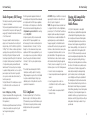
Table of Contents
Email................................................................. 37
Setting Up the First Email Account....................... 37
Checking Your Emails.......................................... 37
Responding to an Email....................................... 37
Writing and Sending an Email.............................. 38
Adding a Signature to Your Emails....................... 38
Adding and Editing Email Accounts...................... 38
Changing General Email Settings......................... 39
Gmail™............................................................ 40
Opening Your Gmail Inbox................................... 40
Switching Accounts............................................. 40
Writing and Sending a Message.......................... 40
Adding a Signature to Your Gmail Messages........ 40
Replying to or Forwarding a Message.................. 41
Working With Received Attachments.................... 41
Searching for Messages....................................... 41
Working With Labels........................................... 41
Changing Gmail Settings..................................... 42
Messaging........................................................ 43
Opening the Messaging Screen............................ 43
Sending a Text Message...................................... 43
Replying to a Message........................................ 43
Forwarding a Message........................................ 43
Viewing Details About a Message........................ 43
Deleting Messages or Threads.............................. 44
Changing Message Settings................................. 44
2
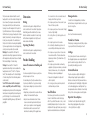
Table of Contents
Calendar........................................................... 45
Viewing Your Calendars and Events..................... 45
Creating an Event............................................... 46
Editing or Deleting an Event................................ 46
Changing Calendar Settings................................ 46
Camera............................................................. 54
Capturing a Photo............................................... 54
Customizing Camera Settings.............................. 54
Recording a Video............................................... 55
Customizing Camcorder Settings......................... 55
Google+™....................................................... 47
Gallery.............................................................. 56
Opening the Gallery............................................ 56
Working With Albums.......................................... 56
Working With Pictures......................................... 56
Working With Videos........................................... 57
Browser............................................................ 48
Opening the Browser........................................... 48
Working With an Opened Page............................ 48
Using Multiple Browser Tabs................................ 49
Downloading Files............................................... 49
Using Bookmarks................................................ 49
Viewing Your Browsing History............................ 50
Changing Browser Settings.................................. 50
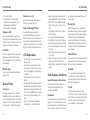
Google Maps™............................................... 51
Activating Location Services................................. 51
Getting Your Location.......................................... 51
Searching for a Location...................................... 51
Getting Directions to Your Destination................. 51
Searching for Local Places................................... 52
Google Now™ and Search............................ 53
Enabling Google Now......................................... 53
Searching With Text............................................. 53
Searching by Speaking........................................ 53
Changing Search and Voice Search Settings......... 53
Music................................................................ 58
Copying Music Files to Your Phone...................... 58
Viewing Your Music Library.................................. 58
Playing Music...................................................... 59
Managing Playlists.............................................. 59
Play Music........................................................ 61
Playing Your Music.............................................. 61
Managing Playlists.............................................. 62
Video Player..................................................... 63
Opening the Video Library................................... 63
Playing and Controlling Videos............................ 63
Managing Video Files.......................................... 63
Sound Recorder............................................... 64
Recording a Voice Memo..................................... 64
Playing a Voice Memo......................................... 64
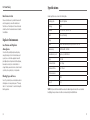
More Apps........................................................ 65
Clock................................................................. 65
Calculator........................................................... 65
Google Chrome™............................................... 65
Downloads.......................................................... 66
File Manager....................................................... 66
Full Share............................................................ 66
Mi-EasyAccess..................................................... 67
NotePad.............................................................. 67
Play Books.......................................................... 67
Play Movies & TV................................................ 67
Task Manager..................................................... 68
YouTube™.......................................................... 68
Play Store......................................................... 69
Browsing and Searching for Apps........................ 69
Downloading and Installing Apps........................ 69
Creating a Google Wallet™ Account................... 69
Managing Your Downloads.................................. 69
Viewing Your Downloaded Apps.......................... 70
Settings............................................................ 71
General Settings.................................................. 71
Wireless and Networks........................................ 72
Device................................................................. 73
Personal.............................................................. 73
Accounts............................................................. 74
System................................................................ 74
3