1
4.2 Discussion Units
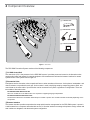
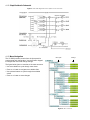
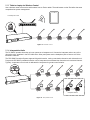
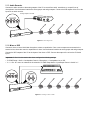
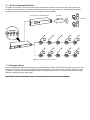
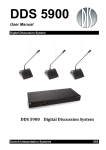
Participants use discussion units to communicate with other members of the event. Connected in daisy-chain
configuration from the central unit, they transport digital audio, control signals, and power over a single cable. The sleek,
professional design and minimal cabling allows seamless integration into professional meeting spaces. A DDS 5900
system supports up to 250 discussion units at the same time.
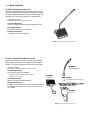
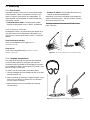
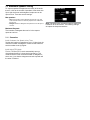
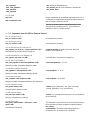
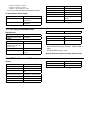
DDS 5900 Discussion Units
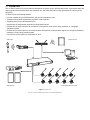
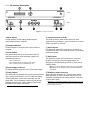
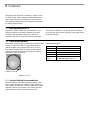
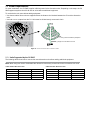
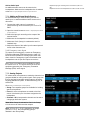
Primary functions of the unit:
① Microphone: for speech
② Speaker: for listening to the discussion
③ Control Buttons: for microphone operation and
translation channel selection
④ Headphone Jack: for listening to a translation channel
⑤ Base with RJ-45 Jacks: for power, audio, control
transport
DC 5980 P
DC 5900 F
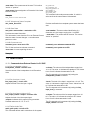
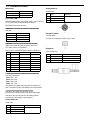
4.2.1 Control Buttons
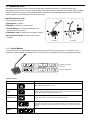
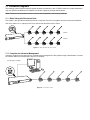
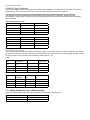
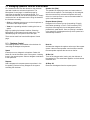
The discussion unit is programmable to support different people involved in the discussion. For example, as the
moderator of the discussion, the chairman has an extra control that immediately turns off all delegate microphones.
1
2
Delegate (Participant)
Interpreter
1
2
Chairman (Moderator)
1
2
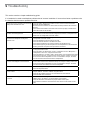
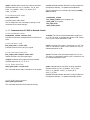
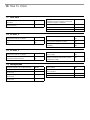
Using the Controls
Button
Description
Speak
Press to turn on the microphone or add the user to the request list, depending on the
system operation mode set in the CU.
Mute (delegate
only)
Press and hold to temporarily mute the audio from the microphone. During this time, the
delegate will retain speaking privileges but the microphone will not pass audio to the floor
sound. The microphone light ring is off during mute.
Delegate Off
(chairman only)
The chairman has the ability to immediately turn off all delegate microphones with this
button. At that time, only the chairman has speaking privileges.
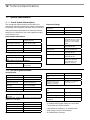
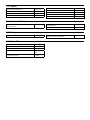
Channel Selector
Headphone
Volume
1
2
Scroll through the channels to select an audio source for monitoring on headphones.
Channels 1 and 2 select a language translation feed; floor sound is selected when the
LEDs are off. When the unit is programmed for an interpreter, this select the transmitting
channel.
Increase or decrease the volume of the headphone audio signal.