1
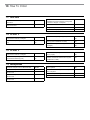
1 Table of Contents
1 Table of Contents
3
2 Important
2.1 Important Safeguards 2.2 Compliancy 2.3 Cleaning 2.4 Repacking 2.5 Warranty 5
5
6
7
7
7
7 System Set up
7.1 Control Software 7.2 Security 7.3 Audio Settings 34
34
36
36
8 Running a Discussion
8.1 Language Translation 8.2 Assigning Names and Seat Numbers 8.3 Microphone Operation Modes 8.4 Maximum Speaker Setting 8.5 Managing Speakers from the Web Browser 41
41
41
42
43
44
3 DDS 5900 Digital Discussion System
3.1 Features 3.2 System Concepts 9
9
10
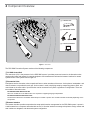
4 Component Overview
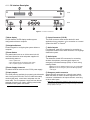
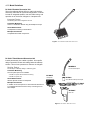
4.1 Central Unit 4.2 Discussion Units 4.3 Additional Compatible Equipment 11
12
15
9 Troubleshooting
9.1 Factory Default Reset 9.2 Event Report 45
45
45
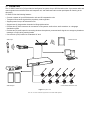
5 Installation
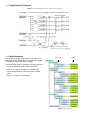
5.1 Rackmounting the CU 5.2 Cable Requirements 5.3 Connection Diagrams 5.4 Increasing Cable Length with Data Repeaters 5.5 Power Requirements 5.6 Connecting Discussion Units 5.9 Install the DC 5900 F 19
19
19
20
24
25
27
28
10 Firmware Update 10.1 Update System Firmware 10.2 Firmware Update 46
46
46
11 External Control Protocol
11.1 General Protocol Behavior 11.2 Microphone Control 11.3 Audio Control 47
47
48
51
6 Using the Discussion Units
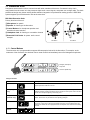
6.1 Program the User Type 6.2 Controlling the Discussion Unit 6.3 Monitoring 30
30
31
31
12 Technical Specifications
12.1 System Specifications 12.2 CU 5905 Specifications 12.3 DC 5980P Discussion Unit 12.4 GM 59xx Gooseneck Microphones 12.5 Connection Details 53
53
53
54
54
54
18