1
ON
Installation
BODY COMPOSITION ANALYZER
Install Manual
Failure to connect the device to a properly grounded outlet may result in damage to
the device, inaccurate measurement and/or inappropriate operation due to possible
electrical surges.
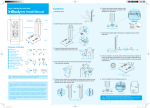
1.After opening the product box, please remove the accessories box and
the center Air-cell cushion that is covering the InBody.
CAUTION
Head
Input Buttons
Do not plug the device to a shared power source with any other electrical devices such
as a treadmill,
refrigerator,
DANGER air conditioning unit, microwave or RF medical diathermies
NOTE
that can be affected by electromagnetic interference. It may result in inaccurate
measurements.
Measurement
CAUTION
C
Hand Electrode
Stand
NOTE
DANGER
1. Turn on the InBody230 and keep the power on until the home screen
initializes. It will take 15 seconds. During the warming, do not touch
the base.
2.Carefully remove the InBody from the box and place
the InBody230 horizontal to the ground. Raise the
stand, lift the head, and slightly spread the arms.
B
Foot Electrode
A
❶
Base
Contents of the Box
Basic
❶ InBody230
❷ Install Manual 1EA
❸ User’s Manual CD 1EA
❹ Warranty
❺ Adapter 1EA(DC 12V, 3.4A)
❻ Power Cable 1EA
Power switch
<Rear view of InBody230>
Level Indicator
A
❷
❸
❹
<Leveled state>
B
C
❺
Optional
❼ Thermal printer
❽ SD400 Set
❾ Result Sheet
❿ Carrying Bag
⓫ InBody Tissue
3. If the air bubble is not in the center of the level indicator, tighten or loosen
the leveling screws(4EA) on the foot plate to adjust the level of InBody230.
InBody230 must be leveled properly for accurate weight measurement.
Leveling Screws
❼
4. Plug the power adapter cable into the InBody230.
2. Step on the foot plate and measure weight.
❻
❿
❽
❾
❺
⓫
<Printer Cable / Option>
Please keep the packaging for future events of repacking InBody230 and sending
it for servicing or otherwise transporting InBody230 elsewhere.
1. If you use the InBody230 on a carpet, static electricity may cause serious damage to the
electronic components.
If the InBody230 is to be installed on a carpet, use antistatic mats
DANGER
NOTE
below the InBody230. Use InBody tissue to wipe feet and hands before the measurement
starts.
*Make sure the power cord is firmly plugged into the power adapter.
*Please plug the power cord and the printer power cord to an
electrical outlet. A surge protector is highly recommended.
❺
<Rear view of InBody230>
Earth Ground Pole
❻
Three Pole Socket
2. Do not wipe the base and hand electrode with cleaning liquids. If cleaning liquids enter
into InBody230, it may cause corrosion or electric shock by short circuit. For cleaning of
the InBody230, please use InBody tissue, which also has antibacterial functionality.
3.Do not dismantle InBody230. Internal parts are not for customer use and may cause
electric shock. If InBody230 is dismantled, the warranty is void, and service costs will be
charged.
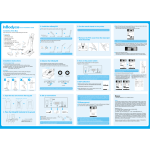
3. Enter your personal information and press “ENTER” button.
DEF
ABC
QZ
JK
GHI
TUV
PRS
Please use the device after
*케이블고정장치
properly connecting the power
and printer cables to the
appropriate matching port.
ETE
DEL
ION
4. Grab the hand electrode and hold your arms slightly away from
the torso.
Proper Posture
FAQs
Proper posture is essential to achieve reliable results and high reproducibility.
Do not talk or move during the InBody test.
Q1. I do not know how to configure the settings.
A. Use the left right buttons (◀,▶) or number to select a category among
Region, Printer, Result, Other and Interface. Then the selected item’s
sub-categories are displayed on the screen.
Q2. Can I use my printer?
A. There is a list of compatible printers.
Please contact BIOSPACE or the local distributor.
Q3. I do not know why error messages are shown on the LCD.
A. The InBody230 displays an error message to alert the operator of
problems and to recommend the correct action.
Armpits are not closed up.
Straight both arms.
5. Remain still during measurement and the test takes about 30 seconds.
If the examinee’s
thighs are in contact
with each other, have
the examinee wear a
pair of knee-length
shorts so that the
thighs are not in contact
each other.
Turn the InBody230 off and on again
after removing the objects from the
foot plate.
If entered subject data are beyond
acceptable ranges, this error message
appears.
A subject should wipe his/her soles and
palms with wet tissue and try again.
Gently grip the hand
electrodes so that all the
four fingers of each hand
are touching the surface
of the either hand
electrode. Touch the
circular electrode with
the thumb.
Q4. Where can I buy printer paper and other optional devices?
A. Please contact BIOSPACE or the local distributor.
Q5. How do I know the measurement taken is correct?
A. After taking the measurement, check the impedance at the bottom of the
results sheet printed. The impedance value must decrease in the
arrow direction.
Step on the foot plate with bare feet,
ensuring that both heels are touching
the smaller foot electrode on either side
as illustrated.
Do not wear socks
during measurement.
Q6. How do I clean hand/foot electrode?
A. For cleaning of hand/foot electrode, please use InBody tissue, which
also has antibacterial functionality.
If you are using a printer, a result sheet will be printed automatically.
< Option >
NOTE
DANGER
Cautions before Measurement
For any problems with InBody230 or for any clinical information, contact:
Callouses on the palm or sole or particularly dry hands and feet may lead to difficulties in measuring.
If this is the case, please wipe the palm and sole with an InBody Tissue before testing.
For more information on the functions of InBody230 and descriptions on the thermal results sheet items,
see the user’s manual CD included.
For purpose of improvement, specifications and design are subject to change without notice.
Do not use this equipment in combination with the following electronic medical devices.
- Medical devices, such as a pacemaker.
- Electronic life support systems, such as an artificial heart/lung.
- Portable electronic medical devices, such as an electrocardiograph.
BIOSPACE Co., Ltd. [HEAD OFFICE]
InBody Bldg., 54, Nonhyeon-ro 2-gil, Gangnam-gu, Seoul 135-960 KOREA
TEL: +82-2-501-3939 FAX: +82-2-578-2716
Website: http://www.inbody.com E-mail: [email protected]
ⓒ2014 BIOSPACE Co., Ltd. All rights reserved. BM-ENG-40-G-140818