1
HandyBot Owner’s Manual
OUTDOOR TASKS
HandyBot cares for your yard with:
•
•
•
•
•
•
Boundary wire installed on the ground for safe and accurate perimeters
Sharp blades that mow grass to the desired height
Outdoor wheels that easily move over most terrain
Precise edging options while mowing that reach beyond the wheels
Super Sprinkler that does the work of many sprinklers and drippers
Fertilizer that can be applied while watering and selected by plant type
INITIAL OUTDOOR SETUP
1.
2.
3.
Attach the boundary wire firmly to the ground on HandyBot’s outdoor perimeter.
Move HandyBot inside the boundary wire.
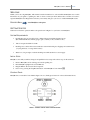
For watering and fertilizing, connect the SS to front ring as shown in Figure 1.
QUICK START FOR OUTDOOR TASKS
1.
2.
3.
4.
5.
6.
Power-on by pressing the Stop/Resume button on the HandyBot Control Panel.
Press> B-outdoor to reach the Outdoor Menu from the Main Menu.
Select> A-mowing, B-weeding, or C-watering from the Outdoor Menu.
Press> ENTER to select task and view the Task Schedule Menu.
Press> A-now on the Task Schedule Menu.
Press> ENTER: The selected outdoor task will begin immediately.
ADVANCED OUTDOOR SETTINGS
CUSTOM MOWING WITH EDGING OPTION
1.
2.
3.
4.
5.
Press> MENU> B-outdoor to view the Outdoor Menu.
Hold down A-mowing with the MENU key to display the Custom Mowing Options.
Select >A-1in., B-1 ½ in., or C-2 in. to adjust the desired lawn height.
Press> D to switch between EDGING ON and EDGING OFF.
Press> ENTER: Your selections will become the default mowing settings.
CUSTOM WATERING WITH F ERTILIZING OPTION
1.
2.
3.
4.
5.
Press> MENU> B-outdoor to view the Outdoor Menu.
Hold down C-watering with the MENU key to display the Custom Watering Options.
Select>A-lawn or C-garden or both to customize watering area.
Press> D to switch between FERTILIZER ON and FERTILIZER OFF.
Press>ENTER: Your selections will become the default watering settings.
5
2013