1
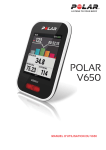
V650 USER MANUAL
CONTENTS
Contents
2
Introduction
7
V650
7
USB cable
7
Bluetooth® Smart Heart Rate Sensor*
8
Polar FlowSync Software
8
Polar Flow Web Service
8
Get started
9
Charge the Battery
9
Basic Settings
9
Menu and Functions
10
Menu Items
11
Button Functions
12
Touch Screen Functions
12
Pairing Sensors with V650
13
Settings
14
General Settings
14
Pairing
14
Use GPS time
15
Time
15
Date
15
Language
15
2
Units
15
Pin code lock
15
Frontlight
16
Display backlight
16
Automatic Power Off
17
About V650
17
Sport Profile Settings
17
Training views
17
HR view
18
Speed View
18
Training sounds
18
GPS
18
Automatic pause
18
Automatic lap
18
Front button takes lap
18
HR zones
19
Bike Settings
19
Measuring the wheel size
19
Physical Settings
20
Sex
21
Height
21
Weight
21
Date of birth
21
3
HR max
21
Resting HR
21
VO2 max
22
Firmware Update
22
Compatible Sensors
24
Polar Heart rate Sensor Bluetooth® Smart
24
Pair a Heart Rate Sensor with V650
24
Polar Speed Sensor Bluetooth® Smart
24
Pair Speed sensor with V650
25
Polar Cadence Sensor Bluetooth® Smart
25
Pair Cadence sensor with V650
25
Install Bike Mount
27
Polar Adjustable Bike Mount
27
Polar Adjustable Front Bike Mount
28
Training
29
Wear the Heart Rate Sensor
29
Start a Training Session
29
During Ride
31
Training Views
32
Time
32
Environment
33
Body Measurement
33
Distance
34
4
Speed
34
Cadence
35
Lap Information
35
Back to Start
36
Pause and Stop Training
36
After Training
38
Summary
38
History
38
Sessions
38
Totals
39
Features
40
GPS
40
Barometer
40
Sport Profiles
40
Smart Coaching
40
Polar Heart Rate Zones
41
Smart Calories
43
Training Benefit
43
Training Load
45
Polar Flow Web Service
46
Syncing
48
Caring for Your V650
49
Polar V650
49
5
Heart Rate Sensor
49
Speed Sensor Bluetooth® Smart and Cadence Sensor Bluetooth® Smart
49
Storing
50
Service
50
Important Information
51
Batteries
51
Change the Heart Rate Sensor Battery
51
Precautions
52
Interference During Training
52
Minimizing Risks When Training
52
Technical Specifications
54
Polar V650
54
Heart Rate Sensor
55
Polar FlowSync Software and USB Cable
55
Water Resistance
55
Limited International Polar Guarantee
56
Disclaimer
57
6
INTRODUCTION
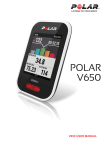
Congratulations on your new V650! Designed for the most ambitious cyclist, the V650 helps you ride with confidence and reach your peak performance.
This user manual includes complete instructions to help you get the most out of your new riding companion.
To check the video tutorials and the latest version of this user manual, please go to www.polar.com/en/support/v650.
V650
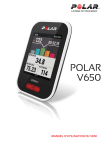
View your training data, such as heart rate, speed, distance and altitude at a glance from the big screen.
USB CABLE
Use the USB cable to charge the battery and to sync data between your V650 and the Polar Flow web service
via FlowSync software.
7
BLUETOOTH® SMART HEART RATE SENSOR*
See live, accurate heart rate on your V650 during your training sessions. Your heart rate is used to analyze
how your session went.
*Only included in V650 with heart rate sensor sets. If you bought your V650 without a heart rate sensor, not to
worry, you can buy one at any time.
POLAR FLOWSYNC SOFTWARE
Flowsync software allows you to sync data between your V650 and the Flow web service on your computer
via the USB cable. Go to flow.polar.com/start to download and install Polar FlowSync software.
POLAR FLOW WEB SERVICE
Plan and analyze every detail of your training, customize your device and learn more about your performance
at polar.com/flow.
8
GET STARTED
To make sure you get to enjoy your V650 at its best, please go to flow.polar.com/start where simple instructions will guide you through setting up your V650, downloading the latest firmware and taking the Flow web service into use.
If you’re in a hurry for your first run with V650, you can do a quick set up by entering the basic settings on the
device, as instructed in Basic Settings.
CHARGE THE BATTERY
After unboxing your V650, the first thing you need to do is charge the battery. Let your V650 fully charge before
taking it into use for the first time.
The V650 has an internal, rechargeable battery. Use the USB cable included in the product set to charge your
V650 via the USB connector on your computer. You can also charge the battery via a wall outlet. When charging via a wall outlet use a USB power adapter (not included in the product set). If you use an AC adapter,
make sure that the adapter is marked with "output 5Vdc 1A-2A max". Only use an AC adapter which is
adequately safety approved (marked with "LPS", "Limited Power Supply" or "UL listed").
1. Push down to open the cap.
2. Lift the cap and plug the micro USB connector into the USB port.
3. Plug the other end of the cable into your PC.
4. The charging animation appears on the display. Charging the battery fully takes up to five hours.
The operating time of the battery is approximately 10 hours. The operating time depends on many factors,
such as the temperature of the environment in which you use your V650, the features you select and use, and
battery aging. The operating time is significantly reduced in temperatures well below freezing.
Don't leave the battery fully discharged for a long period of time or keep it fully charged all the time,
because it might affect the battery life time.
BASIC SETTINGS
Wake your V650 by pressing the side button. The first time you do this, your V650 will take you through an initial set up process.
Start by choosing your language from the following options: Dansk, Deutsch, English, Español, Français,
Italiano, Nederlands, Norsk, Português, Suomi, Svenska, 日 本 語 or 简 体 中 文 .
If your language is not visible, swipe up to scroll the list. Choose a language by tapping it. The field turns red.
Confirm and continue to the following setting by tapping
at the bottom of the screen.
9
To get the most accurate and personal training data, it’s important that you’re precise with physical settings like your age, weight and sex.
Units: Choose Metric (kg/cm) or Imperial (lb/ft) units.
Use GPS time: If you want the V650 to read the Coordinated Universal Time (UTC) from the GPS satellites,
tick the box and choose the UTC Time Zone that is closest to you.
Time of day: Change the time format by touching 12h/24h (1). The chosen time format is written in white. If
you choose the 12h time format, also select AM or PM (2). Then enter the local time.
Date: Enter current date.
Sex: Select Male or Female.
Height: Enter your height.
Weight: Enter your weight.
Date of birth: Enter your date of birth.
To change your settings, tap
at the bottom of the screen to return to the desired setting. To accept the settings, tap . The V650 enters the main view.
MENU AND FUNCTIONS
10
MENU ITEMS
1. HISTORY: See the details of your sessions and the
totals of your cycling history.
2. PULL-DOWN MENU: Swipe down to open the pulldown menu. There you can adjust the frontlight, the training sounds and the display brightness.
3. SETTINGS: Modify the settings to suit your needs.
4. BIKE:Choose the bike for your ride.
5. PROFILE : Choose the profile for your ride.
6. The indicators displayed at the bottom of the display
provide information about the status of the sensors.
11
BUTTON FUNCTIONS
There is one physical button on the side of the V650 and another
button on the front.
Press the side button (1) to view the following options:
o
Calibrate altitude
o
Lock display
o
Turn off V650
o
Search sensor: Search for a heart rate sensor or cycling
sensor.
Press the front button (2) to start recording, press and hold it to
pause.
Take lap with a regular press. See Sport Profile settings for
instructions on setting FRONT BUTTON TAKES LAP function on/off.
TOUCH SCREEN FUNCTIONS
Tap
l
Open what you tap.
l
Choose an item.
l
Confirm and return to the previous level by tapping
l
Continue further by tapping
.
.
Swipe right or left
l
Switch training views during training.
l
Browse training view layouts in sport profile settings.
l
Scroll details of your riding session in HISTORY.
Swipe down from the top edge of the screen
Open the pull-down menu. There you can adjust the frontlight, the training sounds and the display brightness.
12
Swipe up or down
Scroll through what’s on the screen.
PAIRING SENSORS WITH V650
Sensors compatible with V650 use Bluetooth Smart ® wireless technology. Before taking a new heart rate
sensor or cycling sensor into use, it has to be paired with your V650. Pairing only takes a few seconds, and
ensures that your V650 receives signals from your sensors and devices only, and allows disturbance-free
training in a group. Before entering an event or race, make sure that you do the pairing at home to prevent interference due to data transmission.
For more information on pairing specific sensors, see Compatible Sensors.
13
SETTINGS
GENERAL SETTINGS
To view and edit your general settings, go to Settings > General settings.There you'll find:
l
Pairing
l
Use GPS time
l
Time
l
Date
l
Language
l
Units
l
Pin code lock
l
Frontlight
l
Display backlight
l
Automatic power off
l
About V650
Tap to open the setting you want to change, and edit as you like. Confirm and return to previous menu by tapping .
In certain settings (e.g. UNITS), tap the field until you see the correct value.
PAIRING
Before taking a new sensor into use, it has to be introduced to your V650. This is called pairing and only takes
a few seconds. Pairing ensures that the V650 receives signals from your sensor only, and enables disturbance-free training in a group.
Pair new device: Pair a sensor with your V650. For more information on pairing specific sensors, see Compatible Sensors.
Paired devices: View all the devices you have paired with your V650.
To remove pairing with a sensor:
1. Go to Settings > General settings > Pairing > Paired devices.
2. Tap the device you want to remove from the list and tap Remove pairing.
14
USE GPS TIME
If you want the V650 to read the Coordinated Universal Time (UTC) from the GPS satellites, tick the box in
USE GPS TIME field, and choose the UTC Time Zone that is closest to you.
TIME
Set the time of day.
If you want to change the time format, tap 12h/24h (image).The currently selected format is written in
white. If you choose the 12h time format, also select AM or PM.
DATE
Set the date.
LANGUAGE
Choose: Dansk, Deutsch, English, Español, Français, Italiano, Nederlands, Norsk, Português, Suomi,
Svenska, 日 本 語 or 简 体 中 文 .
UNITS
Choose metric or imperial. Set the units used to measure weight, height, distance and speed.
PIN CODE LOCK
Keep your training information safe by setting a PIN code on your V650. It's a handy way to make sure that
only you have access to your training information.
Tap PIN CODE LOCK to turn the function on. Enter a four-digit PIN code and tap
confirm.
. Re-enter and tap
to
The V650 will ask for your PIN code every time it is turned on.
If you forget your PIN code, you can do a Factory reset on your V650. It removes V650’s connection to
your user account and deletes any saved data on it.
1. Plug in your V650 to your computer’s USB port and go to Polar FlowSync software. The Polar
FlowSync software transfers your training information to the Polar Flow web service.
2. Go to Settings and choose Factory Reset.
3. Go to the Polar Flow web service (flow.polar.com/V650) and repeat what you did when you first started
using the product.
15
FRONTLIGHT
The function of the frontlight on the top edge of the V650 is to optimize your cycling security in dark conditions.
It's an intelligent feature that you can set to turn on automatically when it gets dark and to turn off when it gets
bright. Alternatively, you can manage it manually from the pull-down menu.
Manual: Manage the frontlight manually from the pull-down menu. Adjust the Blink rate* by dragging the
slider.
Automatic: The V650 turns the frontlight on and off according to light conditions. Adjust the Activation level
and the Blink rate* by dragging the slider.
Frontlight settings in pull-down menu
Tap to turn the frontlight on or off.
Tap to set blink mode on or off.
Tap to set the automatic frontlight on or off.
DISPLAY BACKLIGHT
Manual: The backlight turns on each time you touch the screen, press a button, get a notification or an alarm.
It remains bright for 15 seconds, then goes dim again.
Always on: The backlight is always on.
Automatic: The backlight turns on and off automatically according to light conditions when you're recording a
session. In other modes it works the same way as manual backlight. You can adjust the Activation level by
dragging the slider.
16
AUTOMATIC POWER OFF
Set On/Off: The power switches off automatically when you haven't touched the buttons/touch screen in 15
minutes (except when the V650 is recording a training sessions or in the pause mode).
ABOUT V650
Check the device ID, firmware version and HW model of your V650.
SPORT PROFILE SETTINGS
To view or modify sport profile settings, go to Settings > Sport profiles and choose the profile you want to
edit.
You'll find the following settings for each profile:
l
Training views
l
HR view
l
Speed view
l
Training sounds
l
GPS
l
Automatic pause
l
Automatic lap
l
Front button takes lap
l
HR zones
Tap to open the setting you want to change, and edit as you like. Confirm and return to previous menu by tapping .
In certain settings (e.g. Training sounds), tap the field until you see the correct value.
TRAINING VIEWS
You can choose to have up to six training views for each profile, each training view containing up to eight
items. In addition to the training views, you can choose to have a lap view.
1. Tick the box on the left side of the display to activate View 1, View 2, View 3, View 4, View 5 or View
6.
2. Tap the view you want to edit.
3. Choose the layout for the view. There are many layout options; simply swipe left or right until you see a
layout you like.
17
4. If you want to change an item, tap it and choose a new item from the list. The content of the list varies
slightly between different layouts. This is because some of the items (e.g. graphs) don't fit in all the layouts. You can find a complete list of available items in Training Views.
5. When the layout is complete, confirm and return to the TRAINING VIEWS menu by tapping
.
6. If you want to set more training views for the profile, repeat the steps 1-5 .
7. To set Lap view on, tick the box in the Lap view field.
8. Tap
in TRAINING VIEWS menu to save your changes.
HR VIEW
Choose % (percent of maximum heart rate) or bpm (beats per minute).
SPEED VIEW
Choose km/h or min/km.
TRAINING SOUNDS
Choose Mute, Soft, Loud and Very loud.
GPS
Set GPS function On/Off.
AUTOMATIC PAUSE
Tick the box to turn the function on.
Tap Activation speed to set the speed at which recording is paused.
AUTOMATIC LAP
Tick the box to turn the function on, then set the automatic lap Duration or Distance.
FRONT BUTTON TAKES LAP
Set the function On/Off. If you set the function on, pressing the front button takes a lap when you're recording
a session.
By default, the function is on in Road cycling, Mountain biking and Indoor cycling.
Pressing and holding the front button pauses recording.
18
HR ZONES
View and change the heart rate zone limits.
BIKE SETTINGS
To view or modify bike settings, go to Settings > Bike settings and choose the bike. The sensors you have
linked to the bike appear under the bike name.
You'll find the following settings:
BIKE NAME: Bike 1, Bike 2, Bike 3 or Bike 4.
WHEEL SIZE (MM): Set the wheel size in millimeters. For more information, see Measuring the wheel size.
SENSORS: View all the sensors you have linked to the bike.
MEASURING THE WHEEL SIZE
Wheel size settings are a prerequisite for accurate cycling information. There are two ways to determine the
wheel size of your bike:
Method 1
Measure the wheel manually for the most accurate result.
Use the valve to mark the point where the wheel touches the ground. Draw a line on the ground to mark the
point. Move your bike forward on a flat surface for one complete rotation. The tire should be perpendicular to
the ground. Draw another line on the ground when the valve is at the starting point to mark a full rotation. Measure the distance between the two lines.
Subtract 4 mm from the distance to account for your weight on the bike to get your wheel circumference. Enter
this value in the cycling computer.
Method 2
Look for the diameter in inches or in ETRTO printed on the wheel. Match it to the wheel size in millimeters in
the right column of the chart.
You can also check the wheel size from the manufacturer.
ETRTO
25-559
Wheel size diameter (inches) Wheel size setting (mm)
26 x 1.0
1884
19
ETRTO
Wheel size diameter (inches) Wheel size setting (mm)
23-571
650 x 23C
1909
35-559
26 x 1.50
1947
37-622
700 x 35C
1958
47-559
26 x 1.95
2022
20-622
700 x 20C
2051
52-559
26 x 2.0
2054
23-622
700 x 23C
2070
25-622
700 x 25C
2080
28-622
700 x 28
2101
32-622
700 x 32C
2126
42-622
700 x 40C
2189
47-622
700 x 47C
2220
55-622
29 x 2.2
2282
55-584
27.5 x 2.2
2124
Wheel sizes on the chart are advisory as wheel size depends on the wheel type and air pressure. Due to
te variation of the measurements, Polar cannot be held responsible for their validity.
PHYSICAL SETTINGS
To view and edit your physical settings, go to Settings > Physical settings. There you'll find:
l
Sex
l
Height
l
Weight
l
Date of birth
l
HR max
l
Resting HR
l
VO2max
It is important that you are precise with the physical settings, especially when setting your weight, height,
date of birth and sex, as they have an impact on the accuracy of the measuring values, such as the heart rate
limits and calorie expenditure.
20
Tap to open the setting you want to change, and edit as you like. Confirm and return to previous menu by tapping .
In certain settings (e.g. SEX), tap the field until you see the correct value.
SEX
Choose Male or Female.
HEIGHT
Set your height.
WEIGHT
Set your weight.
DATE OF BIRTH
Set your date of birth.
HR MAX
HR MAX:Set your maximum heart rate, if you know your laboratory measured current maximum heart rate
value. Your age-predicted maximum heart rate value (220-age) is displayed as a default setting when you set
this value for the first time.
About maximum heart rate
HRmax is used to estimate energy expenditure. HRmax is the highest number of heartbeats per minute during maximum physical exertion. HRmax is also useful when
determining training intensity. The most accurate method for determining your individual HRmax is to perform a maximal exercise stress test in a laboratory.
RESTING HR
RESTING HR: Set your resting heart rate.
About resting heart rate
A person’s resting heart rate (HRrest) is the lowest number of heart beats per minute
(bpm) when fully relaxed and without distractions. Age, fitness level, genetics, health
status and gender affect the HRrest. HRrest is decreased as the result of cardiovascular conditioning. A normal value for an adult is 60-80 bpm, but for top athletes
it can be below 30 bpm. An exceptionally high HRrest can be a sign of over-exertion or
illness.
21
VO2 MAX
VO2max: Set your maximal oxygen uptake, VO2max .
About VO2max
A clear link exists between oxygen consumption (VO2) of the body and cardiorespiratory fitness because oxygen delivery to tissues is dependent on lung and
heart function. VO2max (maximal oxygen uptake, maximal aerobic power) is the maximal rate at which oxygen can be used by the body during maximal work; it is related directly to the maximal capacity of the heart to deliver blood to the muscles. VO2max can
be measured or predicted by fitness tests (e.g. maximal tests, submaximal tests, Polar
Fitness Test). VO2max is a good index of cardiorespiratory fitness and a good predictor
of performance capability in aerobic events such as distance running, cycling, crosscountry skiing, and swimming.
VO2max can be expressed either as milliliters per minute (ml/min = ml ■ min-1) or this
value can be divided by the person’s body weight in kilograms (ml/kg/min = ml ■ kg-1■
min-1).
The relationship between oxygen uptake (VO2) and heart rate (HR) is linear within an
individual during dynamic exercise. Percentages of VO2max can be changed to % of
HRmax with the following formula: %HRmax = (%VO2max + 28.12)/1.28.
VO2max is the basic variable of the intensity of exercise. When determining target exercise intensities heart rate is more practical and useful because it is easily and noninvasively obtained, e.g. on-line during exercise with heart rate monitors.
FIRMWARE UPDATE
The firmware of your V650 can be updated. Any time a new firmware version is available, FlowSync will notify
you when connecting V650 to your computer with the USB cable. The firmware updates are downloaded via
the USB cable and FlowSync software.
Firmware updates are performed to improve the functionality of your V650. They can include improvements to
existing features or completely new features, for example.
HOW TO UPDATE FIRMWARE
To update the firmware of your V650, you must have:
l
A Flow web service account
l
Installed FlowSync software
l
Registered your V650 in the Flow web service
22
Go to flow.polar.com/start, and create your Polar account in the Polar Flow web service and download and
install FlowSync software onto your PC.
To update the firmware:
1. Plug the micro USB connector into your V650, and plug the other end of the cable into your PC.
2. FlowSync starts syncing your data.
3. After syncing, you are asked to update the firmware.
4. Choose Yes. New firmware is installed, and V650 reboots.
Before updating the firmware, the data from your V650 is synced to the Flow web service. Therefore you will
not lose any data when updating.
23
COMPATIBLE SENSORS
Polar Heart rate Sensor Bluetooth® Smart
Pair a Heart Rate Sensor with V650
Polar Speed Sensor Bluetooth® Smart
Pair Speed sensor with V650
Polar Cadence Sensor Bluetooth® Smart
Pair Cadence sensor with V650
24
24
24
25
25
25
POLAR HEART RATE SENSOR BLUETOOTH® SMART
Polar heart rate sensor consists of comfortable strap and connector. It detects your heart rate accurately and
sends the data to the V650 in real time.
Heart rate data gives you an insight into your physical condition and how your body responds to training.
Although there are many subjective clues as to how your body is doing during exercise (perceived exertion,
breathing rate, physical sensations), none is as reliable as measuring heart rate. It is objective and is affected
by both internal and external factors - meaning you will have a dependable measure of your physical state.
PAIR A HEART RATE SENSOR WITH V650
1. Wear your heart rate sensor as instructed in Wear the Heart Rate Sensor and go to Settings > General
Settings > Pairing > Pair new device.
2. V650 lists the devices it finds. Tap the one you want to pair.
3. Pairing succeeded tells you that the pairing is complete.
POLAR SPEED SENSOR BLUETOOTH® SMART
There are a range of factors that can affect your cycling speed. Obviously fitness is one of them, however,
weather conditions and the varying gradients of the road play a huge part too. The most advanced way of
measuring how these factors affect your performance speed is with the aerodynamic speed sensor.
l
Measures your current, average and maximum speeds
l
Track your average speed to see your progress and performance improve
l
Light yet tough, and easy to attach
24
PAIR SPEED SENSOR WITH V650
Before pairing a speed or cadence sensor, make sure they have been correctly installed. For more information
on installing the sensors see their user manuals.
1. Go to General Settings > Pairing > Pair new device. The V650 should be less than three meters from the
sensor you want to pair. It's close enough when it's mounted on the handlebar.
2. Activate the sensor you want to pair. Rotate the wheel a few times to activate the sensor. The flashing red
light in the sensor indicates that you've activated the sensor.
Do the pairing within 30 seconds of the sensor activation.
3. V650 lists the devices it finds. The device closest to V650 is at the top of the list. Tap the device you want
to pair.
4. Pairing succeeded tells you that the pairing is complete.
5. Link the sensor to Bike 1, Bike 2, Bike 3 or Bike 4. You can change the bike later in Paired devices.
6. Set the wheel size. Confirm and return to the PAIRING menu by tapping
When you select a bike for a ride, your V650 automatically starts searching for the sensors you've linked
to the bike. V650 is ready once the green circle around the sensor indicator is static.
POLAR CADENCE SENSOR BLUETOOTH® SMART
The most practical way of measuring your cycling session is with our advanced wireless cadence sensor. It
measures your real-time, average and maximum cycling cadence as revolutions per minute so you can compare the technique of your ride against previous rides.
l
Improves your cycling technique and identifies your optimal cadence
l
Interference-free cadence data lets you evaluate your individual performance
l
Designed to be aerodynamic and light
PAIR CADENCE SENSOR WITH V650
Before pairing a cadence sensor, make sure they have been correctly installed. For more information on
installing the sensors see their user manuals.
1. Go to General Settings > Pairing > Pair new device. The V650 should be less than three meters from the
sensor you want to pair. It's close enough when it's mounted on the handlebar.
2. Activate the sensor you want to pair. Rotate the crank a few times to activate the sensor. The flashing red
light in the sensor indicates that you've activated the sensor.
25
Do the pairing within 30 seconds of the sensor activation.
3. V650 lists the devices it finds. The device closest to V650 is at the top of the list. Tap the device you want
to pair.
4. Pairing succeeded tells you that the pairing is complete.
5. Link the sensor to Bike 1, Bike 2, Bike 3 or Bike 4. You can change the bike later in Paired devices.
When you select a bike for a ride, your V650 automatically starts searching for the sensors you've linked
to the bike. V650 is ready once the green circle around the sensor indicator is static.
26
INSTALL BIKE MOUNT
POLAR ADJUSTABLE BIKE MOUNT
You can install the Polar Adjustable Bike Mount on the stem or on the left- or right-hand side of the handlebar.
1. Place the rubber base on the stem/handlebar
2. Position the bike mount on the rubber base so the POLAR logo is in line with the handlebar.
3. Secure the bike mount on to the stem/handlebar with the O-ring.
4. Align the ledges on the back of the V650 with the slots on the bike mount and turn clockwise until the V650
is in its place.
27
POLAR ADJUSTABLE FRONT BIKE MOUNT
The optional Polar Adjustable Front Bike Mount allows you to place your V650 in front of the handlebar, giving
you an optimized view of the display.
Place the bike mount where you want it on the handlebar and tighten
with the screw.
If the bike mount feels loose after tightening the screw completely, use the rubber strip supplied in between the bike mount and
the handlebar.
Align the ledges on the back of the V650 with the slots on the bike
mount and turn clockwise until the V650 is in its place.
You can mount your V650 on the handlebar in the direction that suits
you. To change the direction, loosen the screw (1) and rotate the
inner bracket (2) to desired position.
This way you can easily place it on a triathlon handlebar, for
example.
28
TRAINING
WEAR THE HEART RATE SENSOR
1. Moisten the electrode areas of the strap.
2. Attach the connector to the strap.
3. Adjust the strap length to fit tightly but comfortably. Tie the strap around your chest, just below the
chest muscles, and attach the hook to the other end of the strap.
4. Check that the moist electrode areas are firmly against your skin and that the Polar logo of the connector is in a central and upright position.
Detach the connector from the strap, and rinse the strap under running water after every training session.
Sweat and moisture may keep the heart rate sensor activated, so also remember to wipe it dry.
START A TRAINING SESSION
1. Go to PROFILE to choose Road biking, Mountain biking, Indoor cycling or Other. Tap
firm.
29
to con-
If you have turned on GPS in the profile you chose, the
V650 automatically starts searching for the GPS satellite signals.
Keep your V650 still with the display facing upwards
during the search. It typically takes 30-60 seconds the
first time. In future it should take only a few seconds.
The V650 is ready once the green circle around GPS is
static.
After finding the satellites, the V650 calibrates the
altitude. Altitude calibration complete tells you that
the calibration is ready. To make sure that the altitude
remains accurate, calibrate your V650 manually
whenever a reliable reference, such as a peak or a
topographic map, is available or when at sea level. To
calibrate manually, press the side button and choose
Calibrate altitude. Then, set the altitude of your current location.
30
2. Go to BIKE to choose Bike 1, Bike 2, Bike 3 or Bike 4. Tap
to confirm.
If you have linked a sensor to the bike, your V650
starts searching for signals from the sensors. The
green circle around the sensor indicator is flashing during the search.
V650 is ready once the green circle around the sensor
indicator is static.
Hear rate sensor:
Cadence sensor:
Speed sensor:
3. Press the front button to begin your ride.
DURING RIDE
l
Swipe across the screen to change the training views.
l
The red triangle at the bottom right corner of a data field indicates that you can quickly toggle the information shown, from speed to average speed, for example.
l
Swipe down to open the pull-down menu. There you can adjust the safety light, the training sounds and
the display brightness.
l
Press and hold the front button to pause recording. Take lap with a regular press when
FRONT BUTTON TAKES LAP function is on.
31
In heavy rainfall the rain drops may interfere with the touch screen functions. To prevent this, lock the display from the side button menu.
TRAINING VIEWS
The training views of V650 are fully customizable. You can choose to have up to six training views for each
profile, each training view containing up to eight items.
All available training view items are presented below. Choose the ones that suit you and your training needs
and requirements best. For instructions on customizing the training views, see Sport profile settings.
Some of the training view items are displayed in either numeric or graphic format (indicated by the graph
icon
after the item name in the selection list), depending on the selected item size.
Item sizes
You can see available item sizes for each training view item from the tables below.
TIME
Time of day
Current time of day
1/2, 1/4, 1/8
Duration
Total duration of your training session so far
1/2, 1/4, 1/8
Lap time
The stopwatch time for the current lap
1/2, 1/4, 1/8
32
ENVIRONMENT
Altitude
Current altitude in feet or meters
1/2, 1/4, 1/8
Altitude graph
1/2
Altitude as a graphical trend
, 1/4
Ascent
Ascended meters/feet
1/2, 1/4, 1/8
Back to start
1/1
An arrow points in the direction of your starting point. Also shows
the direct distance (beeline) between you and the starting point.
, 1/2
Barometer
Current air pressure
1/2, 1/4, 1/8
Descent
Descended meters/feet
1/2, 1/4, 1/8
Inclination
1/2, 1/4
Incline/decline in degrees or in %
, 1/8
Route
A line drawing of your route that indicates your current position and
starting location.
1/1
BODY MEASUREMENT
Calories
The calories you've burned so far.
1/2, 1/4, 1/8
Heart rate
Your heart rate in beats per minute (BPM) or percentage of maximum hear rate (%)
1/2, 1/4, 1/8
HR zones
1/1
Your heart rate and duration of the ride.The bars indicate the time
spent on each heart rate zone.
, 1/2
33
You can lock the zone you're currently on by tapping the view. The
limits of the locked zone are shown. If your heart rate goes outside
the locked zone, you will be notified with audio feedback. Unlock the
zone by tapping the view again.
HR graph
Your heart rate as a graphical trend.
1/2
You can lock the zone you're currently on by tapping the view. The
limits of the locked zone are shown. If your heart rate goes outside
the locked zone, you will be notified with audio feedback. Unlock the
zone by tapping the view again.
, 1/4
Tap to toggle the view.
HR avg
Your average heart rate
1/2, 1/4, 1/8
HR max
Your maximum heart rate
1/2, 1/4, 1/8
Lap HR max
Your maximum heart rate for the current lap
1/2, 1/4, 1/8
DISTANCE
Distance
The distance you've traveled during the ride
1/2, 1/4, 1/8
Lap distance
The distance you've traveled during the current lap
1/2, 1/4, 1/8
SPEED
Speed / Pace
Current speed (km/h or mph)
1/2, 1/4, 1/8
Speed avg / Pace avg
Average speed (km/h or mph)
34
1/2, 1/4, 1/8
Speed max / Pace max
Maximum speed (km/h or mph)
1/2, 1/4, 1/8
Lap speed max / Lap pace
max
Average speed (km/h or mph) for the current lap
1/2, 1/4, 1/8
Speed graph / Pace graph
1/2
Shows your current speed (km/h or mph) and the latest speed
changes as a graphical trend.
, 1/4
VAM
Ascended feet/meters per hour
1/2, 1/4, 1/8
CADENCE
Cadence
Pedaling rate as rotations per minute
1/2, 1/4, 1/8
Cadence avg
Average pedaling rate
1/2, 1/4, 1/8
LAP INFORMATION
Every time you take a lap, the lap notification is displayed for a moment. If you'd like to follow the lap information during the lap, you can choose a separate Lap view in Sport profile settings.
35
Lap notification:
Lap view:
BACK TO START
The Back to start feature guides your way back to the starting point. When the V650 finds the GPS satellite
signals in the beginning of the training session, your location is saved as a starting point.
When it is time to return to your starting point, do the following:
l
Browse to the BACK TO START-view.
l
Keep moving in order for the V650 to determine which direction you are going. An arrow will point in the
direction of your starting point.
l
To get back to the starting point, navigate in the direction of the arrow.
l
The V650 also shows the direct distance (beeline) between you and the starting point.
Always keep a map at hand in case the V650 loses the satellite signal or the battery runs out.
This feature uses the GPS function. Set GPS on in sport profile settings. For instructions, see Sport Profiles.
PAUSE AND STOP TRAINING
To pause training recording, press and hold the front button. To continue training recording, choose
CONTINUE.
To stop recording completely, choose STOP.
36
Take care for your heart rate sensor after training. Detach the connector from the strap and rinse the strap
under running water after every use. For complete care and maintenance instructions, see Taking care of your
V650.
37
AFTER TRAINING
SUMMARY
After each training session, you'll get an instant summary of your session.The summary includes:
l
Duration of your session
l
Distance
l
Average and maximum heart rate
l
Average and maximum speed/pace
l
Altitude-compensated calories and fat burn % of calories
l
Training Benefit: Textual feedback, for example Steady state
training+, is displayed if you trained at least a total of 10
minutes in the sport zones. For more information, see Training Benefit.
l
Time spent on each heart rate zone
l
Average and maximum cadence
l
Ascent and descent
l
Maximum altitude
Lap details
l
Lap number and time
l
Distance
l
Average heart rate
l
Average speed
l
Average cadence
To view your training summary later, go to HISTORY > Sessions.
HISTORY
SESSIONS
The V650 saves the summary of your ride in HISTORY > Sessions. There you can see a list of your sessions
with the following information: date, start time, profile and bike.
38
l
Tap a session to open its summary. Browse the summary by swiping left or right.
l
Tap and hold to delete a session.
For deeper analysis, transfer your training history to the Polar Flow web service with the USB cable and
FlowSync software. The web service offers various options to analyze the data with.
TOTALS
To view your training totals go to HISTORY > Totals.
Totals includes cumulative information recorded during training sessions since the last reset:
l
Time frame
l
Duration
l
Distance
l
Calories
l
Distance ridden on Bike 1, Bike 2, Bike 3 and Bike 4
Tap the field to reset totals. Bike totals need to be reset separately.
The values are updated automatically when you stop recording.
Use the total values file as a seasonal or monthly counter of riding data.
39
FEATURES
GPS
The V650 has built-in GPS that provides accurate speed and distance measurement, and allows you to see
your route on map in the Flow web service after your session. V650 includes the following GPS features:
l
Distance: Gives you accurate distance during and after your session.
l
Speed: Accurate speed information during and after your session.
l
Back to start: Directs you to your starting point in the shortest distance possible and shows the distance to your starting point. Now you can check out more adventurous routes and explore them safely,
knowing that your V650 can take you back to where you started.
l
Route: A line-drawing of your route that indicates your current position and starting location.
BAROMETER
V650 measures altitude with an atmospheric air pressure sensor and converts the measured air pressure into
an altitude reading. This is the most accurate way to measure altitude and altitude changes (ascent / descent).
The barometer features include:
l
Altitude, ascent and descent
l
Inclinometer
l
Real time VAM (mean ascent velocity)
l
Altitude-compensated calories
To make sure that the altitude remains accurate, it needs to be calibrated whenever a reliable reference, such
as a peak or a topographic map, is available or when at sea level. Pressure variations due to weather conditions or indoor air-conditioning may affect altitude readings.
SPORT PROFILES
V650 has three profiles for cycling (and one profile for other sports). You can define specific settings for each
one of them. For example, you can customize each profile with up to six different training views, to see the
information you really want.
For more information, see Sport Profile Settings.
SMART COACHING
Whether it’s working out at the right intensity or receiving instant feedback, Smart Coaching offers a choice of
unique, easy-to-use features, personalized to your needs and designed for maximum enjoyment and motivation when training.
40
V650 includes the following Smart Coaching features:
l
Heart rate zones: Heart rate zones provide an easy way to select and monitor the intensity of your training and to follow heart rate-based training programs.
l
Smart calories: The most accurate calorie counter on the market counts the number of calories burned.
l
Training Benefit: The V650 gives motivating feedback about the effect of your training immediately
after your session.
l
Training load : This feature is available in the Polar Flow web service. It shows how much each training
session strained you, and how long it takes you to recover from it, helping you find the perfect balance
between training and rest.
POLAR HEART RATE ZONES
Polar heart rate zones introduce a new level of effectiveness in heart rate-based training. Training is divided
into five heart rate zones based on percentages of maximum heart rate. With heart rate zones, you can easily
select and monitor training intensities.
Target zone Intensity % of
HRmax*, bpm
MAXIMUM
90–100% 171–190
bpm
Example durations
less than 5
minutes
Training effect
Benefits: Maximal or near maximal effort for breathing and muscles.
Feels like: Very exhausting for breathing and
muscles.
Recommended for: Very experienced and fit athletes. Short intervals only, usually in final preparation
for short events.
HARD
80–90% 152–172
bpm
2–10 minutes
Benefits: Increased ability to sustain high speed
endurance.
Feels like: Causes muscular fatigue and heavy
breathing.
Recommended for: Experienced athletes for yearround training, and for various durations. Becomes
more important during pre competition season.
MODERAT- 70–80% 133–152
E
bpm
10–40 minutes
Benefits: Enhances general training pace, makes
moderate intensity efforts easier and improves efficiency.
Feels like: Steady, controlled, fast breathing.
Recommended for: Athletes training for events, or
41
Target zone Intensity % of
HRmax*, bpm
Example durations
Training effect
looking for performance gains.
LIGHT
60–70% 114-133
bpm
40–80 minutes
Benefits: Improves general base fitness, improves
recovery and boosts metabolism.
Feels like: Comfortable and easy, low muscle and
cardiovascular load.
Recommended for: Everybody for long training sessions during base training periods and for recovery
exercises during competition season.
VERY
LIGHT
50–60% 104–114
bpm
20–40 minutes
Benefits: Helps to warm up and cool down and
assists recovery.
Feels like: Very easy, little strain.
Recommended for: For recovery and cool-down,
throughout training season.
HRmax = Maximum heart rate (220-age). Example: 30 years old, 220–30=190 bpm.
Training in heart rate zone 1 is done at a very low intensity. The main training principle is that performance
improves when recovering after, and not only during training. Accelerate the recovery process with very light
intensity training.
Training in heart rate zone 2 is for endurance training, an essential part of any training program. Training sessions in this zone are easy and aerobic. Long-duration training in this light zone results in effective energy
expenditure. Progress will require persistence.
Aerobic power is enhanced in heart rate zone 3. The training intensity is higher than in sport zones 1 and 2, but
still mainly aerobic. Training in sport zone 3 may, for example, consist of intervals followed by recovery. Training in this zone is especially effective for improving the efficiency of blood circulation in the heart and skeletal
muscles.
If your goal is to compete at top potential, you will have to train in heart rate zones 4 and 5. In these zones, you
exercise anaerobically in intervals of up to 10 minutes. The shorter the interval, the higher the intensity. Sufficient recovery between intervals is very important. The training pattern in zones 4 and 5 is designed to produce peak performance.
42
The Polar target heart rate zones can be personalized by using a laboratory measured HRmax value, or by taking a field test to measure the value yourself. When training in a target heart rate zone, try to make use of the
entire zone. The mid-zone is a good target, but keeping your heart rate at that exact level all the time is not
necessary. Heart rate gradually adjusts to training intensity. For instance, when crossing from heart rate target zone 1 to 3, the circulatory system and heart rate will adjust in 3-5 minutes.
Heart rate responds to training intensity depending on factors such as fitness and recovery levels, as well as
environmental factors. It is important to look out for subjective feelings of fatigue, and to adjust your training
program accordingly.
SMART CALORIES
The most accurate calorie counter on the market calculates the number of calories burned. The energy
expenditure calculation is based on:
l
Body weight, height, age, gender
l
Individual maximum heart rate (HRmax )
l
Heart rate during training
l
Individual resting heart rate value (HRrest)
l
Individual maximal oxygen uptake (VO2max )
l
Altitude
For best possible Smart Calories information accuracy, please give V650 your measured VO2max and
HRmax values if you have them.
TRAINING BENEFIT
The Training Benefit feature helps you better understand the effectiveness of your training. This feature
requires the use of the heart rate sensor. After each training session you get textual feedback on your performance providing that you have trained at least a total of 10 minutes in the sport zones. The feedback is
based on training time distribution on sport zones, calorie expenditure and duration. In Training Files you get
the feedback in more detail. The descriptions of different training benefit options are listed in the table below
Feedback
Benefit
Maximum training+
That was a hard session! You improved your sprint speed and the
nervous system of your muscles, which make you more efficient.
This session also increased your resistance to fatigue.
Maximum training
That was a hard session! You improved your sprint speed and the
nervous system of your muscles, which make you more efficient.
Maximum & Tempo training
What a session! You improved your speed and efficiency. This session also significantly developed your aerobic fitness and your ability to sustain high intensity effort for longer.
43
Feedback
Benefit
Tempo & Maximum training
What a session! You significantly improved your aerobic fitness
and your ability to sustain high intensity effort for longer. This session also developed your speed and efficiency.
Tempo training+
Great pace in a long session! You improved your aerobic fitness,
speed, and ability to sustain high intensity effort for longer. This
session also increased your resistance to fatigue.
Tempo training
Great pace! You improved your aerobic fitness, speed, and ability
to sustain high intensity effort for longer.
Tempo & Steady state training
Good pace! You improved your ability to sustain high intensity
effort for longer. This session also developed your aerobic fitness
and the endurance of your muscles.
Steady state & Tempo training
Good pace! You improved your aerobic fitness and the endurance
of your muscles. This session also developed your ability to sustain high intensity effort for longer.
Steady state training +
Excellent! This long session improved the endurance of your
muscles and your aerobic fitness. It also increased your resistance
to fatigue.
Steady state training
Excellent! You improved the endurance of your muscles and your
aerobic fitness.
Steady state & Basic training, long
Excellent! This long session improved the endurance of your
muscles and your aerobic fitness. It also developed your basic
endurance and your body's ability to burn fat during exercise.
Steady state & Basic training
Excellent! You improved the endurance of your muscles and your
aerobic fitness. This session also developed your basic endurance
and your body's ability to burn fat during exercise.
Basic & Steady state training, long
Great! This long session improved your basic endurance and your
body's ability to burn fat during exercise. It also developed the
endurance of your muscles and your aerobic fitness.
Basic & Steady state training
Great! You improved your basic endurance and your body's ability
to burn fat during exercise. This session also developed the endurance of your muscles and your aerobic fitness.
Basic training, long
Great! This long, low intensity session improved your basic endurance and your body's ability to burn fat during exercise.
Basic training
Well done! This low intensity session improved your basic endurance and your body's ability to burn fat during exercise.
Recovery training
Very nice session for your recovery. Light exercise like this allows
your body to adapt to your training.
44
TRAINING LOAD
The training load feature in the Diary in Polar Flow web service will conveniently tell you how hard your training
session was, and how much time is needed for complete recovery.This feature tells you if you have recovered
enough for your next session, helping you find the balance between rest and training. In Polar Flow web service you can control your total workload, optimize your training, and monitor your performance development.
Training load takes into consideration different factors which affect your training load and recovery time, such
as heart rate during training, duration of training, and your individual factors, e.g. sex, age, height, and weight.
Continuous monitoring of training load and recovery will help you recognize personal limits, avoid over or
under training, and adjust training intensity and duration according to your daily and weekly targets.
Training Load feature helps you to control total workload, optimize your training, and monitor your performance
development. The feature makes different kinds of training sessions comparable with each other, and helps
you to find the perfect balance between rest and training.
45
POLAR FLOW WEB SERVICE
The Polar Flow web service allows you to plan and analyze every detail of your training and learn more about
your performance. Follow and visually analyze your progress, create training targets,and add them and your
favorite routes to your favorites.
With the Flow web service you can:
l
Analyze all of your training details with visual graphs and a route view
l
Compare specific data with others like laps or speed vs. heart rate
l
See how your training load affects your cumulative recovery status
l
See long-term progress by following the trends and details which matter to you the most
l
Compare training sessions with your own and others' sessions
l
Share highlights with your followers
l
Relive your and other users' sessions afterward
To start using the Flow web service, go to flow.polar.com/V650, and create your Polar account. If you
already have a Polar Account, you don’t need to register a new account in the Flow web service. You
can sign in with the same username and password you are using e.g. with polarpersonaltrainer.com.
Download and install FlowSync software from the same place to allow you to sync data between
V650 and Flow web service.
Feed
In Feed you can see what you've been up to lately, plus you can see your friends' activities and comment.
Explore
In Explore you can discover routes by browsing the map. See public training sessions that other users have
shared, and relive your own or other people’s routes and see where the highlights happened.
Diary
In Diary you can see your scheduled training sessions, as well as review past sessions. Information shown
includes: training plans in day, week or month view, individual sessions and weekly summaries.
Progress
In Progress you can follow your development with reports. Reports are a handy way to follow your progress in
training over longer periods. In week, month and year reports you can choose the sport for the report. In custom period, you can choose both the period and the sport. Choose the time period and sport for report from the
drop down lists, and press the wheel icon to choose what data you want to view in the report graph.
46
For support and more information about using the Flow web service, go to www.polar.com/en/support/flow.
47
SYNCING
To sync data with the Flow web service you need FlowSync software. Go to flow.polar.com/V650, and download and install the software before trying to sync.
1. Plug the micro USB connector into the USB port and the other end of the cable into your PC.
2. Make sure FlowSync software is running.
3. The FlowSync window opens on your computer, and the syncing starts.
4. Completed is displayed when you are done.
Every time you plug in your V650 to your computer, the Polar FlowSync software will transfer your data to the
Polar Flow web service and sync any settings you may have changed. If the syncing does not automatically
start, start FlowSync from the desktop icon (Windows) or from the applications folder (Mac OS X). Every time
a firmware update is available, FlowSync will notify you, and request you to install it.
If you change settings in the Flow web service while your V650 is plugged into your computer, press the synchronize on FlowSync to transfer to the settings to your V650.
For support and more information about using FlowSync software, go to www.polar.com/en/support/FlowSync.
48
CARING FOR YOUR V650
Like any electronic device, the Polar V650 should be treated with care. The suggestions below will help you fulfil guarantee obligations and enjoy this product for many years to come.
POLAR V650
Keep your training device clean. Use a damp paper towel to wipe dirt from the training device. To maintain the
water resistance, do not wash the training device with a pressure washer. Do not immerse the training device
in water. Never use alcohol or any abrasive material such as steel wool or cleaning chemicals.
After each time of using the USB port of the training device, check visually that there is no hair, dust or other
dirt on the sealing surface area of the lid/back case. Gently wipe to remove any dirt. Do not use any sharp
tools or equipment for cleaning, which could cause scratches to the plastic parts.
Not suitable for bathing or swimming. Protected against wash splashes and raindrops. Do not immerse
the training device in water. Using the training device in excessive rainfall may cause interference on GPS
reception.
HEART RATE SENSOR
Connector: Detach the connector from the strap after every use and dry the connector with a soft towel.
Clean the connector with a mild soap and water solution when needed. Never use alcohol or any abrasive
material (eg. steel wool or cleaning chemicals).
Strap: Rinse the strap under running water after every use and hang to dry. Clean the strap gently with a mild
soap and water solution when needed. Do not use moisturizing soaps, because they can leave residue on the
strap. Do not soak, iron, dry clean or bleach the strap. Do not stretch the strap or bend the electrode areas
sharply.
Check the washing instructions on the label of the strap.
SPEED SENSOR BLUETOOTH® SMART AND CADENCE
SENSOR BLUETOOTH® SMART
Clean the sensors with a mild soap and water solution and rinse them with clean water. To maintain the water
resistance, do not wash the sensors with a pressure washer. Do not immerse the speed sensor or cadence
sensor in water. Never use alcohol or any abrasive material such as steel wool or cleaning chemicals. Avoid
hard hits to the sensors, as these may damage the sensor units.
49
STORING
Keep your training device and sensors in a cool and dry place. Do not keep them in a damp environment, in
non-breathable material (a plastic bag or a sports bag) nor with conductive material (a wet towel). Do not
expose the training device to direct sunlight for extended periods, such as by leaving it in a car or mounted on
the bike mount.
We recommend that you store the V650 charged. The battery slowly loses its charge when it is stored. If you
are going to store your V650 for several months, we recommend that you recharge it after a few months. This
will prolong the battery lifetime.
Dry and store the strap and the connector separately to maximize the heart rate sensor battery lifetime. Keep
the heart rate sensor in a cool and dry place. To prevent snap oxidation, do not store the heart rate sensor wet
in non-breathing material, such as a sports bag. Do not expose the heart rate sensor to direct sunlight for
extended periods.
SERVICE
During the two-year guarantee/warranty period we recommend that you have service done by an authorized
Polar Service Center only. The warranty does not cover damage or consequential damage caused by service
not authorized by Polar Electro. For further information, see Limited International Polar Guarantee.
For contact information and all Polar Service Center addresses, visit www.polar.com/support and country-specific websites.
Register your Polar product at http://register.polar.fi/ to ensure we can keep improving our products and services to better meet your needs.
The username for your Polar Account is always your email address. The same username and password
are valid for Polar product registration, polarpersonaltrainer.com, Polar discussion forum and newsletter registration.
50
IMPORTANT INFORMATION
BATTERIES
The Polar V650 training device has an internal, rechargable battery. Rechargeable batteries have a limited
number of charge cycles. You can charge and discharge the battery over 300 times before a notable decrease
in its capacity. The number of charge cycles also varies according to use and operating conditions.
At the end of the working life of the product Polar encourages you to minimize possible effects of waste on the
environment and human health by following local waste disposal regulations and, where possible, utilizing separate collection of electronic devices. Do not dispose of this product as unsorted municipal waste.
The Polar Bluetooth Smart® heart rate sensor has a user changeable battery. To change the battery yourself,
please follow the instructions carefully as instructed in chapter Change the Heart Rate Sensor Battery.
The batteries for the speed sensor Bluetooth Smart® , and cadence sensor Bluetooth Smart® cannot be
replaced. Polar has designed the sensors to be sealed in order to maximize mechanical longevity and reliability. The sensors have long-life batteries inside. To purchase a new sensor contact your authorized Polar
Service Center or retailer.
Keep the batteries away from children. If swallowed, contact a doctor immediately. Batteries should be disposed of properly according to local regulations.
CHANGE THE HEART RATE SENSOR BATTERY
To change the battery of the heart rate sensor yourself, carefully follow the instructions below:
When changing the battery, make sure the sealing ring is not damaged, in which case you should replace it
with a new one. You can purchase the sealing ring/battery kits at well-equipped Polar retailers and authorized
Polar Services. In the USA and Canada, the additional sealing rings are available at authorized Polar Service
Centers. In the USA the sealing ring/battery kits are also available at www.shoppolar.com.
When handling a new, fully charged battery, avoid clasp-like contact, i.e. simultaneously from both sides, with
metal or electrically conducting tools, like tweezers. This may short circuit the battery, causing it to discharge
more rapidly. Typically, short circuiting does not damage the battery, but it may decrease the capacity and the
lifetime of the battery.
51
1. Lever the battery cover open by using the clip on the strap.
2. Remove the old battery from the battery cover with a suitable sized small rigid stick or bar, such as a toothpick. A
non-metal tool is preferable. Be careful not to damage the
battery cover.
3. Insert a new battery (CR 2025) inside the cover with the
negative (-) side facing up.
4. Align the ledge on the battery cover with the slot on the
connector and press the battery cover back into place.
You should hear a snap.
Risk of explosion if battery is replaced by an incorrect type. Dispose of used batteries according to
the instructions.
PRECAUTIONS
The Polar V650 shows your performance indicators. The training device is designed to indicate the level of
physiological strain and recovery during and after an exercise session. It measures heart rate, speed and distance. It also measures cycling cadence when used with a cadence sensor. No other use is intended or
implied.
The training device should not be used for obtaining environmental measurements that require professional or
industrial precision.
INTERFERENCE DURING TRAINING
Electromagnetic Interference and Training Equipment
Disturbance may occur near electrical devices. Also WLAN base stations may cause interference when training with the training device. To avoid erratic reading or misbehavior, move away from possible sources of disturbance.
MINIMIZING RISKS WHEN TRAINING
Training may include some risk. Before beginning a regular training program, it is recommended that you
answer the following questions concerning your health status. If you answer yes to any of these questions,
52
we recommend that you consult a doctor before starting any training program.
• Have you been physically inactive for the past 5 years?
• Do you have high blood pressure or high blood cholesterol?
• Are you taking any blood pressure or heart medication?
• Do you have a history of breathing problems?
• Do you have symptoms of any disease?
• Are you recovering from a serious illness or medical treatment?
• Do you use a pacemaker or other implanted electronic device?
• Do you smoke?
• Are you pregnant?
Note that in addition to training intensity, medications for heart conditions, blood pressure, psychological conditions, asthma, breathing, etc., as well as some energy drinks, alcohol, and nicotine may also affect heart
rate.
It is important to be sensitive to your body’s responses during training. If you feel unexpected pain or
excessive fatigue when training, it is recommended that you stop the training or continue at a lighter
intensity.
Note! If you are using a pacemaker, you can use Polar products. In theory interference to pacemaker caused
by Polar products should not be possible. In practice no reports exist to suggest anyone ever having experienced interference. We cannot however issue an official guarantee on our products' suitability with all pacemakers or other implanted devices due to the variety of devices available. If you have any doubts, or if you
experience any unusual sensations while using Polar products, please consult your physician or contact the
implanted electronic device manufacturer to determine safety in your case.
If you are allergic to any substance that comes into contact with your skin or if you suspect an allergic reaction
due to using the product, check the listed materials in Technical Specifications. To avoid any skin reaction to
the heart rate sensor, wear it over a shirt, but moisten the shirt well under the electrodes to ensure flawless
operation.
The combined impact of moisture and intense abrasion may cause a black color to come off the heart
rate sensor’s surface, possibly staining light-colored clothes. If you use perfume or insect repellent on your
skin, you must ensure that it does not come into contact with the training device or the heart rate sensor.
53
TECHNICAL SPECIFICATIONS
POLAR V650
Battery type:
Rechargeable 1900 mAh Li-ion Polymer battery
Operating time:
10 h
Operating temperature:
-20 °C to +50 °C / -4 °F to 122 °F
V650 materials:
Acrylonitrile butadiene styrene (ABS), Polycarbonate (PC), Asahi
Dragontrail (glass), Polyamide (PA)
Bikemount materials:
Polyoxymethylene (POM)
Watch accuracy:
Better than ± 0.5 seconds / day at 25 °C / 77 °F temperature
GPS accuracy:
distance ±2%, speed ±2km/h
Altitude accuracy:
±20 m / 65 ft
Ascent/Descent resolution:
5m
Maximum altitude:
9000 m / 29528 ft
Sample rate:
1 Hz
Accuracy of the heart rate monitor:
± 1% or 1 bpm, whichever larger. Definition applies to stable conditions
Heart rate measuring range:
15-240 bpm
Current speed display range:
0-399 km/h or 248 mph
Water resistance:
Water proof IPX7
Protected against wash splashes and raindrops. Do not immerse
the V650 in water. Using the V650 in heavy rainfall may cause interference on GPS reception.
V650 limit values
Maximum number of saved sessions:
The V650 stores the sessions from the current week and the previous four weeks.
Maximum time recorded in one
session:
99 h 59 min 59 s
Maximum number of laps recorded in one session:
999
Maximum number of automatic
laps recorded in one session:
999
Total calories:
65535
54
HEART RATE SENSOR
Battery life:
300 h
Battery type:
CR2025
Battery sealing ring:
O-ring 20.0 x 0.90 Material Silicone
Operating temperature:
-10 °C to +50 °C / 14 °F to 122 °F
Connector material:
ABS
Strap material:
38% Polyamide, 29% Polyurethane, 20% Elastane, 13% Polyester
Water resistance:
30 m
Uses Bluetooth® Smart wireless technology.
POLAR FLOWSYNC SOFTWARE AND USB CABLE
To use FlowSync software you need a computer with Microsoft Windows or Mac OS X operating system with
an internet connection and a free USB port for USB cable.
FlowSync is compatible with the following operating systems:
Computer operating system
32-bit
64-bi
Windows 7
X
X
Windows 8
X
X
Mac OS X 10.6
X
X
Mac OS X 10.7
X
X
Mac OS X 10.8
X
X
Mac OS X 10.9
X
X
Mac OS X 10.10
X
X
WATER RESISTANCE
Water resistance of Polar products is tested according to International IEC 60529 IPX7 (1m, 30min, 20ºC).
Products are divided into four different categories according to water resistance. Check the back of your Polar
product for the water resistance category and compare it to the chart below. Please note that these definitions
do not necessarily apply to products of other manufacturers.
Marking on case back
Water resistant IPX7
Water resistant characteristics
Not suitable for bathing or swimming. Protected against wash
splashes and raindrops. Do not wash with a pressure washer.
55
Marking on case back
Water resistant characteristics
Water resistant
Not suitable for swimming. Protected against wash splashes,
sweat, raindrops etc. Do not wash with a pressure washer.
Water resistant 30 m/50 m
Suitable for bathing and swimming
Water resistant 100 m
Suitable for swimming and snorkeling (without air tanks)
LIMITED INTERNATIONAL POLAR GUARANTEE
l
This guarantee does not affect the consumer’s statutory rights under applicable national or state laws
in force, or the consumer’s rights against the dealer arising from their sales/purchase contract.
l
This limited Polar international guarantee is issued by Polar Electro Inc. for consumers who have purchased this product in the USA or Canada. This limited Polar international guarantee is issued by Polar
Electro Oy for consumers who have purchased this product in other countries.
l
Polar Electro Oy/Polar Electro Inc. guarantees the original consumer/purchaser of this device that the
product will be free from defects in material or workmanship for two (2) years from the date of purchase.
l
The receipt of the original purchase is your proof of purchase!
l
The guarantee does not cover the battery, normal wear and tear, damage due to misuse, abuse, accidents or non-compliance with the precautions; improper maintenance, commercial use, cracked,
broken or scratched cases/displays, armband, elastic strap and Polar apparel.
l
The guarantee does not cover any damage/s, losses, costs or expenses, direct, indirect or incidental,
consequential or special, arising out of, or related to the product.
l
Items purchased second hand are not covered by the two (2) year warranty, unless otherwise stipulated by local law.
l
During the guarantee period, the product will be either repaired or replaced at any of the authorized
Polar Service Centers regardless of the country of purchase.
Guarantee with respect to any product will be limited to countries where the product has been initially marketed.
This product is compliant with Directives 1999/5/EC and 2011/65/EU. The relevant Declaration of
Conformity is available at www.polar.com/en/regulatory_information.
Regulatory information is available at www.polar.com/support.
This crossed out wheeled bin marking shows that Polar products are electronic devices and are in the
scope of Directive 2012/19/EU of the European Parliament and of the Council on waste electrical and
56
electronic equipment (WEEE) and batteries and accumulators used in products are in the scope of Directive
2013/56/EC of the European Parliament and of the Council of 6 September 2006 on batteries and accumulators and waste batteries and accumulators. These products and batteries/accumulators inside Polar
products should thus be disposed of separately in EU countries. Polar encourages you to minimize possible
effects of waste on the environment and human health also outside the European Union by following local
waste disposal regulations and, where possible, utilize separate collection of electronic devices for products,
and battery and accumulator collection for batteries and accumulators.
This marking shows that the product is protected against electric shocks.
Polar Electro Oy is a ISO 9001:2008 certified company.
© 2014 Polar Electro Oy, FI-90440 KEMPELE, Finland. All rights reserved. No part of this manual may be
used or reproduced in any form or by any means without prior written permission of Polar Electro Oy.
The names and logos in this user manual or in the package of this product are trademarks of Polar Electro Oy.
The names and logos marked with a ® symbol in this user manual or in the package of this product are
registered trademarks of Polar Electro Oy. Windows is a registered trademark of Microsoft Corporation and
Mac OS is a registered trademark of Apple Inc. The Bluetooth® word mark and logos are registered trademarks owned by Bluetooth SIG, Inc. and any use of such marks by Polar Electro Oy is under license.
DISCLAIMER
• The material in this manual is for informational purposes only. The products it describes are subject to
change without prior notice, due to the manufacturer’s continuous development program.
• Polar Electro Inc./Polar Electro Oy makes no representations or warranties with respect to this manual or
with respect to the products described herein.
• Polar Electro Inc./Polar Electro Oy shall not be liable for any damages, losses, costs or expenses, direct,
indirect or incidental, consequential or special, arising out of, or related to the use of this material or the
products described herein.
Manufactured by:
Polar Electro Oy
Professorintie 5
FI-90440 KEMPELE
Tel +358 8 5202 100
Fax +358 8 5202 300
57
www.polar.com
1.0 07/2014
58