1
Framework Business Process Guide
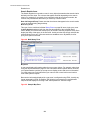
Batch Run Tree - Main
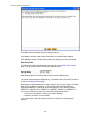
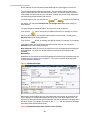
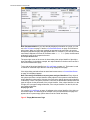
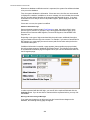
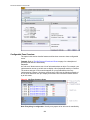
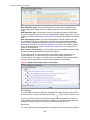
This page allows you to view the status of a specific execution of a batch job. Navigate to
this page using Main Menu, Batch, Batch Run Tree.
Description of Page
Select a Batch Control process and Batch Number to view information and statistics on
the batch run's "threads". The concept of a "thread" is a bit difficult to explain. The
following points should help understand this concept:
• Many batch jobs cannot take advantage of your hardware's processing power when
they are run singularly. Rather, you'll find that a large percentage of the CPU and/or
disk drives are idle.
• In order to minimize the amount of idle time (and increase the throughput of your
batch processes), we allow you to set up your batch processes so that multiple
instances of a given batch job are executed at the same time. For example, when
you schedule the billing process, you can indicate that multiple parallel
instances should be executed (rather than just one instance). You'd do this so that
the processing burden of creating bills for your customers can be spread over
multiple processes.
• We refer to each parallel execution of a batch process as a "thread".
• Statistics and information messages are displayed in respect of each thread. Why?
Because each thread is a separate execution and therefore can start and end at
different times.
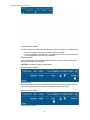
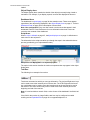
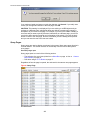
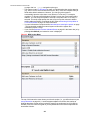
The tree includes a node that displays the total number of records processed for the
batch run, the total number of records in error for the batch run and the batch run elapsed
time. The elapsed time is the longest elapsed time among the batch thread(s). The
message is red if there are any records in error.
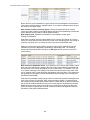
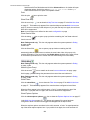
If the background process has been enabled to create To Do entries for object specific
errors on page , information about the To Do entries are displayed in the tree. This
information is not displayed for each thread, but rather all the To Do entries created for
the batch run are grouped together. The To Do entries are grouped by their status.
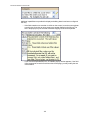
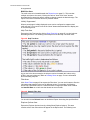
The messages that appear under a thread always show the start and end times of the
execution instance. If errors are detected during the execution of the thread, these error
messages may also appear in the tree. Refer to Processing Errors on page for
information about the types of errors that appear in the batch run tree.
Batch Run Tree - Run Control
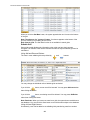
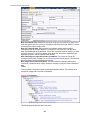
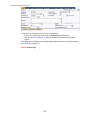
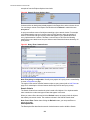
By default, if a batch process fails, it will restart. This notebook tab allows you to modify
the restart status of a failed run.
Navigate to this page using Main Menu, Batch, Batch Run Tree, Run Control.
Description of Page
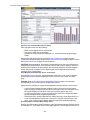
On the main page, you must select a Batch Control, Batch Number, and Batch Rerun
Number to view a tree of the batch run. On this page, the following information is
displayed:
• Date Time contains the date and time this batch run last start or last completed.
• Batch Business Date is the business date that was supplied to the background
process (this date is used as the "system date" by the process).
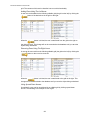
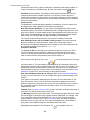
Run Status indicates the status of the batch run. Valid values are: In Progress,
Error, and Complete.
If the Run Status is Error, the system will attempt to restart this run when you attempt
67