1
Introduction
Presentation
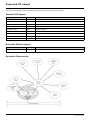
The DeviceNet communication card (catalog number VW3A312 09) is used to connect an Altivar 312 drive to a DeviceNet network.
The communication card has an open-style 5-pin connector for connection to the network.
Data exchanges give access to all Altivar 312 functions:
• Command,
• Monitoring,
• Diagnostics.
DeviceNet cables and connecting accessories must be ordered separately.
The graphic display terminal or the integrated display terminal can be used to access numerous functions for communication diagnostics.
Notation
Drive terminal displays
The graphic display terminal menus, available with the remote graphic display terminal option are shown in square brackets.
Example: [1.9 COMMUNICATION].
The integrated 7-segment display terminal menus are shown in round brackets.
Example: (COM-).
Parameter names are displayed on the graphic display terminal in square brackets.
Example: [Fallback speed]
Parameter codes are displayed on the integrated 7-segment display terminal in round brackets.
Example: (LFF).
Formats
Hexadecimal values are written as follows: 16#
Binary values are written as follows: 2#
Vocabulary
Depending on DeviceNet document and tools, equivalent wordings are used. The table below shows vocabulary used in the present
document and other corresponding definitions.
In this document
Node address
Data rate
kbit/s
Setpoint
Path
Other
DeviceNet address, MAC ID
Baud rate
kbps
Reference, target
Object Address
Comments
Class, instance, attribute
The reader should avoid mixing two terms:
- DeviceNet scanner, which is the master device on the DeviceNet network.
- Communication scanner, which is a function inside the Altivar drive.
Abbreviations
Req. = Required
Opt. = Optional
S1A10387 01/2010
7