1
Hardware
Package Inspection
Verify that the data logger(s) was not damaged in transit by carefully unpacking all items in
the shipping carton and looking for obvious signs of physical damage. If the data logger is
damaged, repack it in its original container and contact MadgeTech Customer Service at 603456-2011. Any damage noted upon receipt must be documented to file a claim against the
carrier.
System Requirements
MadgeTech Data Recording software requires an IBM (or compatible) PC with the following:
• Pentium or higher processor
• Windows 95/98/2000/XP/NT
• 128 MB RAM
• Color 800 X 600 monitor
• 30 MB free disk space
• 3.5” disk drive or CD-ROM
• Available 9 pin male serial (COM) port
Quick Start Guide
To get started with the user's data logger right away, follow these six simple steps:
1) Install the software (see Software Installation if help needed with this step).
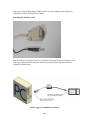
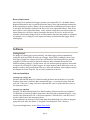
2) Attach the logger to the host computer using the IFC110 interface cable, as shown in
the diagram below.
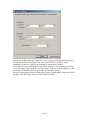
3) From the Communication menu, select "Auto Configure port"
4) From the Device menu, select Start Device.
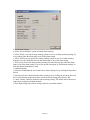
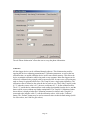
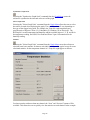
5) Select the "Reading Rate" the user wishes to use, from once every 2 seconds to once
every 12 hours. Leave all other settings alone.
6) Click on Start Device.
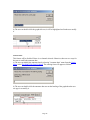
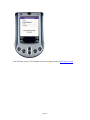
After a brief pause while the software communicates with the device, the user will see the
message "Device Started". The user's device is now running and taking measurements.
Place it where the user needs it to perform its measurements. Later, when the user is
Page 4