1
Installing Template Master (Macintosh):
1.If you have InDesign running on your
computer, quit the software.
2.Download the file: “Template Master
Macintosh” using the link provided.
3.Once downloaded, open the file. If your
browser doesn’t open it automatically,
you can open it by double-clicking its
icon in Finder.
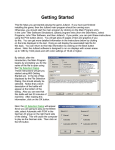
4.Once the window appears, follow the
quick and easy 6-step instructions for
installation.
Installing Template Master (Windows):
1. If you have InDesign running on your
computer, quit the software.
2. Using the link provided, download file:
“Template Master Windows.” Unzip
the file.
3. Open the Template Master Windows
directory and double-click on the file,
“setup.exe”
4. Follow the steps of the Setup Wizard.