1
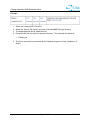
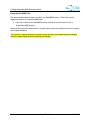
C-Scape Appendix: MMS Database Option Fairway Data Conversion 1. Select Files / MMS / MMS Platform Data from the main menu. This will open the Fairway Processing dialog. 2. Click on Files / Input to select the Import directory. 3. Select any file within the directory and press Open. 4. Click on Files / Output to select the Export directory. 5. Select any file within the directory and press Open. 6. In our example, both the Import and Export directories are C:\Program Files\C-Nav\CScape\Data\NewMMS\Fairways. 7. Press the BEGIN button. The stage of the conversion is shown in the black text box, while the percentage complete of the current stage is shown in the Progress text box. Fairway processing is similar to pipeline processing but faster because of the reduced amount of data. The processing stages are: “Making LF/CR Fairway Files” “Making Fairway Segments” When processing is complete the message “EZFairway Files Ready for use” is displayed. Version 1.1 Page 16 of 17 5/25/2012