1
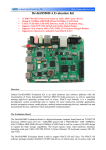
SBC6000_LVDS User Manual
Rev. 1.0
Release: 2011-10-24
Embed Info&TechCo.,LTD
SBC6000_LVDS
User Manual
Rev. 1.0
1 of 12
SBC6000_LVDS User Manual
Revision record
Rev
Date
Description
1.0
2011-10-24
Initial version
Copyright: Embest info Technology Co., Ltd.. Reserves the right to interpret Non-written
permission by the Company, any units and personality will be allowed to extract and copy all or
part of this document does not in any form of communication.
Attention:
As the product version upgrades or other reasons, the contents of this document will be updated
from time to time. Unless otherwise agreed, the use of this document only as a guide, all
statements in this document, information and suggestions do not constitute any express or
implied.
Embed Info&TechCo.,LTD
SBC6845
User Manual
Rev. 1.0
2 of 12
SBC6000_LVDS User Manual
Table
Of
Contents
SBC6000_LVDS USER MANUAL ................................................................................................................. 1
1. SBC6000_LVDS OVERVIEW ..................................................................................................................... 4
2. SBC6000_LVDS INTERFACE SPECIFICATIONS ......................................................................................... 5
2.1 J2(LVDS Signal)............................................................................................................................. 5
2.2 J5(Backlight1)................................................................................................................................. 6
2.3 J7(Backlight2)................................................................................................................................. 6
2.4 J20(Touch Signal) .......................................................................................................................... 6
2.5 J10(TTL Signal).............................................................................................................................. 7
3. THE WAY OF USING SBC6000_LVDS ...................................................................................................... 7
TECHNICAL SUPPORT AND WARRANTY SERVICE ............................................................................ 10
TECHNICAL SUPPORT SERVICE ...................................................................................................................... 10
MAINTENANCE SERVICE CLAUSE ................................................................................................................... 10
BASE NOTICE TO PROTECT AND MAINTENANCE LCD ....................................................................................11
VALUE ADDED SERVICES ................................................................................................................................11
SBC6000_LVDS
User Manual
Embest Info&Tech Co., LTD
Rev. 1.0 — 24 October 2011
3 of 12
SBC6000_LVDS User Manual
1. SBC6000_LVDS Overview
The function of SBC6000_LVDS Converter Board is transforming the TTL signals into LVDS signals.
It can be used in SBC6000 and SBC6845, and is compatible with two specifications of LVDS LCD,
respectively TM104SDH01 and TM104SDH03. Both the LCD screens are 10.4 inch and resolution of
800X600, the difference is the backlight power.
The detail of the SBC6000_LVDS interfaces is shown in Table 1-1.
Table 1-1 Interface Details
Code
Interface
Remarks
J2
LVDS Signal
J5
Backlight1, the backlight power, the
output voltage is 12V.
For TM104SDH03
J7
Backlight2, the backlight power, the
output voltage is 19V.
For TM104SDH01
J20
Touch Signal
J10
TTL Signal
The interfaces layout of the SBC6000_LVDS is shown in Figure 1.1 and Figure 1.2.
J7:Backlight2
J5:Backlight1
J2:LVDS Signal
J20:Touch Signal
SBC6000_LVDS
User Manual
Embest Info&Tech Co., LTD
Rev. 1.0 — 24 October 2011
4 of 12
SBC6000_LVDS User Manual
Figure 1.1 SBC6000_LVDS Top Interface
J10:TTL Signal
Figure 1.2 SBC6000_LVDS Bottom Interface
2. SBC6000_LVDS Interface Specifications
The detailed descriptions of the interface signal in SBC6000_LVDS are shown as follows:
2.1 J2(LVDS Signal)
J2 is the LVDS signal interface, which comes from the LVDS converter chip. Table 2-1 shows signal
assignment of J2 interface.
Table 2-1 J2 Signal Assignment
Signal
Name
Pin Number
Signal Name
VDD33V
1
2
VDD33V
GND
3
4
GND
TA-
5
6
TA+
GND
7
8
TB-
TB+
9
10
GND
TC-
11
12
TC+
GND
13
14
TCLK-
TCLK+
15
16
GND
SBC6000_LVDS
User Manual
Embest Info&Tech Co., LTD
Rev. 1.0 — 24 October 2011
5 of 12
SBC6000_LVDS User Manual
TD-
17
18
TD+
NC
19
20
GND(1K)
2.2 J5(Backlight1)
J5 is the backlight control signal of LCD, the output voltage is 12V, so J5 is used for TM104SDH03.
Table 2-2 shows signal assignment of J5 interface.
Table 2-2 J5 Signal Assignment
Pin Number
Signal Name
1
12V
2
GND
3
ON_OFF
4
DIMMING
2.3 J7(Backlight2)
J7 is the other backlight signal of LCD, the output voltage is 19V, so J7 is used for TM104SDH01.
Table 2-3 shows signal assignment of J7 interface.
Table 2-3 J7 Signal Assignment
Pin Number
Signal Name
1
LEDK
2
LEDA
2.4 J20(Touch Signal)
J20 is the touch signal of SBC6000_LVDS, you can change the signal sequence by changing the
location of resistance, shown in Figure 2.1, the default line sequence as shown in Table 2-4.
Figure 2.1 Touch Signal
SBC6000_LVDS
User Manual
Embest Info&Tech Co., LTD
Rev. 1.0 — 24 October 2011
6 of 12
SBC6000_LVDS User Manual
Table 2-4 The Default Signal of Touch
Pin Number
Signal Name
1
X+
2
Y+
3
X-
4
Y-
2.5 J10(TTL Signal)
The TTL Signal is the input signal, which is converted into LVDS signal, and corresponds to the LCD
signal U24 of SBC6845 board. Table 2-5 shows signal assignment of J10 interface.
Table 2-5 J10 Signal Assignment
Signal Name
Pin Number
Signal Name
GND
1
2
DCLK
HSYNC
3
4
VSYNC
GND
5
6
NC
R3
7
8
R4
R5
9
10
R6
R7
11
12
GND
G2
13
14
G3
G4
15
16
G5
G6
17
18
G7
GND
19
20
NC
B3
21
22
B4
B5
23
24
B6
B7
25
26
GND
LCDDEN
27
28
NC
NC
29
30
NC
NC
31
32
Y+
X-
33
34
Y-
X+
35
36
PWREN
+5V
37
38
DIMMING
+5V
39
40
+12V
3. The Way Of Using SBC6000_LVDS
Using the custom data line that SBC6000_LVDS supports, connect the LCD and SBC6000_LVDS,
and then connect the J10 of SBC6000_LVDS and U24 of SBC6845, It is important that make sure the
interface is pin to pin.
The way of connecting SBC6000_LVDS and SBC6845 as shown in Figure 3.1.
SBC6000_LVDS
User Manual
Embest Info&Tech Co., LTD
Rev. 1.0 — 24 October 2011
7 of 12
SBC6000_LVDS User Manual
Figure 3.1 The way of connecting SBC6000_LVDS and SBC6845
Connect the SBC6000_LVDS and LCD using data line, and make sure the red line is connected to
the first pin of J2, the way as shown in Figure 3.2.
SBC6000_LVDS
User Manual
Embest Info&Tech Co., LTD
Rev. 1.0 — 24 October 2011
8 of 12
SBC6000_LVDS User Manual
Figure 3.2 The Way of connecting SBC6000_LVDS and LCD
When connect the hardware please note:
1. If the touch screen signal switched while connect. It is ok after recalibrate it.
2. The backlight of LCD is high voltage, and different types of LCD have different voltage supply,
please take care and avoid damaging the LCD.
3. The LCD has Anti-error design, when connect please make attention, do not insert it by force.
SBC6000_LVDS
User Manual
Embest Info&Tech Co., LTD
Rev. 1.0 — 24 October 2011
9 of 12
SBC6000_LVDS User Manual
Technical support and Warranty Service
Technical support service
Embest provide one year free technical support service for all products Embest is selling. Technical
support service covers:
• Embest embedded platform products software/hardware materials
• Assist customers compile and run the source code we offered
• Solve the problems accurate on embed software/hardware platform if user was following the
instruction in the documentary we offered
• Judge if the product failure is existing
Special explanation, the situations listed below have NOT been included in the range of our free
technical support service, Embest will handle the situation with discretion:
• Software/Hardware issues user met during the self-develop process
• Issues happened when users compile/run the embedded OS which was tailored by users
themselves
• User’s own application
• Problems happened during the modification of our software source code
Maintenance service clause
The product, which was used properly, will take the warranty since the day of the sale:
PCB: Provide 12 months free maintenance service
1. The situations listed below have NOT been included in the range of our free maintenance
service, Embest will charge the service fee with discretion:
A. Can’t provide valid Proof-of-Purchase, the identification label was tour up or illegible, the
identification label was altered or not accord with the actual products;
B. Didn’t follow the instruction of the manual in order to damage the product
C. Due to the natural disasters (unexpected matters ), or natural attrition of the
components, or unexpected matters leads the defects of appearance/function;
D. Due to the power supply, bump, leaking of the roof, pets, moist, impurities into the
boards, all those reasons which lead the defects of appearance/function;
SBC6000_LVDS
User Manual
Embest Info&Tech Co., LTD
Rev. 1.0 — 24 October 2011
10 of 12
SBC6000_LVDS User Manual
E. User unauthorized weld or dismantle parts leads the product’s bad condition, or let other
people or institution which was not authorized by Embest to dismantle, repair, change the
product leads the product bad connection or defects of appearance/function;
F. User unauthorized install the software, system or incorrect configuration or computer
virus leads the defects;
G. Purchase the products through unauthorized channel;
H. Those commitment which was committed by other institutions should be responsible by
the institutions, Embest has nothing to do with that;
2. During the warranty period, the deliver fee which delivery to Embest should be covered by
user, Embest will pay for the return delivery fee to user when the product was repaired. If the
warranty period is expired, all the deliver fees will be charged by users.
3. When the boards needs repair, please contact technical support department.
Note: If the product is returned without the permission of our technician, we will not take any
responsibility for them.
Base notice to protect and maintenance LCD
1. Do not use finger nails or hard sharp object to touch the surface of the LCD, otherwise user
can’t enjoy the above service
2. Embest recommend user to purchase a piece of special wiper to wipe the LCD after long time
use , please avoid clean the surface with fingers or hands to leave fingerprint
3. Do not clean the surface of the screen with chemicals, otherwise user can not enjoy above
service.
Value Added Services
We will provide following value added services:
• Provided services of driver develop base on Embest embedded platform, like serial port,
•
•
•
•
USB interface devices, LCD screen.
Provided the services of control system transplant, BSP drivers develop, API software
developing.
Other value added services like power adapter, LCD parts.
Other OEM/ODM services.
Technically training.
SBC6000_LVDS
User Manual
Embest Info&Tech Co., LTD
Rev. 1.0 — 24 October 2011
11 of 12
SBC6000_LVDS User Manual
Please connect Embest and get technical support:
• Support Tel: +86-755-25503401
• Fax: +86-755-25616057
• Pre-Sale consultation: [email protected]
• After-Sale consultation: [email protected]
SBC6000_LVDS
User Manual
Embest Info&Tech Co., LTD
Rev. 1.0 — 24 October 2011
12 of 12