1
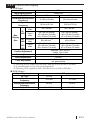
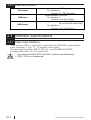
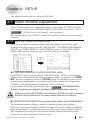
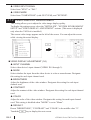
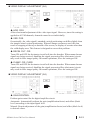
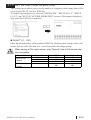
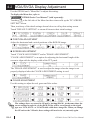
VIDEO DISPLAY ADJUSTMENT (2/4) HOR. POS. Allows horizontal adjustment of the video input signal. However, since this setting is applied to all VM channels, channels cannot be set individually. VER. POS. Occasionally, the video signal's standard vertical positioning can differ slightly from the image's actual vertical positioning. When all image screens are used, this can result in cropping of the top or bottom of the screen, or display of screens other than the valid display area. This feature is designed to correct this problem. DECIM. FILT. CIR. Turns ON and OFF the decimeter circuit built into the decoder. When mono chrome signals are being received, disabling the signal processing filter (decimeter) circuit may result in finer image quality. In normal operations, leave the setting at ON. CLAMP. CIR. CURR Turns ON and OFF the decimeter circuit built into the decoder. When mono chrome signals are being received, disabling the signal processing filter (decimeter) circuit may result in finer image quality. In normal operations, leave the setting at ON. VIDEO DISPLAY ADJUSTMENT (3/4) GAIN CONTROL Perform gain control for the digital amplifier circuit. Automatic: Automatically adjusts the gain (amplification factor) and offset (black level) according to the input signal level. Manual: Permits adjustment of the gain (amplification factor) and offset (black level) to desired values. GP2000 Series VM Unit User Manual E4-3