1
Software User's Manual
CalCommand
UPGRADING 5100 FIRMWARE
FORCE America will periodically release updated firmware for the 5100 spreader control. These updates contain
new features and enhancements over previously released firmware. CalCommand is capable of upgrading the
5100 spreader control. The newest firmware is can be located by clicking on the FORCE America website icon..
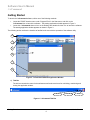
STEP 1
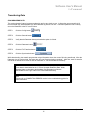
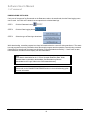
Click the 5100 button.
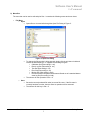
STEP 2
Click the Firmware button.
STEP 3
Click the Upgrade 5100 button.
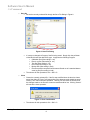
STEP 4
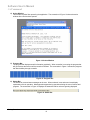
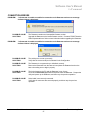
Select a file by clicking on the file. The file name then appears in the “File name” text box.
STEP 5
Click the “Open” button to continue or click the “Cancel” button to abort the upgrade.
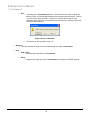
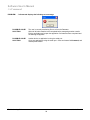
While uploading, the transfer progress bar relays information about the current file being transferred. The status
box and progress bar convey information about the transfer progress and the operation currently being executed.
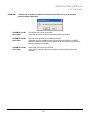
If the file was transferred correctly, the status box will indicate that the file was transferred successfully. If there
was an error in the transmission, the status box will indicate that the file was not transferred successfully.
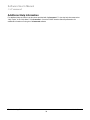
Note:
The 5100 must be placed into “RUN PC LOADER” mode in order to upgrade the
firmware. For more information, please see Manual M0005, the 5100 Spreader
Upgrade Manual.
Note:
Please refer to CONNECTION ERRORS section in the troubleshooting guide for
more information.
CalCommand User’s Manual
Operation
17