1
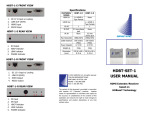
Basic Operations Caution: For your safely, do not watch MONITOR or turn the monitor on while driving. Exterior Description 1. Power standby 2. + 3. - 4. Menu 5. Flip screen 6. AV1/AV2 7. Remote sensor Figure: Remote Controller Panel 1. Point the remote controller to the infrared receiver on the monitor when usage. 2. Avoid pressing, dropping, submerging or disassembling of the remote controller. 1 2 7 6 5 4 3 2 3 4 5 6 1 Connection and Installation (1) Red to +12V (2) Black to ground (3) Blue for rear view (4) Video1 (yellow) (5) Video2 (yellow) POWER Selection Automobile storage battery:12V DC Use automobile adapter (suitable for vehicles with negative grounding) to supply power to the monitor for the automobile’s storage battery. Battery pack power supply (12V DC) -1- 1. 2. 3. 4. 5. 6. Power On/Off AV1/AV2 Switch Adjustment + Adjustment – Menu 16:9/4:3 Switch Specifications Screen dimensions: 7 inch Number Of dots: 480*234 (RGB) Aspect ratio: 16:9 Contrast Ratio: 400:1 Response Time: B→W 30ms W→B 10ms Viewing Angle: (U/D/L/R)65°50°65°65° Video frequency:PAL/NTSC Power supply: DC 8V-36V Power consumption: around 8W External dimensions: 177 mm ×114 mm ×21mm Weight: 310g -2-