1
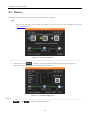
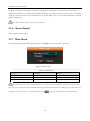
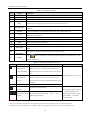
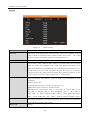
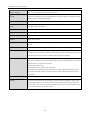
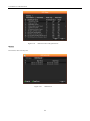
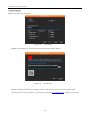
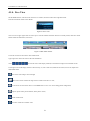
User Manual of Cube DVR Series Table 3.2 Description of Search Index Name 1 Record 2 Calendar Select record search day 3 Channel Choose searched channel 4 Play 5 Recoding mode 6 Time bar 7 Syn 8 Status 9 List Choose the start time, channel, and click “search” will display results in the list. 10 Time Select record search start and end time. 11 Channel No. 12 Record List 13 Record information Description Record and Picture to choice. Playback control: stop/play, pause, fast, slow, previous/next frame in pause. Choose searched recording mode, including whole, outside alarm, motive detection, whole alarm recording. Green means Regular record; Red means alarm record; Yellow means MD record. Implement each video playback channel in the process of playback time synchronization and consistency of the operation. Display status information of function buttons, including fast forward, slow speed, etc. Choose searched channel 128 video records shows in searching list choose file and press enter or double click mouse to view record. Show single record file‟s start and end time, the size of the record file. Tick “ 14 “to choose backup file in file list box, click backup button cancel backup file ---click Backup “√”from backup menu “√”. Table 3.3 Description of Playback Control Icon Key Description Remark Under playback mode, pressing this key, you can get a Video playback : variety of fast cycle switching speeds; fast-forward Fast-forward button button can be used as slow-release button reverse switch key. Under playback mode, pressing this key, switch Video playback : cyclically support a variety of slow-release rate, slow Slow key release button can be used as fast-forward button reverse Actual play rate based on version switch key. ►/ Play/pause Video playback : Slow key Play/pause switch when slow-play To play backwards and single Single left click backward key click again to stop back run under common playback Rewind or Manual single frame single frame playback by clicking playback common playback pause │and│ when single-frame playback, press the play button ►/ to enter the normal playback . Remark: 1. The player playback control bar show file playback speed, channel, time, playback progress and other information. 2. Playback speed and rewind function are related to DVR version, and please prompt on the player panel shall prevail. 20