1
To the Owner:
Operational Instructions
Congratulations on purchasing a Grandview
Motorised Rising Screen, designed to produce the
sharpest, most pleasing pictures with maximum
convenience.
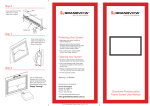
Step 1
Step 3
Lie the screen flat on the floor as shown.
Connect the screen to the power using
the power cord
Step 2
Step 4
Remove the components from the left hand side
compartment as shown below.
(Push the remote to release it from the compartment)
Using IR Remote
Important Notes:
• Please read this instruction manual before use
• Please do not attempt to adjust or repair
the product. You will void the warranty
• Please retain this Instruction manual for
future reference
• Ensure the screen is always set up on
even surface
• Never store the screen vertically
• Never operate with anything on top of the screen
Supplied
Powercord
IR Receiver
Your remote control comes with batteries installed.
To operate your remote:
Press
to lift the screen
Press
to stop the screen
Press
to lower the screen
The Micro switch is used for
retracting or lowering screen in small increments.
Alternatively you may also use the external IR
receiver cable and sensor.
Plug the IR receiver cable into the IR Port on
the casing and mount the sensor in line of
sight with the remote.
IR Remote
Infrared Port