1
DP-4 Quick Start Guide
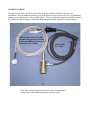
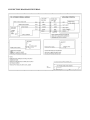
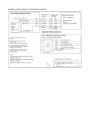
1. Install MPU11 Probe cable assembly #11085 if necessary. Refer to Common Cables picture on
page 11, connection diagram on page 12 and appropriate appendix data.
2. Connect coil cord to DP-4 and to bulkhead connector on probe cable assembly #11085. See
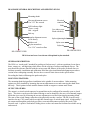
probe features and general description page 1. LED indicating light should be green when
connection is made then turn red when stylus mount boss is touched.
3. Set system control parameters. See “Table of Contents” to locate application specific appendix.
See “Output Switch Logic Selection” page 5 if application requires a normally closed probe
output connection.
4. Confirm machine is responding to DP-4 input by running an automatic cycle without the probe
in the spindle and manually touching the DP-4 stylus mount boss. Refer to control operator's
manual for automatic probing cycles.
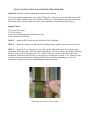
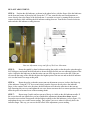
5. Install the DP-4 and tool holder in the spindle then install the stylus in the DP-4. See Stylus
installation procedures on page 3 and perform run-out adjustment as shown on page 3 and 4.
6. Review stylus travel limits on page 2 and follow the detailed initial setup on page 6 to perform
an automatic probing cycle at reduced speed.
7. Calibrate stylus tip size. See procedures on page 6.
8. Review “Performance Characteristics” page 8 to ensure good results.
9. Review Adjustments page 3,4 and 5 and Maintenance and Care page 9 to keep DP-4 in good
operational condition.
10. Probe is now ready to use.