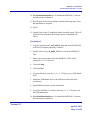
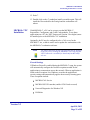
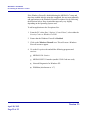
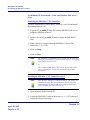
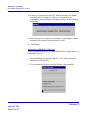
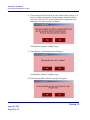
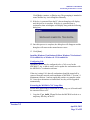
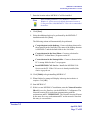
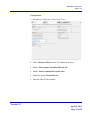
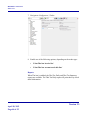
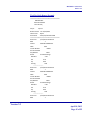
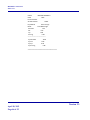
1
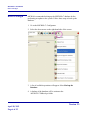
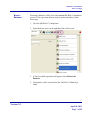
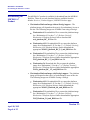
MICROS e7 Version 3.3 ReadMe First General Information About This Document ReadMe First is an introduction to the new features, enhancements and revisions added in the Version 3.3 release of the MICROS e7 product. ****************************IMPORTANT******************************** If using a Protégé, the workstation platforms must be upgraded. *************************************************************************** ****************************IMPORTANT******************************** As of e7 Version 3.1, the new feature Enhanced Security must be enabled for all sites running Credit Cards. *************************************************************************** Product information is divided into the following sections: MICROS e7 Installation What’s New What’s Enhanced What’s Revised Version 3.3 April 18, 2013 Page 1 of 55 General Information Declarations Declarations Warranties Although the best efforts are made to ensure that the information in this document is complete and correct, MICROS Systems, Inc. makes no warranty of any kind with regard to this material, including but not limited to the implied warranties of marketability and fitness for a particular purpose. Information in this document is subject to change without notice. No part of this document may be reproduced or transmitted in any form or by any means, electronic or mechanical, including photocopying, recording, or information recording and retrieval systems, for any purpose other than for personal use, without the express written permission of MICROS Systems, Inc. MICROS Systems, Inc. shall not be liable for errors contained herein or for incidental or consequential damages in connection with the furnishing, performance, or use of this document. Trademarks Adobe FrameMaker is a registered trademark of Adobe Systems Incorporated. The following are either registered trademarks or trademarks of Microsoft Corporation in the U.S. and/or other countries; Operating Systems - Windows® 7, Microsoft Windows Server® 2008 R2 (Release 2), Microsoft Windows Server® 2008, Microsoft Windows Server® 2003 and Windows® XP. Database Platforms Microsoft SQL Server® 2008 R2 (Release 2), Microsoft SQL Server® 2008 and Microsoft SQL Server® 2005. Other products - Microsoft Excel, Win32 and Windows® CE. The following are registered trademarks of the Oracle® Corporation; Database Platforms - Oracle® 11g R2 (Release 2), Oracle® 11g and Oracle® 10g. Visio is a registered trademark of Visio Corporation. All other trademarks are the property of their respective owners. Version 3.3 April 18, 2013 Page 2 of 55 General Information Introduction Introduction MICROS e7 is a robust point-of-sale solution with the high quality, reliable and extensive features that the marketplace has grown to expect from MICROS. All of this has been packaged specifically for the independent restaurateur. MICROS e7 is a complete solution that utilizes the revolutionary MICROS Workstation POS terminal platform and MICROS’ 30 plus years of industry leading software solutions. The MICROS e7 user interface offers an intuitive, user-friendly touchscreen design that takes advantage of color, font, and an efficient screen layout to guide servers through the order entry process. The simplicity of the design reduces training time, improves speed of service to the customer, and lowers error rates for daily operations. For more information about the MICROS e7 product, refer to the following resources: Marketing Overview - This manual provides information regarding MICROS, the hospitality industry, features and benefits, sample reports, and a proposed return on investment for MICROS e7. This document is available for download from the MICROS website (e7 | Marketing | e7 Marketing Overview). User’s Manual - This manual provides information on how to use the MICROS e7 System, including POS Operations, Manager Procedures, Credit Card Batch, and Reporting. This document is available for download from the MICROS website (e7 | e7 [Release Version] | Documentation | e7 User’s Manual). Version 3.3 April 18, 2013 Page 3 of 55 MICROS e7 Installation Introduction MICROS e7 Installation In order to successfully install and use the MICROS e7 product, the user must upgrade both the PC and workstations to the 2.0 Version of the Microsoft .NET Framework or the .NET Compact Framework respectively. Attempting to upgrade MICROS e7 to Version 3.3 without performing a framework upgrade will cause the installation to fail and an error message to appear. The following error message will appear on a PC: If this occurs, select [OK] to clear the error message and follow the instructions outlined in the MICROS e7 PC Installation section. The following error message will appear when attempting a stand-alone workstation installation: If this occurs, select [OK] to clear the error message and follow the instructions outlined in the Workstation Platform Image section. Version 3.3 April 18, 2013 Page 4 of 55 MICROS e7 Installation Upgrading From a Non-PCI Compliant Version of Software Upgrading From a Non-PCI Compliant Version of Software Visa established the Payment Card Industry (PCI) Data Security Standard to protect Visa cardholder data—wherever it resides—ensuring that members, merchants, and service providers maintain the highest information security standard. Please see the MICROS e7 PABP Compliance document for the appropriate software version for additional information. Non-PCI compliant versions of MICROS e7 may allow sensitive information, such as credit card numbers, to exist in a non-encrypted format. Such historical data (magnetic stripe data, card validation codes, PINs, or PIN blocks) must be removed. Removal of such data is necessary to ensure the MICROS software upgrade is conducted in a manner that is PCI compliant. The table below lists all of the PCI compliant and non-PCI compliant versions of MICROS e7. Non-PCI Compliant Version 1.0 1.5 1.5 Patch 1 2.0 2.0 Patches 1 & 2 Compliant PCI Versions 2.1 2.1 Patches 1, 2, 3 & 4 2.5 2.6 Patches 1, 2 & 3 2.7 Patches 1 & 2 2.8 3.0 3.1 3.2 3.3 For information on upgrading a MICROS e7 system from a non-PCI compliant version to a PCI compliant version see the MICROS e7 Version 2.7 Payment Application Best Practices Implementation Guide, MD0007-032 documentation. Version 3.3 April 18, 2013 Page 5 of 55 MICROS e7 Installation Before You Begin Before You Begin MICROS recommends backing up the MICROS e7 database before performing an update to the system. Follow these steps to back up the database: 1. Go to the MICROS e7 Configurator. 2. Select the down arrow on the right-hand side of the screen. 3. A list of available operations will appear. Select Backup the Database. 4. A backup of the database will be written to the \MICROS\e7\DbBackups folder. Version 3.3 April 18, 2013 Page 6 of 55 MICROS e7 Installation Before You Begin Restore Database Restoring a database is NOT part of the standard MICROS e7 installation process. If for any reason the user needs to restore a database, follow these steps: 1. Go to the MICROS e7 Configurator. 2. Select the down arrow on the right-hand side of the screen. 3. A list of available operations will appear. Select Restore the Database. 4. The database will be restored from the \MICROS\e7\DbBackups folder. Version 3.3 April 18, 2013 Page 7 of 55 MICROS e7 Installation Downloading the MICROS e7 Product Downloading the MICROS e7 Product The MICROS e7 product is available for download from the MICROS Web Site. There are several download choices available from the Member Services | Product Support | MICROS Products page. Workstation Platform Image without Protégé support - The platform image will depend on the type(s) of workstation(s) in use at the site. The following images are available if not using a Protégé: Workstation 4. Download this file to extract the platform image for a Workstation 4. Use the e7 | e7 [Release Version] | Workstation 4 Platform Software link to download the ws4_platform_RC_15.2.exe file. Workstation 4 LX. Download this file to extract the platform image for a Workstation 4 LX. Use the e7 | e7 [Release Version] | Workstation 4 LX Platform Software link to download the appropriate WS4LX_platform_RC_2.9_and_BIOS.exe file. Workstation 5. Download this file to extract the platform image for a Workstation 5. Use the e7 | e7 [Release Version] | Workstation 5 Platform Software link to download the appropriate WS5_platform_RC_1.3_and_BIOS.exe file. Workstation 5A. Download this file to extract the platform image for a Workstation 5. Use the e7 | e7 [Release Version] | Workstation 5 Platform Software link to download the appropriate WS5A_platform_RC_1.2_and_BIOS.exe file. Workstation Platform Image with Protégé support - The platform image will depend on the type(s) of workstation(s) in use at the site. The following images are available if using a Protégé. Workstation 4 LX. Download this file to extract the platform image for a Workstation 4 LX. Use the e7 | e7 [Release Version] | Workstation 4 LX Platform Software link to download the appropriate WS4LX_Platform_4.0_and_BIOS.exe file. Workstation 5. Download this file to extract the platform image for a Workstation 5. Use the e7 | e7 [Release Version] | Workstation 5 Platform Software link to download the appropriate WS5_Platform_3.0_and_BIOS.exe file. Version 3.3 April 18, 2013 Page 8 of 55 MICROS e7 Installation Downloading the MICROS e7 Product Workstation 5A. Download this file to extract the platform image for a Workstation 5. Use the e7 | e7 [Release Version] | Workstation 5 Platform Software link to download the appropriate WS5a_Platform_1.3_and_BIOS.exe file. MICROS e7 Workstation Installation - Download this file if you are installing only to a workstation. Note Ensure that CAL is not enabled when doing standalone installs. Use the e7 | e7 [Release Version] | e7 Workstation 4 Software link to download the e7_ws4_build_3.3.exe file. Use the e7 | e7 [Release Version] | e7 Workstation 4 LX Software link to download the e7_ws4lx_build_3.3.exe file. Use the e7 | e7 [Release Version] | e7 Workstation 5 Software link to download the e7_ws5_build_3.3.exe file. Use the e7 | e7 [Release Version] | e7 Workstation 5A Software link to download the e7_ws5A_build_3.3.exe file. MICROS e7 PC Installation - Download this file if you are installing to a PC. The extracted files can be used to burn a CD or to run the MICROS e7 PC Setup program. Use the e7 | e7 [Release Version] | e7 PC Software link to download the e7_pc_build_3.3.exe file. Workstation Platform Image The platform image and the installation instructions will vary based on the workstation(s) being used at the site. This section is divided as follows; refer to the appropriate instructions for your workstation version. Workstation 4 Workstation 4 LX Version 3.3 April 18, 2013 Page 9 of 55 MICROS e7 Installation Downloading the MICROS e7 Product Workstation 5 Workstation 5A Workstation 4 Use these instructions to install the Platform Image on a Workstation 4. These steps may also be used to install another CE language platform, such as Chinese, Japanese, or Korean. The MICROS e7 software will not be installed as part of these instructions. A PC or laptop is required to extract the zip (.exe) file and copy the extracted files to the appropriate transfer media, such as a USB thumb drive. 1. Copy the ws4_platform_RC_15.2.exe file from the MICROS web site to a temporary directory on the PC. 2. Double-click on ws4_platform_RC_15.2.exe to extract the MICROS e7 files. 3. Enter a directory location where the MICROS e7 files will be extracted (i.e., C:\wsImage). 4. Click on Unzip. 5. Click on Close. 6. Copy the directory from Step 3 (i.e., C:\wsImage) to a USB thumb drive. 7. Attach the USB thumb drive to the USB slot on the back of the Workstation 4. 8. Open Windows Explorer on the Workstation. 9. Locate the MICROS e7 software directory (i.e., C:\wsImage) on the USB thumb drive. The USB thumb drive should appear in Explorer as \Hard Disk. The following two sub-directories should be available: Version 3.3 April 18, 2013 Page 10 of 55 MICROS e7 Installation Downloading the MICROS e7 Product ..\Standalone CAL Update 1.1.3.55 ..\Standalone Platform Update 15.2 10. From the ..\Standalone CAL Update 1.1.3.55 directory, run StandaloneInstall.exe to upgrade the CAL client software on the workstation. Note Ensure that each workstation has at least 25 MB of free compact flash space before installing the software on the workstation. 11. From the ..\Standalone Platform Update 15.2 directory, run StandaloneInstall.exe to install the 15.2 platform. CAL installs the Windows CE image and reboots the workstation. Workstation 4 LX Use these instructions to install the Platform Image on a Workstation 4 LX. These steps may also be used to install another CE language platform, such as Chinese, Japanese, or Korean. The MICROS e7 software will not be installed as part of these instructions. A PC or laptop is required to extract the zip (.exe) file and copy the extracted files to the appropriate transfer media, such as a USB thumb drive. 1. Copy the WS4LX_Platform_4.0_and_BIOS.exe file from the MICROS web site to a temporary directory on the PC. 2. Double-click on WS4LX_Platform_4.0_and_BIOS.exe to extract the MICROS e7 files. 3. Enter a directory location where the MICROS e7 files will be extracted (i.e., C:\wsImage). 4. Click on Unzip. 5. Click on Close. Version 3.3 April 18, 2013 Page 11 of 55 MICROS e7 Installation Downloading the MICROS e7 Product 6. Copy the directory from Step 3 (i.e., C:\wsImage) to a USB thumb drive. 7. Attach the USB thumb drive to the USB slot on the back of the Workstation 4 LX. The user must insert the USB thumb drive into the first USB port on the back of the workstation. Insert the thumb drive to the USB port indicated below: 8. Open Windows Explorer on the workstation. 9. Locate the MICROS e7 software directory (i.e., C:\wsImage) on the USB thumb drive. The USB thumb drive should appear in Explorer as \Hard Disk. The following two sub-directories should be available: ..\Standalone BIOS Update ..\Standalone Platform Update GR4.0 10.From the ..\Standalone BIOS Update directory, run StandaloneInstall.exe to upgrade BIOS on the workstation. Note Ensure that each workstation has at least 25 MB of free compact flash space before installing the software on the workstation. Version 3.3 April 18, 2013 Page 12 of 55 MICROS e7 Installation Downloading the MICROS e7 Product 11. From the ..\Standalone Platform Update GR4.0 directory, run StandaloneInstall.exe to install the 4.0 platform. CAL installs the Windows CE image and reboots the workstation. Workstation 5 Use these instructions to install the Platform Image on a Workstation 5. These steps may also be used to install another CE language platform, such as Chinese, Japanese, or Korean. The MICROS e7 software will not be installed as part of these instructions. A PC or laptop is required to extract the zip (.exe) file and copy the extracted files to the appropriate transfer media, such as a USB thumb drive. 1. Copy the WS5_Platform_3.0_and_BIOS.exe file from the MICROS web site to a temporary directory on the PC. 2. Double-click on WS5_Platform_3.0_and_BIOS.exe to extract the MICROS e7 files. 3. Enter a directory location where the MICROS e7 files will be extracted (i.e., C:\wsImage). 4. Click on Unzip. 5. Click on Close. 6. Copy the directory from Step 3 (i.e., C:\wsImage) to a USB thumb drive. Version 3.3 April 18, 2013 Page 13 of 55 MICROS e7 Installation Downloading the MICROS e7 Product 7. Attach the USB thumb drive to the USB slot on the back of the Workstation 5. The user must insert the USB thumb drive into the first USB port on the back of the workstation. Insert the thumb drive into the USB port indicated below: 8. Open Windows Explorer on the workstation. 9. Locate the MICROS e7 software directory (i.e., C:\wsImage) on the USB thumb drive. The USB thumb drive should appear in Explorer as \Hard Disk. The following two sub-directories should be available: ..\Standalone BIOS Update ..\Standalone Platform Update GR3.0 10. From the ..\Standalone BIOS Update directory, run StandaloneInstall.exe to upgrade BIOS on the workstation. Note Ensure that each workstation has at least 25 MB of free compact flash space before installing the software on the workstation. 11. From the ..\Standalone Platform GR3.0 directory, run StandaloneInstall.exe to install the GR 3.0 platform. CAL installs the Windows CE image and reboots the workstation. Version 3.3 April 18, 2013 Page 14 of 55 MICROS e7 Installation Downloading the MICROS e7 Product Workstation 5A Use these instructions to install the Platform Image on a Workstation 5A. These steps may also be used to install another CE language platform, such as Chinese, Japanese, or Korean. The MICROS e7 software will not be installed as part of these instructions. A PC or laptop is required to extract the zip (.exe) file and copy the extracted files to the appropriate transfer media, such as a USB thumb drive. 1. Copy the WS5a_Platform_1.3_and_BIOS.exe file from the MICROS web site to a temporary directory on the PC. 2. Double-click on WS5a_Platform_1.3_and_BIOS.exe to extract the MICROS e7 files. 3. Enter a directory location where the MICROS e7 files will be extracted (i.e., C:\wsImage). 4. Click on Unzip. 5. Click on Close. 6. Copy the directory from Step 3 (i.e., C:\wsImage) to a USB thumb drive. 7. Attach the USB thumb drive to the USB slot on the back of the Workstation 5A. Version 3.3 April 18, 2013 Page 15 of 55 MICROS e7 Installation Downloading the MICROS e7 Product 8. The user must insert the USB thumb drive into the first USB port on the back of the workstation. Insert the thumb drive into the USB port indicated below: 9. Open Windows Explorer on the workstation. 10. Locate the MICROS e7 software directory (i.e., C:\wsImage) on the USB thumb drive. The USB thumb drive should appear in Explorer as \Hard Disk. The following two sub-directories should be available: ..\Standalone BIOS Update ..\Standalone Platform Update GR1.3 11. From the ..\Standalone BIOS Update directory, run StandaloneInstall.exe to upgrade BIOS on the workstation. Note Ensure that each workstation has at least 25 MB of free compact flash space before installing the software on the workstation. 12. From the ..\Standalone Platform GR1.3 directory, run StandaloneInstall.exe to install the GR1.3 platform. CAL installs the Windows CE image and reboots the workstation. Version 3.3 April 18, 2013 Page 16 of 55 MICROS e7 Installation Downloading the MICROS e7 Product MICROS e7 Workstation Installation Use these instructions to install the MICROS e7 software on a workstation that has the appropriate Windows CE operating system image already installed. A PC or laptop is required to extract the zip file and copy the extracted files to the appropriate transfer media, such as a USB thumb drive. The zip file will vary depending on the workstation version being used at the site. This section is divided as follows; refer to the appropriate instructions for your workstation version. Workstation 4 Workstation 4 LX Workstation 5 Workstation 5A Note Ensure that CAL is not enabled when doing standalone installs. Workstation 4 1. Copy the e7_ws4_build_3.3.exe file from the MICROS web site to a temporary directory on the PC. 2. Double-click on e7_ws4_build_3.3.exe to extract the MICROS e7 files. 3. Enter a directory location where the MICROS e7 files will be extracted. (i.e., C:\e7Software) 4. Click on Unzip. 5. Click on Close. Version 3.3 April 18, 2013 Page 17 of 55 MICROS e7 Installation Downloading the MICROS e7 Product 6. Copy the directory from Step 3 (i.e., C:\e7Software) to a USB thumb drive. 7. Attach the USB thumb drive to the USB slot on the back of the workstation. 8. Open Windows Explorer on the workstation. 9. Locate the MICROS e7 software directory (i.e., C:\e7Software) on the USB thumb drive. 10. Run StandAloneInstall.exe CAL installs the MICROS e7 software and reboots the workstation. Workstation 4 LX 1. Copy the appropriate e7_ws4lx_build_3.3.exe file from the MICROS web site to a temporary directory on the PC. 2. Double-click on e7_ws4lx_build_3.3.exe to extract the MICROS e7 files. 3. Enter a directory location where the MICROS e7 files will be extracted. (i.e., C:\e7Software) 4. Click on Unzip. 5. Click on Close. 6. Copy the directory from Step 3 (i.e., C:\e7Software) to a USB thumb drive. 7. Attach the USB thumb drive to the USB slot on the back of the workstation. 8. Open Windows Explorer on the workstation. 9. Locate the MICROS e7 software directory (i.e. C:\e7Software) on the USB thumb drive. Version 3.3 April 18, 2013 Page 18 of 55 MICROS e7 Installation Downloading the MICROS e7 Product 10. Run StandAloneInstall.exe CAL installs the MICROS e7 software and reboots the workstation. 11. If the Protégé will be used, continue with the following steps. If not the installation is complete. 12. Exit e7. 13. Double-click on the e7 standalone install executable again. This will install the files needed for the Protégé and the workstation will reboot. Workstation 5 1. Copy the appropriate e7_ws5_build_3.3.exe file from the MICROS web site to a temporary directory on the PC. 2. Double-click on e7_ws5_build_3.3.exe to extract the MICROS e7 files. 3. Enter a directory location where the MICROS e7 files will be extracted (i.e., C:\e7Software). 4. Click on Unzip. 5. Click on Close. 6. Copy the directory from Step 3 (i.e., C:\e7Software) to a USB thumb drive. 7. Attach the USB thumb drive to the USB slot on the back of the workstation. 8. Open Windows Explorer on the workstation. 9. Locate the MICROS e7 software directory (i.e., C:\e7Software) on the USB thumb drive. 10. Run StandAloneInstall.exe CAL installs the MICROS e7 software and reboots the workstation. Version 3.3 April 18, 2013 Page 19 of 55 MICROS e7 Installation Downloading the MICROS e7 Product 11. If the Protégé will be used, continue with the following steps. If not the installation is complete. 12. Exit e7. 13. Double-click on the e7 standalone install executable again. This will install the files needed for the Protégé and the workstation will reboot. Workstation 5A 1. Copy the appropriate e7_ws5A_build_3.3.exe file from the MICROS web site to a temporary directory on the PC. 2. Double-click on e7_ws5A_build_3.3.exe to extract the MICROS e7 files. 3. Enter a directory location where the MICROS e7 files will be extracted (i.e,. C:\e7Software). 4. Click on Unzip. 5. Click on Close. 6. Copy the directory from Step 3 (i.e., C:\e7Software) to a USB thumb drive. 7. Attach the USB thumb drive to the USB slot on the back of the workstation. 8. Open Windows Explorer on the workstation. 9. Locate the MICROS e7 software directory (i.e., C:\e7Software) on the USB thumb drive. 10. Run StandAloneInstall.exe CAL installs the MICROS e7 software and reboots the workstation. 11. If the Protégé will be used, continue with the following steps. If not the installation is complete. Version 3.3 April 18, 2013 Page 20 of 55 MICROS e7 Installation Downloading the MICROS e7 Product 12. Exit e7. 13. Double-click on the e7 standalone install executable again. This will install the files needed for the Protégé and the workstation will reboot. MICROS e7 PC Installation With MICROS e7, a PC can be set up to run the MICROS e7 ReportsPlus, Configurator, and Credit Cards modules. To use these applications on a PC, the .NET Framework (Version 2.0 or higher) must be installed prior to the MICROS e7 PC installation. Optionally, the PC may be configured to be a CAL server for the MICROS e7 site, so that it can be used to update the workstations with the MICROS e7 workstation software. Note The .NET Framework (Version 2.0 or higher) must be installed on the PC prior to running the MICROS e7 PC setup program. .NET Framework is available for download from Microsoft’s web site. Firewall Settings If Windows Firewall is enabled during the MICROS e7 setup, the system will automatically configure the firewall exceptions needed for the applications to communicate across the network. When an application is listed on the Exceptions List, Windows overrides the application’s security settings and automatically applies the necessary listening ports. These exceptions include: MICROS CAL Service MICROS SSF UI Launcher (enable if Gift Cards are used) Network Diagnostics for Windows XP POSMain Version 3.3 April 18, 2013 Page 21 of 55 MICROS e7 Installation Downloading the MICROS e7 Product If the Windows Firewall is disabled during the MICROS e7 setup and then later enabled after the setup has completed, the user must manually add applications to the Windows Firewall Exceptions List by following the directions below. Keep in mind that steps may vary slightly depending on the Operating System used. To add an application to the Exceptions List: 1. From the PC, select Start | Settings | Control Panel | select either the Security Center or Windows Firewall. 2. Ensure that the Windows Firewall is Enabled. 3. Click on the Windows Firewall icon. This will cause a Windows Firewall screen to appear. 4. Go to the Exceptions tab and add the following programs and services: MICROS CAL Service MICROS SSF UI Launcher (enable if Gift Cards are used) Network Diagnostics for Windows XP POSMain (also known as ‘e7’) Version 3.3 April 18, 2013 Page 22 of 55 MICROS e7 Installation Downloading the MICROS e7 Product Remote Assistance To add a program to this list, select the [Add Program] button. This will cause the Add a Program dialog box to display. From here the user can add a program by either: Selecting the appropriate program from the list displayed in the Add a Program dialog box and clicking [OK], OR Selecting [Browse] and navigating to the file location for the desired program and clicking [Open]. 5. The newly added program should now appear in the Exceptions List on the Exceptions tab. Version 3.3 April 18, 2013 Page 23 of 55 MICROS e7 Installation Downloading the MICROS e7 Product For Windows XP Professional - 32 bit, and Windows 2003 Server 32 bit Extracting the MICROS e7 PC Setup Files Use these instructions to extract the PC Setup zip (.exe) file and install the extracted files to a PC. 1. Copy the e7_pc_build_3.3.exe file from the MICROS web site to a temporary directory on the PC. 2. Double-click on e7_pc_build_3.3.exe to extract the MICROS e7 files. 3. Enter a directory location where the MICROS e7 files will be extracted (i.e., C:\e7CD). 4. Click on Unzip. 5. Click on Close. Note The MICROS e7 installation can be started from the directory where you extracted files in these previous steps (i.e., C:\e7CD) using the instructions below. or These extracted MICROS e7 files can be burned onto a CD. Then, e7PcSetup.exe can be executed to start the product installation. Installing the MICROS e7 PC Setup Files to a PC Note Once the CAL software is installed on the PC, the system will automatically upgrade each workstation. Ensure that each workstation has at least 25 MB of free compact flash space before installing the software on the PC. 1. Open Windows Explorer on the PC. 2. Locate the MICROS e7 software directory (i.e., C:\e7CD) that you extracted in the previous steps. Version 3.3 April 18, 2013 Page 24 of 55 MICROS e7 Installation Downloading the MICROS e7 Product 3. Run e7PCSetup.exe. 4. Click [Next] from the MICROS e7 Setup Welcome screen. 5. Review the End User License Agreement, click I Accept the Agreement, and click [Next]. 6. Enter the location where MICROS e7 will be installed. The default destination location is the same as the previously installed version of MICROS e7 or C:\Program Files\MICROS\e7 for a new installation. Use the [Browse] button to select a different destination location. 7. Select the additional tasks to be performed by the MICROS e7 installation and click [Next]. The following actions will automatically be performed: Create shortcut on the desktop - Creates a desktop shortcut for the e7.exe file in the \bin folder. The name of the desktop shortcut is MICROS e7 and the default folder is the \bin folder. Create shortcut in the Start Menu - Creates a selection for MICROS e7 in Start Menu | Programs on the PC. Create shortcut in the Startup folder - Creates a shortcut in the PC’s startup folder for the e7.exe program. Install MICROS CAL Service - Installs the MICROS CAL Service on the PC. If the CAL server is already installed, this choice is greyed out. 8. Click [Finish] to begin installing MICROS e7. Note After the CAL server installation, the workstation operating system images will be automatically updated. If prompted to reboot the PC, please wait until all workstations have finished their CAL upgrade to MICROS e7 Version 3.3. 9. When finished, a prompt will display indicating that installation is complete. Click [OK]. Version 3.3 April 18, 2013 Page 25 of 55 MICROS e7 Installation Downloading the MICROS e7 Product 10. Start MICROS e7. 11. If this is a new MICROS e7 installation, enter the Network location ID and Restore the Database via the MICROS e7 Configurator. The Network location ID is used when communicating with the workstations and PC. IMPORTANT: The Network location ID must be the same for every workstation and PC on the network. Note that this entry is case sensitive. If this is a MICROS e7 software upgrade, CAL will update the workstations and MICROS e7 will start automatically. Installing MICROS e7 on the Workstation via CAL Performing a New MICROS e7 Installation Follow the instructions below to install the MICROS e7 application on a workstation via CAL. 1. Select ‘Start.’ Navigate to Programs | CAL | Reconfigure CAL. 2. Highlight the CAL Server and click [Next]. Version 3.3 April 18, 2013 Page 26 of 55 MICROS e7 Installation Downloading the MICROS e7 Product 3. Click [Save]. 4. The workstation will reboot after the files have been installed. 5. Enter the Network location ID. The Network location ID is used when communicating with the workstations and PC. IMPORTANT: Version 3.3 April 18, 2013 Page 27 of 55 MICROS e7 Installation Downloading the MICROS e7 Product The Network location ID must be the same for every workstation and PC on the network. Note that this entry is case sensitive. Click [OK]. 6. The following error will display, ‘Need to program an employee and a job to use configurator.’ Click [OK]. 7. The Configurator opens to the shell database. Version 3.3 April 18, 2013 Page 28 of 55 MICROS e7 Installation Downloading the MICROS e7 Product 8. The following message displays and a new encryption key must be generated. The key will only need to be generated on one node (any node) and the key will be changed everywhere. Click [OK]. 9. The following prompt displays, instructing the user to navigate to the MICROS e7 Configurator | Restaurant | Credit Cards tab to change the key. Click [OK]. Do not change the encryption key now. IMPORTANT: The installation process must finish and all workstations must be online before generating the key. These instructions will prompt you to generate the key in a later step on page 30. Version 3.3 April 18, 2013 Page 29 of 55 MICROS e7 Installation Downloading the MICROS e7 Product 10. Select ‘Retrieve the Database.’ 11. Click [Refresh]. 12. Exit the Configurator. 13. Exit MICROS e7 and reboot the workstation. 14. Log in to the MICROS e7 Configurator. Navigate to the MICROS e7 Configurator | Restaurant | Credit Cards tab. 15. Change the encryption key by clicking the [Generate New Key] button. This button will generate a new pass phrase. 16. This operation will fail if there are open checks on the system, or if there are offline workstations. Do not continue until both of these Version 3.3 April 18, 2013 Page 30 of 55 MICROS e7 Installation Downloading the MICROS e7 Product issues are resolved. If the system satisfies these requirements, the following verification prompt will appear: Click [Yes] to continue, or [No] to stop. 17. The following verification prompt will appear: Click [Yes] to continue, or [No] to stop. 18. The following final verification prompt will appear: Click [Yes] to continue, or [No] to stop. The prompting is intended to ensure that the key is not changed accidentally. Version 3.3 April 18, 2013 Page 31 of 55 MICROS e7 Installation Downloading the MICROS e7 Product 19. If the key is generated from the PC, then an hourglass will display until the process is complete. If the key is generated from a workstation, then an hourglass will display along with the following dialog box: 20. Once this process is complete, the dialog box will disappear and the hourglass will return to the normal mouse cursor. 21. Click [Save]. Performing a MICROS e7 Upgrade Follow the instructions below to install the MICROS e7 application on a workstation via CAL. 1. After performing the upgrade on the PC, CAL will automatically update the workstation(s). 2. The workstation will reboot after the files have been installed. Version 3.3 April 18, 2013 Page 32 of 55 MICROS e7 Installation Downloading the MICROS e7 Product 3. If upgrading from MICROS e7 v. 2.7 Patch 1 or higher, the MICROS e7 installation process is complete and steps 6–13 are not needed. If upgrading from MICROS e7 v. 2.7 or below, proceed to step 4. 4. The following message displays and a new encryption key must be generated. The key will only need to be generated on one node (any node) and the key will be changed everywhere. Click [OK]. 5. The following prompt displays, instructing the user to navigate to the MICROS e7 Configurator | Restaurant | Credit Cards tab to change the key. Click [OK]. Do not change the encryption key now. IMPORTANT: The installation process must finish and all workstations must be online before generating the key. 6. Navigate to the MICROS e7 Configurator | Restaurant | Credit Cards tab. 7. Change the encryption key by clicking the [Generate New Key] button. This button will generate a new Passovers. Version 3.3 April 18, 2013 Page 33 of 55 MICROS e7 Installation Downloading the MICROS e7 Product 8. This operation will fail if there are open checks on the system, or if there are offline workstations. Do not continue until both of these issues are resolved. If the system satisfies these requirements, the following verification prompt will appear: Click [Yes] to continue, or [No] to stop. 9. The following verification prompt will appear: Click [Yes] to continue, or [No] to stop. 10. The following final verification prompt will appear: Version 3.3 April 18, 2013 Page 34 of 55 MICROS e7 Installation Downloading the MICROS e7 Product Click [Yes] to continue, or [No] to stop. The prompting is intended to ensure that the key is not changed accidentally. 11. If the key is generated from the PC, then an hourglass will display until the process is complete. If the key is generated from a workstation, then an hourglass will display along with the following dialog box: 12. Once this process is complete, the dialog box will disappear and the hourglass will return to the normal mouse cursor. 13. Click [Save]. Installing Windows Vista Business Edition, Windows 7 Professional 32 bit and 64 bit, or Windows 8 - 32 bit and 64 bit Configuring CAL Optionally, the PC may be configured to be a CAL server for the MICROS e7 site, so that it can be used to update the workstations with the MICROS e7 workstation software. If the site is using CAL, then all workstations should be turned off or removed from the network until installation of MICROS e7 Version 3.1 Maintenance Release 1 and any applicable patches are complete on the PC. Once the workstations are turned back on, they will be upgraded automatically. Extracting the MICROS e7 PC Setup Files Follow these instructions to extract the PC Setup zip (.exe) file and install the extracted files to a PC. 1. Copy the e7_pc_build_3.3.exe file from the MICROS web site to a temporary directory on the PC. Version 3.3 April 18, 2013 Page 35 of 55 MICROS e7 Installation Downloading the MICROS e7 Product 2. Double-click on e7_pc_build_3.3.exe to extract the MICROS e7 files. 3. Enter a directory location where the MICROS e7 files will be extracted (i.e., C:\e7CD). 4. Click on Unzip. 5. Click on Close. Note The MICROS e7 installation can be started from the directory where you extracted files in these previous steps (i.e., C:\e7CD) using the instructions below. or These extracted MICROS e7 files can be burned onto a CD. Then e7PcSetup.exe can be executed to start the product installation. Installing the MICROS e7 PC Setup Files to a PC Important! Workstation(s) should now be turned off and not turned back on until AFTER patch installation is complete. 1. Open Windows Explorer on the PC. 2. Locate the MICROS e7 software directory (i.e., C:\e7CD) that you extracted in the previous steps. 3. Run e7PCSetup.exe. 4. If User Access Control (UAC) is enabled, the user will be prompted to allow the MICROS e7 installation. Click Allow. 5. Click [Next] from the MICROS e7 Setup Welcome screen. 6. Review the End User License Agreement, click I Accept the Agreement, and then click [Next]. Version 3.3 April 18, 2013 Page 36 of 55 MICROS e7 Installation Downloading the MICROS e7 Product 7. Enter the location where MICROS e7 will be installed. Note When installing MICROS e7 on a Windows 7 - 64 bit or Windows 8 - 64 bit system, the default destination location is C:\Program Files\(x86)\MICROS\e7. This is the recommended destination. 8. Click [Next]. 9. Select the additional tasks to be performed by the MICROS e7 installation and click [Next]. The following actions will automatically be performed: Create shortcut on the desktop - Creates a desktop shortcut for the e7.exe file in the \bin folder. The name of the desktop shortcut is MICROS e7 and the default folder is the \bin folder. Create shortcut in the Start Menu - Creates a selection for MICROS e7 in Start Menu | Programs on the PC. Create shortcut in the Startup folder - Creates a shortcut in the PC’s startup folder for the e7.exe program. Install MICROS CAL Service - Installs the MICROS CAL Service on the PC. If the CAL server is already installed, this choice is greyed out. 10. Click [Finish] to begin installing MICROS e7. 11. When finished, a prompt will display indicating that installation is complete. Click [OK]. 12. Start MICROS e7. 13. If this is a new MICROS e7 installation, enter the Network location ID and Restore the Database via the MICROS e7 Configurator. The Network location ID is used when communicating with the workstations and PC. IMPORTANT: The Network location ID must be the same for every workstation and PC on the network. Note that this entry is case sensitive. Version 3.3 April 18, 2013 Page 37 of 55 MICROS e7 Installation Downloading the MICROS e7 Product If this is a MICROS e7 software upgrade, CAL will update the workstations and MICROS e7 will start automatically. 14. If this is a new MICROS e7 installation or if upgrading from MICROS e7 v. 2.7 or below, you will need to generate an encryption key after the installation is complete. For more information, please see the steps outlined on page 33. Version 3.3 April 18, 2013 Page 38 of 55 MICROS e7 Version 3.3 What’s New MICROS e7 Version 3.3 What’s New New Features Summarized A new feature is defined as one that provides capabilities that were not available in previous versions of the application. The table below summarizes the new features included in this version. Module New Features Detailed Feature Page TIF Support Added for mymicros InMotion App 39 POS Operations Thai Tax Enhancement 40 Printing Support Added for IP Printing 48 Setup Support Added for Windows 7 - 64 Bit and Windows 8 - 32 Bit and 64 Bit 50 TIF Support Added for mymicros InMotion App Target Process ID# 24533 CR ID# N/A With this release, e7 supports the mymicros InMotion app. This app allows a restaurant manager to view near real-time statistics about restaurant operations. In order to support the InMotion app, e7 now exports the following additional information to mymicros: Location Labor Definition Time Card Detail and Time Card Adjustment Detail for current business day Version 3.3 April 18, 2013 Page 39 of 55 MICROS e7 Version 3.3 What’s New Fixed Period Labor and Job Totals Credit Card Batch Detail after settlement For more information about the InMotion application, please refer to the mymicros v8.0 Readme First or the mymicros online help. POS Operations Thai Tax Enhancement SCR# 3266 CR ID# N/A With this release, the Thai excise tax has been added to the existing VAT tax. The Thai excise tax replaces the business tax. Note This is a requirement for the Asia/Pacific region. The following new information will print on a check: Invoice Number - when check is closed using cash tender. Accounts Receivable - when check is closed using accounts receivable tender. UWS Number - Workstation Number/Revenue Center Number. TIN Number - Property's tax identification number. When a check is closed to more than one partial payment where at least one payment is a cash tender and at least one is an Accounts Receivable tender, an invoice will print allocating the VAT to each payment type, prorated and showing all of the information (listed above in bullets) on the check. Version 3.3 April 18, 2013 Page 40 of 55 MICROS e7 Version 3.3 What’s New Example: ======================================== 1 2 151 2 0 13 01/15/2013 01:42:17PM 1 CASHIER 10026 MANDELLA ‐‐‐‐‐‐‐‐‐‐‐‐‐‐‐‐‐‐‐‐‐‐‐‐‐‐‐‐‐‐‐‐‐‐‐‐‐‐‐‐ Check: 1006 Guests: 1 C O U N T E R Previous Balance 0.00 1 FRIED ZUCCHINI 4.95 1 GARLIC BREAD 2.50 Room charge 7.82 FOOD 7.45 SUBTOTAL 7.45 0.37 TAX 7.45 0.37 TAX 7.45 Account Rec 011513‐01‐01002 TIN 123456789 RD No. 1 7.45 TAX 0.37 PAYMENT 7.82 C h a n g e D u e $ 0 . 0 0 ======================================== Version 3.3 April 18, 2013 Page 41 of 55 MICROS e7 Version 3.3 What’s New 1 2 151 2 0 13 01/15/2013 01:42:29PM 1 CASHIER 10026 MANDELLA ‐‐‐‐‐‐‐‐‐‐‐‐‐‐‐‐‐‐‐‐‐‐‐‐‐‐‐‐‐‐‐‐‐‐‐‐‐‐‐‐ Check: 1007 Guests: 1 C O U N T E R Previous Balance 0.00 1 Chicken Sandwich 1.50 1 Double Cheeseburger 2.00 CASH 3.68 FOOD 3.50 SUBTOTAL 3.50 0.18 TAX 3.50 0.18 TAX 3.50 Tax Invoice (ABB) 011513‐01‐00003 TIN 123456789 RD No. 1 3.50 TAX 0.18 PAYMENT 3.68 C h a n g e D u e $ 0 . 0 0 Version 3.3 April 18, 2013 Page 42 of 55 MICROS e7 Version 3.3 What’s New Configuration 1. Navigate to Configurator | Restaurant | Taxes. 2. Select Canada or Thai from the Tax Method drop-down. 3. Enable ‘Print separate Canadian/Thai tax line’. 4. Enable ‘Print Canadian/Thai taxable sales’. 5. Enable the option ‘Enable Thai tax’. 6. Enter the Thai TIN line number. Version 3.3 April 18, 2013 Page 43 of 55 MICROS e7 Version 3.3 What’s New 7. Navigate to Configurator | Tender. 8. Enable one of the following options, depending on the tender type: • ‘Print Thai tax invoice line’ • ‘Print Thai tax account receivable line’ Reports When Thai tax is enabled, the Thai Tax Daily and Thai Tax Summary reports are available. The Thai Tax Daily report will print check by check detail information. Version 3.3 April 18, 2013 Page 44 of 55 MICROS e7 Version 3.3 What’s New Thai Tax Daily Report Example ======================================== MICROS CAFE 7031 Columbia Rd Thai Tax Daily Scope: System Business Date: Tue 01/15/2013 Taken From: My PC Generated: Tue 01/15/2013 01:41PM ======================================== Date Time 1/15/2013 6:26:36 PM RD # 1 Cashier MICHAEL MANDELLA Chk# 1001 Invoice Number 00001 Acc Rec Number Pay Method CASH Detail: Food & Beverage Net Sales 4.50 Vat 0.23 Tip 0.00 Svc Chg 0.00 ‐‐‐‐‐‐‐‐‐‐‐‐‐‐‐‐‐‐‐‐‐‐ Date Time 1/15/2013 6:39:10 PM RD # 1 Cashier MICHAEL MANDELLA Chk# 1003 Invoice Number 00002 Acc Rec Number Pay Method CASH Detail: Food & Beverage Net Sales 5.00 Vat 0.25 Tip 0.00 Svc Chg 0.00 ‐‐‐‐‐‐‐‐‐‐‐‐‐‐‐‐‐‐‐‐‐‐ Date Time 1/15/2013 6:40:37 PM RD # 1 Version 3.3 April 18, 2013 Page 45 of 55 MICROS e7 Version 3.3 What’s New Cashier MICHAEL MANDELLA Chk# 1005 Invoice Number Acc Rec Number 01001 Pay Method Room charge Detail: Food & Beverage Net Sales 7.45 Vat 0.37 Tip 0.00 Svc Chg 0.00 ‐‐‐‐‐‐‐‐‐‐‐‐‐‐‐‐‐‐‐‐‐‐‐‐‐‐‐‐‐‐‐‐‐‐‐‐‐‐‐‐ Sys Net Sales 16.95 Sys Vat 0.85 Sys Tip 0.00 Sys Svc Chg 0.00 ======================================== Version 3.3 April 18, 2013 Page 46 of 55 MICROS e7 Version 3.3 What’s New Thai Tax Summary Report Example ======================================== MICROS CAFE 7031 Columbia Rd Thai Tax Summary Scope: System Business Date: Tue 01/15/2013 Taken From: My PC Generated: Tue 01/15/2013 01:41PM ======================================== Date 1/15/2013 12:00:00 AM RD # 1 Invoice Number 00001 ‐ 00002 Acc Rec Number 01001 ‐ 01001 Detail: Food & Beverage Net Sales 16.95 Vat 0.85 Tip 0.00 Svc Chg 0.00 ‐‐‐‐‐‐‐‐‐‐‐‐‐‐‐‐‐‐‐‐‐‐‐‐‐‐‐‐‐‐‐‐‐‐‐‐‐‐‐‐ Sys Net Sales 16.95 Sys Vat 0.85 Sys Tip 0.00 Sys Svc Chg 0.00 Version 3.3 April 18, 2013 Page 47 of 55 MICROS e7 Version 3.3 What’s New Printing Support Added for IP Printing Target Process ID# 20914 CR ID# N/A With this release, users have the ability to print to all supported printers with an IP interface. An IP printer can be used with the following clients: Workstation 4 Workstation 4 LX Workstation 5 Workstation 5A Configuration Within the MICROS e7 Configurator, navigate to the Workstations form. 1. Select [Add Record] to insert a new device. The next available number is automatically assigned. This number may be changed, if desired. 2. Select the name of the workstation which will connect to the new printer. Version 3.3 April 18, 2013 Page 48 of 55 MICROS e7 Version 3.3 What’s New 3. On the Devices tab, configure the following fields. • Name: Enter the name of the device role. For example, ‘HOT’. • Friendly Name: Enter the commonly used name of this device role. • Device type: Select ‘Printer’. • Device Settings: Enter the appropriate device settings. • Line feeds - . • Num columns - . • Printer model - Select the model of printer. • IP Address - Enter the IP Address of the printer. • Port Number - The default is ‘9100’. Leave this value as is. Version 3.3 April 18, 2013 Page 49 of 55 MICROS e7 Version 3.3 What’s New • Connection type: Select the ‘TCP/IP’ connection. 4. Click the [Save] icon. 5. Restart the node hosting the device. 6. A few test transactions should be done to ensure all is working correctly. Setup Support Added for Windows 7 - 64 Bit and Windows 8 - 32 Bit and 64 Bit SCR# 3296 CR ID# N/A With this release, support has been added for e7 on Windows 7 - 64 bit, and Windows 8 - 32 bit and 64 bit operating systems. The installation instructions have been updated to include these operating systems. Version 3.3 April 18, 2013 Page 50 of 55 MICROS e7 Version 3.3 What’s Enhanced What’s Enhanced An enhancement is defined as a change made to improve or extend the functionality of the current MICROS e7 software. To qualify as an enhancement, the change must satisfy the following criteria: The basic feature or functionality already exists in the previous release of the software. The change adds to or extends the current process. This differs from a revision (i.e., a bug fix) which corrects a problem not caught in the previous release of the software. Enhancements Summarized There are no enhancements in this version Version 3.3 April 18, 2013 Page 51 of 55 MICROS e7 Version 3.3 What’s Revised What’s Revised A revision is defined as a correction made to any existing form, feature, or function currently resident in the MICROS e7 product. To qualify as a revision, the change must satisfy the following criteria: The basic form, feature, or functionality must be part of the previous version of the software. The change must replace the current item or remove it from the application. Additionally, all reported issues that are deemed to be BY DESIGN are included in this section as well. These issues will contain the preface BY DESIGN in front of the feature name. Revisions Summarized The table below summarizes the revisions included in this version. Module Feature CA/EDC HPS Issues with Prepaid Cards PMS Void Room Charge Operation Error PMS Did Not Interpret Chinese Characters Correctly Error Correct Privilege Allowed After First Attempt and Manager Authorization On Demand Receipt Printing Prints Two Receipts Post to Charged Receipts Not Working as Documented POS Operations SCR/ CR ID Page 3440/ 33093 3013/ 28170 3260/ 30480 3457/ 33381 53 3362/ 31478 30410/ 3245 54 53 54 54 54 Version 3.3 April 18, 2013 Page 52 of 55 MICROS e7 Version 3.3 What’s Revised Revisions Detailed Module Feature Reports / Autosequence Gross Sales Incorrect on Enhanced Tax Report Menu Item Cost of Sales was Incorrect When Rung in Quantity Vendor Report Total Doubles When Exporting to File While Previewing SCR/ CR ID 3441/ 33098 3442/ 33134 3461/ 33448 Page 55 55 55 CA/EDC HPS Issues with Prepaid Cards SCR# 3440 CR ID# 33093 Previously, if a card issuer did not return an available balance on a prepaid card, the check could be closed for more than the value on the card. This caused the transaction to only settle for the original auth amount and the batch settle amount to be different than the expected amount. This has been corrected. PMS Void Room Charge Operation Error SCR# 3013 CR ID# 28170 Previously, the PMS returned a “Guest not found” error when a room charge void operation was performed in POS Operations. This has been corrected. Version 3.3 April 18, 2013 Page 53 of 55 MICROS e7 Version 3.3 What’s Revised PMS Did Not Interpret Chinese Characters Correctly SCR# 3260 CR ID# 30480 Previously, when a guest name was entered into Opera in Chinese and then a room inquiry was performed in e7, the e7 display showed the room number and question marks. This has been corrected. POS Operations Error Correct Privilege Allowed After First Attempt and Manager Authorization SCR# 3457 CR ID# 33381 Previously, when an employee was not allowed to perform an error correct, a void of a last item was still possible after a first error correct attempt and manager authorization was given. This has been corrected. On Demand Receipt Printing Prints Two Receipts SCR# 3362 CR ID# 31478 Previously, when the option ‘Print extra guest check’ was enabled for a discount and ‘Enable on demand receipt’ was set, two receipts printed when the discount was applied and the check tendered. This has been corrected. Post to Charged Receipts Not Working as Documented SCR# 3245 CR ID# 30410 Post to charged receipts is not working as documented. A tender will post to charged receipts when that tender has the option ‘Post to Charged Receipts’ enabled and is linked to a service charge, and the tip amount is not 0. Version 3.3 April 18, 2013 Page 54 of 55 MICROS e7 Version 3.3 What’s Revised Reports / Autosequence Gross Sales Incorrect on Enhanced Tax Report SCR# 3441 CR ID# 33098 Previously, the system enhanced tax report did not show or add the nontaxable amount as this was part of the net sales amount. This has been corrected. Menu Item Cost of Sales was Incorrect When Rung in Quantity SCR# 3442 CR ID# 33134 Previously, when a menu item was rung in Quantity, the cost of sales amount was incorrect on the report. In addition, there was an issue when items were rung up, service totaled, and then voided. These issues have both been corrected. Vendor Report Total Doubles When Exporting to File While Previewing SCR# 3461 CR ID# 33448 Previously, when the Vendor Report was viewed in the Preview pane and the user selected ‘Print to File’, the report total was doubled on the exported report. This has been corrected. Version 3.3 April 18, 2013 Page 55 of 55