1
Table of Contents
Table of Contents ................................................................................................. 2
Introduction ........................................................................................................ 3
Step 1: Installing the Software .............................................................................. 4
Step 2: Configuration ........................................................................................... 8
Step 3: Run Optos optomap ................................................................................ 14
Appendix A: Browser settings for RevIntegrator for Imaging.................................... 19
Appendix B: Broadcasting configurations .............................................................. 22
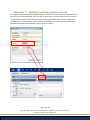
Appendix C: Updating existing patient records ...................................................... 27
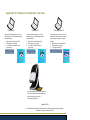
Appendix D: Software installation overview ........................................................... 28
IMPORTANT NOTE: This User Manual is designed to provide practices all fundamental information
required to perform the setup without assistance. However, if assistance is needed, we request that a
call be scheduled with Customer Support. Due to the technical component and time required when
assisting practices with device integration, a scheduled call will ensure that the appropriate Subject
Matter Expert is available and has sufficient time to provide the help needed. To request a call with a
Subject Matter Expert, please email [email protected].
In addition, if you have a device rep coming onsite to help set up any new or existing equipment that will
integrate with RevolutionEHR, be sure to email ahead if you believe you will need assistance from
RevolutionEHR.
Copyright notice: Optos, optos and optomap are registered trademarks of Optos plc
Page 2 of 29
All information contained in this document is confidential and solely the property
of Health Innovation Technologies, Inc.