1
SUBMIT A LOCATE REQUEST
16
STEP 3: Location Information - Continued
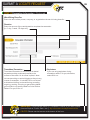
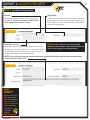
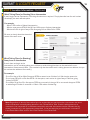
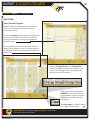
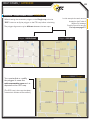
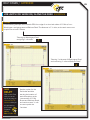
Work Taking Place (or Starting) At an Intersection
If work begins at the intersection, no driving directions are required. Simply describe how far and in what
direction(s) the work will take place.
For example:
- Mark 100ft radius of (above) intersection
- Mark a square area 25ft N and W from NW corner of above intersection
- Mark entire W rd right of way of Elm Ave going N from Main St for 250ft
Be sure to clearly describe the entire
extent of the work area.
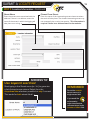
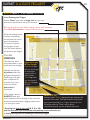
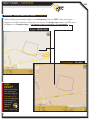
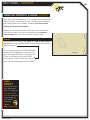
Work Taking Place (or Starting)
Away from an Intersection
If work does not begin at the
intersection, and is not taking place at an address, provide driving directions to the worksite from an
intersection of two named roads. (This method may also be used if work is taking place at an address, but you
do not have the address information).
For example:
- From Elm Ave go W on Main St approx 800ft to vacant lot on N side of rd. Mark entire vacant lot.
- From Jones Rd go N on Oak Ave 450ft. At that point, mark entire rd right of way of Oak Ave, going
further N 250ft.
- From Main St go N on Elm Ave approx 500ft to unnamed rd, then go W on unnamed rd approx 250ft
to white flag on N side of unnamed rd. Mark 10ft radius of white flag.
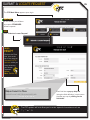
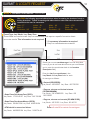
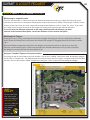
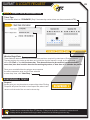
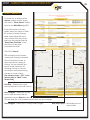
Note: Regardless of which of the method you use to describe your work area, be sure to enter the name
of the rd that work is actually taking place on in the “Street Name” field. If work is taking place on an
unnamed rd, list ‘unnamed rd’ in the street name field, and enter the nearest road to intersect the dig
street (‘unnamed rd’) in the intersecting street field. In the last example, you would enter ‘unnamed rd’
in the Street Name field, and Elm Ave in the Closest Cross Street field.