1
SUBMIT A LOCATE REQUEST
16
STEP 3: Location Information - Continued
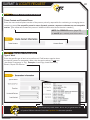
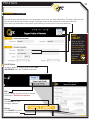
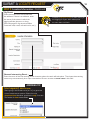
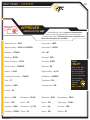
INTERSECTION
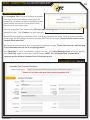
Work taking place at - or within 100 feet of an intersection.
Use an Intersection locate request when:
All work to be performed is within a 100ft radius of the intersection; and,
The location of work is evident so driving directions are not required; and,
The words “radius of the intersection”, “entire intersection” or “the corner(s) of the intersection” are used to describe the work area.
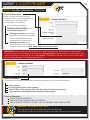
Common Examples:
“MARK A 100FT RADIUS OF THE INTERSECTION”
“MARK A 25 FT RADIUS OF NW CORNER OF ABOVE INTERSECTION”
“MARK A 10FT BY 10FT AREA IN THE NW CORNER OF 1ST ST AND OAK AVE”
“MARK A 15FT RADIUS OF STAKE ON NE CORNER OF MAIN ST AND OAK ST”
FYI
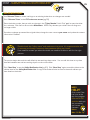
REMEMBER: If work is taking place at an intersection, no more than a 100ft radius of the
intersection can be requested on one ticket. Prepare multiple tickets to cover each road
involved if digging will take place throughout an area more than 200ft in diameter. Be sure
to include how far from the intersection, what side of the road and how far off each road is
needed. Locates may only be requested along one road per ticket.
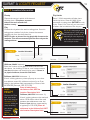
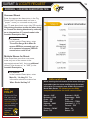
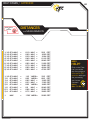
ADDRESS RANGE
(Different addresses are used as starting and stopping point)
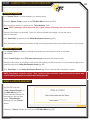
A locate request for a continuous dig, using one address as a starting point, and/or
another as an ending point.
Must be limited to the street and/or up to 100ft back from the curb.
Marking instructions can not exceed 1 block if inside city limits or ‘unknown,’ and 6 miles if outside city limits.
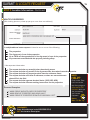
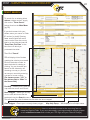
Common Examples:
“MARK 30FT N FROM CURB OF 1ST ST, STARTING AT 210 MAIN ST AND GOING W 600FT”
“MARK 15FT OUT FROM EDGE OF PAVEMENT ON THE N SIDE OF MAIN ST, STARTING AT
210 MAIN ST AND GOING W TO 320 MAIN ST”