1
Table of Contents
3.2
3.3
3.4
4
3.1.2
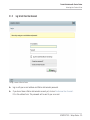
Log In Into Your User Account .................................................................................... 25
3.1.3
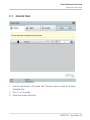
Activate the Product .................................................................................................. 26
3.1.4
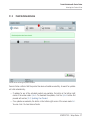
Finish the Online Activation ....................................................................................... 27
Updating Your Product ............................................................................................................... 28
3.2.1
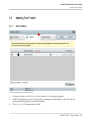
Select Updates .......................................................................................................... 28
3.2.2
Download the Updates ............................................................................................... 29
3.2.3
Open Your Download Folder and Install Updates ....................................................... 30
3.2.4
Install Updates .......................................................................................................... 31
Activating Your Product Offline .................................................................................................. 31
3.3.1
Start the Offline Activation ........................................................................................ 32
3.3.2
Create the Activation Request File ............................................................................. 33
3.3.3
Enter the Serial Number ............................................................................................ 34
3.3.4
Transfer the Activation Request File .......................................................................... 35
3.3.5
Open the Activation Return File ................................................................................. 36
3.3.6
Finish the Offline Activation ...................................................................................... 37
Further Information .................................................................................................................... 38
Stand-alone Operation ............................................................................................... 39
4.1
4.2
4.3
4.4
Selecting an Audio Interface ....................................................................................................... 40
Optimizing Latency ..................................................................................................................... 41
Routing Audio Input and Output ................................................................................................. 42
Setting up MIDI Connections ...................................................................................................... 43
5
Plug-in Operation ...................................................................................................... 45
6
Other Documentation and Support Resources .............................................................. 46
6.1
6.2
6.3
6.4
PDF Manuals .............................................................................................................................. 46
Knowledge Base/Readme/Online Support ................................................................................... 47
Forum ......................................................................................................................................... 47
Updates ...................................................................................................................................... 48
KOMPLETE 9 - Setup Guide - 5