1
1.0 Introducti on
Thank you for purchasing of this Watch.
Your Watch includes current time, daily alarm,
chronograph , countdown timer and dual time
functions.
Your Watch is carefully designed and produced for
you, in order to utilize the features of your watch, it is
advisable to use the Watch in conformity with the
instructions below:
! Read the instruction before you use the Watch.
! Avoid exposing your Watch to extreme conditions
for an unreasonable time.
! Avoid rough uses or severe impacts to your
Watch.
! It is recommended to complete the battery
replacement by a certified service agency
because your Watch contains precise electronic
components.
! Clean your Watch with a soft moistened cloth
occasionally.
! DO NOT expose the Watch to strong chemicals
such as gasoline, and alcohol, as they will damage
the Watch.
! Store your Watch in a dry place when it is not in
use.
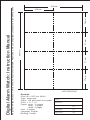
Digital Alarm Watch
User Manual
3.0 Major Functi on Modes
2.0 Important Key Operat ions
Light
Start/Stop
Mode
Lap/Reset
Light
Start/Stop
Mode
Lap/Reset
Light
Start/Stop
Mode
Lap/Reset
There are variations in outlooks
from region to region for the Watch.
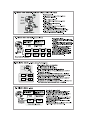
Mode [M]
! Press the button to select among five function
modes. Hold down the button to select setting
display. In setting display: Press the button to
select among setting items. Hold down the
button to exit setting display.
Start/Stop [S/S]
! In Current Time Mode: Press the button to
switch between Date and Month Display. In
Daily Alarm Mode: Press the button to turn ON
or OFF daily alarm. In Chronograph and
Countdown Timer Mode: Press the button to
start or stop counting.
Lap/Reset [L/R]
! In Current Time Mode: Press the button to
switch between Date and Month Display. In
Daily Alarm Mode: Press the button to turn ON
or OFF hourly chime. In Chronograph Mode
(counting): Press the button to display split
time. In Chronograph Mode (stop counting):
Hold down the button to reset the chronograph.
In Countdown Timer Mode (stop counting):
Press the button to reload the target time.
Light [EL]
! Press the button to turn ON the EL back light
for about 3 seconds.
NOTE: The important key operations is
summaried above, check the coming chapters for
detail descriptions.
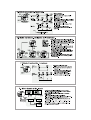
4.0 Current Time Mode - Month Display and Day of Week Display
day
hour
minute
second
Month Display
month
[S/S] or
[L/R]
The Current Time Mode
! Current Time Mode includes two displays,
they are the Month Display and Day of week
display.
The Month Display
! The 1 st. row: Hour digits
! The 2 nd. row: Minute digits and calendar
(day and month).
! The 3 rd. row: Second digits.
The Day of week Display
! The 2 nd. row: Minute digits and calendar
(day and day of week).
! The 1 st and 3rd. row: Same as the Month
Display.
How to Select Between Month Display and
Day of Week Display
! Press the [S/S] or [L/R] button to switch
between the Month Display and Day of Week
Display following the adjacent diagram.
[M]
Major Operation Mode
! The Watch includes 5 major operation
modes. They are Current Time Mode, Daily
Alarm Mode, Chronograph Mode,
Countdown Timer Mode and Dual Time
Mode.
! Each operation mode may include one or
more than one operation displays. These
operation displays provide supplementary
features of the operation mode.
! Check the coming chapters for the detail of
these operation displays.
To Switch among Operation Modes
! Press the [M] button to select among the
Current Time Mode, Daily Alarm Mode,
Chronograph Mode, Countdown Timer
Mode and Dual Time Mode.
[M]
Current Time Mode
Daily Alarm Mode
Dual Time Mode
[M]
[M]
[M]
Chronograph Mode
Countdown Timer Mode
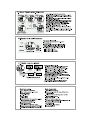
4.1 Current Time Mode - Setting the Current Time
How to Set Current Time
Increaseorthe
increase
decrease
number the
at
faster
asetting
highervalue
speed
increase
or
Increase
decrease
the
the number
setting
value
[S/S] or
[L/R]
hold [S/S] or
hold [L/R]
[M]
hold [M]
Second
Minute
Year
Hour
hold [M]
[M]
[M]
[M]
Day
Month
[M]
! In Current Time Mode, hold down the
[M] button for about 2 seconds will
change the display to setting display.
! The selected digits will be flashing in
the display. Pressing the [M] button
will select among the different
settings following the adjacent
diagram.
! When one of the settings is selected,
pressing the [S/S] or [L/R] button will
increase or decrease the setting
value; holding the [S/S] or [L/R] button
will increase or decrease the setting
value faster.
! When the above is set, hold down the
[M] button will exit the setting.
NOTE: The Watch will also exit the
setting display if NO key-stroke has
been activated for about one minute.
[M]
Day of Week Display
12/24
hour format
day of
week
Current Time Setting Sequence
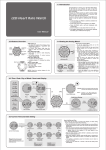
5.0 Daily Alarm Time Mode - Daily Alarm and Date Alarm
hour
minute
Daily Alarm Mode
[S/S]
Daily Alarm OFF
Daily Alarm ON
[L/R]
Hourly Chime OFF
Hourly Chime ON
Key tone
ON/OFF
The Daily Alarm Display
! The 1 st. row: Hour digits
! The 2 nd. row: Minute digits
How to set the Daily Alarm between ON and
OFF
! In the Daily Alarm Display, pressing the
[S/S] button will change the function
between ON and OFF.
! When the alarm indicator '
' is exhibited
(the daily alarm is ON), the Watch will
sound at the preset alarm time every day.
How to set the Hourly Chime between ON
and OFF
! In the Daily Alarm Display, pressing the
[L/R] button will change the function
between ON and OFF.
! When the hourly chime indicator '
' is
exhibited (the hourly chime is ON), the
Watch will sound once at zero minute every
hour (i.e 1:00, 2:00, 3:00 and etc).
5.1 Daily Alarm Mode - Setting the Daily Alarm
How to Set Daily Alarm
increase
or
Increase
decrease
the
the number
setting
value
Increaseorthe
increase
decrease
number the
at
faster
asetting
highervalue
speed
[S/S] or
[L/R]
hold [S/S] or
hold [L/R]
[M]
hold [M]
Hour
Minute
hold [M]
Daily Alarm Setting Sequence
! In Daily Alarm Mode, hold down the
[M] button for about 2 seconds will
change the display to setting display.
! The selected digits will be flashing in
the display. Pressing the [M] button
will select among the different
settings following the adjacent
diagram.
! When one of the settings is selected,
pressing the [S/S] or [L/R] button will
increase or decrease the setting
value; holding the [S/S] or [L/R] button
will increase or decrease the setting
value faster.
! When the above is set, hold down the
[M] button will exit the setting.
NOTE: The Watch will also exit the
setting display if NO key-stroke has
been activated for about one minute.