1
Taking a Picture/Recording a Video
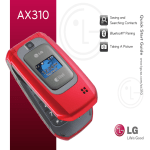
Don’t let moments slip away. With the AX565’s integrated
1.3 megapixel camera and camcorder, you’ll be able to
instantly capture photos and record videos.
1. To take a picture, press and hold the side
Key.
and select
To record a video, quickly press
Record Video (2).
2. Press left or right on the Navigation Key to adjust the
brightness and up or down for zoom.* Press the Right Soft
Key to adjust other camera/video options.
3. Press
to take the picture or start/stop recording.
4. To send your picture/video, press .
*Camera setting of 1280x960 pixels does not support zoom function.
Note: To take self-portraits with the flip closed, press and
and use the external Touch Keys to take a photo
hold
or record a video.