1
Master Page: Right
GR-HD1US.book Page 13 Monday, April 14, 2003 5:21 PM
EN
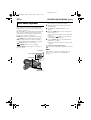
Using AC Power
13
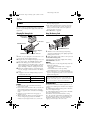
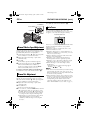
About Batteries
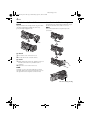
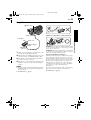
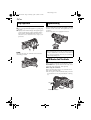
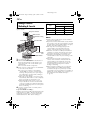
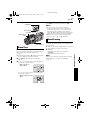
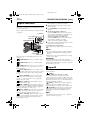
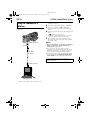
Open the cover.
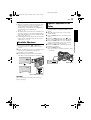
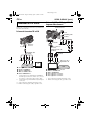
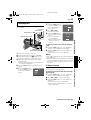
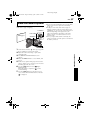
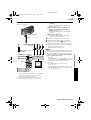
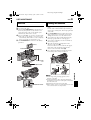
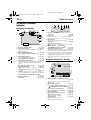
To DC connector
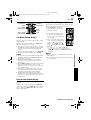
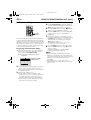
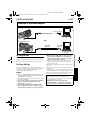
Lithium-ion is vulnerable in colder temperatures.
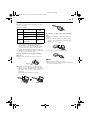
To AC outlet
AC Power Adapter/
Charger
To DC OUT
connector
DC cord
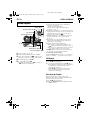
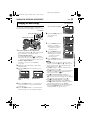
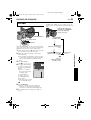
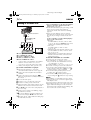
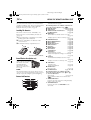
1
Make sure you unplug the camcorder’s DC cord
from the AC Power Adapter/Charger.
2
Plug the AC Power Adapter/Charger’s power cord
into an AC outlet. The POWER indicator lights.
3
Plug the DC cord jack with smaller diameter to
the camcorder’s DC connector.
4
Plug the DC cord jack with larger diameter to the
DC OUT connector on the AC Power Adapter/
Charger.
NOTES:
● The provided AC Power Adapter/Charger features
automatic voltage selection in the AC range from
110 V to 240 V.
● For other notes, 墌 pg. 69.
DANGER! Do not attempt to take the batteries apart,
or expose them to flame or excessive heat, as it may
cause a fire or explosion.
WARNING! Do not allow the battery or its terminals
to come in contact with metals, as this can result in
a short circuit and possibly start a fire.
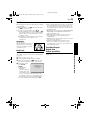
The Benefits Of Lithium-Ion Batteries
Lithium-ion battery packs are small but have a large
power capacity. However, when one is exposed to
cold temperatures (below 10°C/50°F), its usage time
becomes shorter and it may cease to function. If this
happens, place the battery pack in your pocket or
other warm, protected place for a short time, then
re-attach it to the camcorder. As long as the battery
pack itself is not cold, it should not affect
performance.
(If you’re using a heating pad, make sure the battery
pack does not come in direct contact with it.)
For other notes, 墌 pg. 69.
GETTING STARTED
Power cord