1
Master Page: Left-start
GR-HD1US.book Page 28 Monday, April 14, 2003 5:21 PM
28 EN
D.S.C. RECORDING
DIGITAL STILL CAMERA (D.S.C.) RECORDING & PLAYBACK
Basic Shooting (D.S.C. Snapshot)
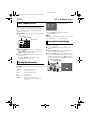
You can use your camcorder as a Digital Still
Camera for taking snapshots. Still images are stored
in the memory card.
NOTE:
Before continuing, perform the procedures listed
below:
● Power (墌 pg. 12)
● Loading A Memory Card (墌 pg. 19)
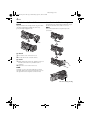
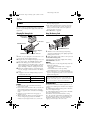
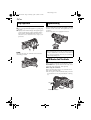
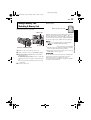
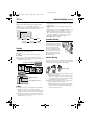
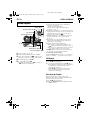
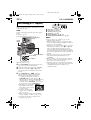
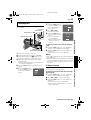
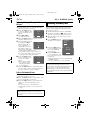
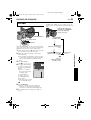
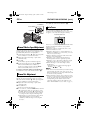
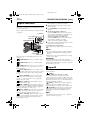
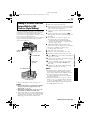
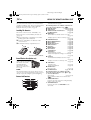
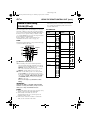
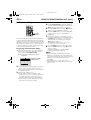
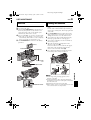
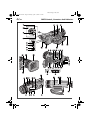
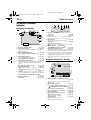
Recording Mode
Switch
MEMORY
PUSH
OPEN
SNAPSHOT Button
Power Switch
Lock Button
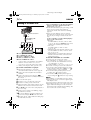
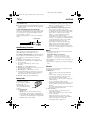
1
2
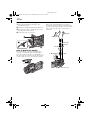
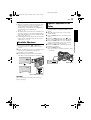
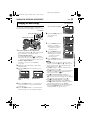
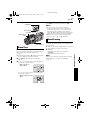
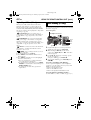
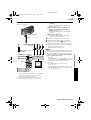
Remove the lens cap.
Press PUSH OPEN and open the LCD monitor
fully, or pull out the viewfinder fully.
3
4
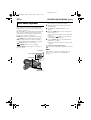
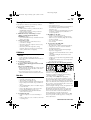
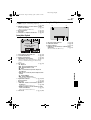
Set the Recording Mode Switch to “MEMORY”.
5
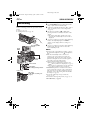
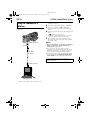
Press SNAPSHOT. The “O” indication
appears while the snapshot is being taken.
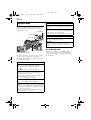
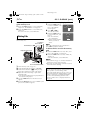
● To check how the image looks before
recording it in the memory card, press
SNAPSHOT halfway and hold. The “ ”
indicator appears and stops blinking when the
captured image is focused. To cancel the
recording, release SNAPSHOT. To record it in
the memory card, press SNAPSHOT fully.
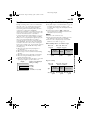
● Still images are recorded in
the snapshot mode with no
frame. There is the sound of
a shutter closing.
● To delete unwanted still
images, refer to “Deleting
Files” (墌 pg. 32).
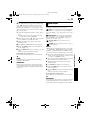
● When you do not want to hear the shutter
sound, set “BEEP” to “OFF”. (墌 pg. 35, 38)
● To change the Image Size and/or Picture
Quality, 墌 pg. 35, 40.
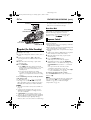
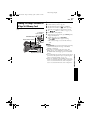
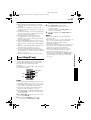
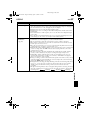
Set the Power Switch to “A” or “M” while
pressing down the Lock Button located on the
switch.
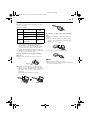
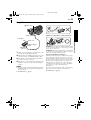
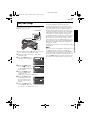
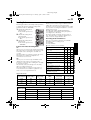
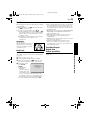
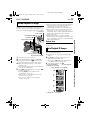
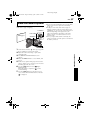
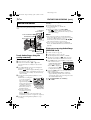
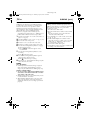
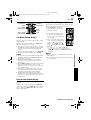
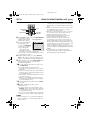
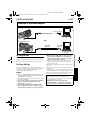
A
B
C
D
E
F
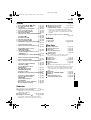
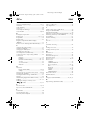
Image Size (墌 pg. 40, 86)
Focus Icon (墌 pg. 86)
Shooting Icon (墌 pg. 86)
Card Icon (墌 pg. 86)
Picture Quality (墌 pg. 40, 86)
Remaining Number Of Shots (墌 pg. 86)
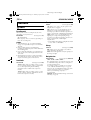
NOTES:
● Even if “OIS” is set to “ON” (墌 pg. 37), the
Stabilizer will be disabled.
● If Special Effects (墌 pg. 51) is engaged, certain
modes are disabled during Snapshot recording. In
such a case, the icon blinks.
● If shooting is not performed for approx. 5 minutes
when the Power Switch is set to “A” or “M” and
power is supplied from the battery pack, the
camcorder shuts off automatically to save power.
To perform shooting again, push back and pull out
the viewfinder again or close and re-open the LCD
monitor.
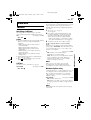
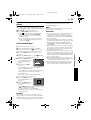
● The Motor Drive mode (墌 pg. 44) is disabled
when the Recording Mode Switch is set to
“MEMORY”.
● When a cable is connected to the AV connector,
the shutter sound is not heard from the speaker,
however it is recorded onto the tape.
● Still images taken are compliant to DCF (Design
rule for Camera File system). They do not have any
compatibility with devices which are not
compliant to DCF.