1
Chapter 6 – Calibration
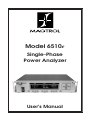
Magtrol Model 6510e Single-Phase Power Analyzer
5.
6.
Note:
7.
8.
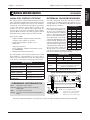
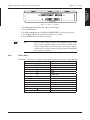
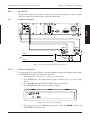
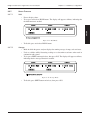
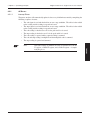
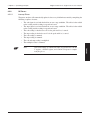
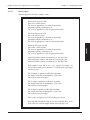
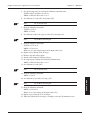
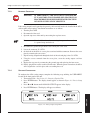
Set volt and amp range by entering the following command codes.
VOLTS => RV1,m2 where m2 = 0 to 3
AMPS => RA1,m2 where m2 = 0 to 3
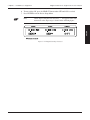
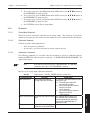
Set calibrator to 0 volts (DC) and 0 amps (DC).
DC is used for zero.
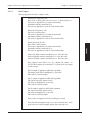
Enter the following commands.
VOLTS => CV1,0
AMPS => CA1,0
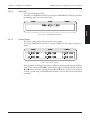
Set calibrator to full scale range for volts (AC) and amps (AC).
Note:
AC 80 Hz is used for gain.
9. Enter the following commands.
VOLTS => CV1,xx.xx
AMPS => CA1,xx.xx
Where xx.xx is the voltage/current on the inputs (full scale).
10. Repeat steps 5 through 9 for all ranges.
11. Remove amp and voltage inputs.
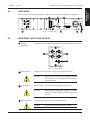
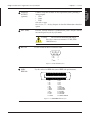
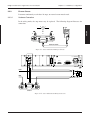
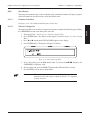
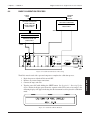
12. Attach external input to calibrator voltage.
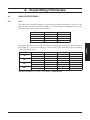
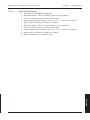
13. Set amp range by entering the following command code.
AMPS => RA1,m2 where m2 = 4 to 7
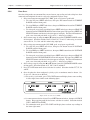
14. Set calibrator to 0 volts (DC).
Note:
DC is used for zero.
15. Enter the following command.
AMPS => CA1,0
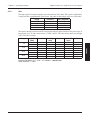
16. Set calibrator to volts full scale range (AC).
Note:
AC 80 Hz is used for gain.
17. Enter the following command.
AMPS => CA1,xx.xx
Where xx.xx is the voltage on the inputs (full scale).
18. Repeat steps 13 through 17 for all ranges.
19. When the calibration for all ranges is complete, enter the CS command to save.
47
MAINTENANCE