1
4 Completing a Flight
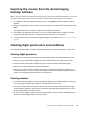
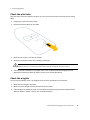
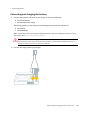
Removing the pitot cover
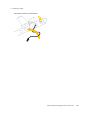
Remove the cover from the pitot tube.
Checking the airspeed response
Press and hold the pitot tube for no more than 5 seconds. Make sure that the current airspeed
shown in the Airspeed field in the status panel of the Aerial Imaging software changes.
Positioning the propellers
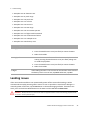
1. Check the position of the propellers on the unmanned aircraft and make sure they are pointing
backward as shown in the Aerial Imaging software.
2. If the propellers are not positioned correctly, carefully adjust them.
WARNING – Always take care when touching the propeller blades. If the unmanned aircraft receives a sudden
shock while armed, the motor can unexpectedly start causing the propeller blades to move. Contact with moving
propeller blades can result in serious personal injury.
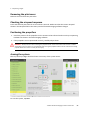
Arming the system
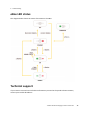
This step of the pre-flight checklist shows a summary of the system status.
To arm the system, tap Arm.
Trimble UX5 Aerial Imaging Solution User Guide
56