1
oppertech
Page 1
Wireless Bluetooth Speaker
Listening to music
Model WS-701A
Making a call/Receiving a call
Instruction manual
Quick Start Guide
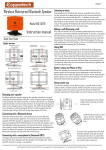
Speaker overview: top
Play/Pause
Previous track
Next track
Coppertech
- +
Talk/Siri
Volume
up
Volume
down
NFC
Speaker overview: back
On/Off
switch
Charging LED indicator
Bluetooth LED indicator
ON OFF
IN
Line-in
audio jack
You can use the WS-701A as a portable speakerphone for incoming
calls when connected wirelessly via Bluetooth. To answer a call, press
the TALK button and talk as you would with your device if it was on
“speakerphone” The built in microphone will pick up your voice just
like a phone. To end a call, press the TALK button again. To refuse a
call, double press the TALK button . You can re-dial the last number
called by double pressing the TALK button
Using SIRI
When the speaker is connected to an iPhone/iPad via Bluetooth,
press and hold the TALK button for 3 seconds to activate the Siri
function on iPhone/iPad. Then talk to the speaker after hearing the
“Siri ” sound. Please note that iPhone/iPad may not be able to
recognize human speech when the speaker is being used in a noisy
environment. Siri may not work if iPhone/iPad is not connected to
the internet. When the Siri conversation is finished, the speaker will
continue playing audio.
AUX input
To play audio using the audio cable, plug the cable from the audio
device to the “IN” jack on the back of the speaker.
Micro USB charging port
Speaker overview: front
Start playback on the Bluetooth device, and adjust the volume.
Set the volume at an appropriate level on the connected device,
and adjust the volume with the VOL –/+ buttons on the unit.
To switch to the previous or next song simply press the Previous and
Next button on the speaker. This will switch to the previous/next
song in the playlist of the Bluetooth device. Press the Play/Pause
button on the speaker to start or pause songs.
Battery status on iPhone et iPad
Speaker 1
Speaker 2
Charging your speaker
To obtain optimum power capacity, the speaker should be charged
using the provided USB cable in your packaging box. To charge the
unit plug the USB cable to the USB port on the back of the speaker.
Charging starts when the unit that is turned off is connected and the
charging LED indicator lights up in red. Charging is completed in
about 4-5 hours and the indicator goes off.
When the speaker is connected to iPhone/iPad via Bluetooth, the
battery status of the speaker can be displayed on the top of the
iPhone/iPad screen, after the Bluetooth symbol. Please note that the
battery status icon can be vertical or horizontal, depending on the
Bluetooth device and its operation system.
Spesifications
Bluetooth compliant.............................................Bluetooth 3.0
Dimensions..............................................................6 cm x 16,3 cm x 4,3cm
Weight........................................................................0,330 kg
Speaker driver.........................................................stereo, 40MM, 4Ohm
Speaker output......................................................5W*2
Operating Frequency Range............................2.4GHz-2.48GHz
Connecting with a Bluetooth device
Battery capacity....................................................1000mAh
Turn on yourspeaker by switching the button on the back of the
unit to "On", the LED lights should alternate between shining red and Battery life ..............................................................Up to 10 hours(depending
on the volume and audio content)
blue. This signal means that the speaker is in "pairing mode”.
Perform the pairing procedure on the Bluetooth device to detect this Battery charging time..........................................4-5 hours
speaker. When a list of detected devices appears on the display of the Operating temperatures....................................0ºC to 45ºC
Bluetooth transmission distance....................Up to 10 meters, measured
Bluetooth device, select “WS701A”. Once paired successfully, the
in open space. Walls and structures may affect range of device.
Bluetooth LED indicator lights will turn blue and blink twice every
Battery Charging voltage..................................5V(1A)
3 seconds.
Working voltage...................................................3.3--5V
Interface..................................................................Bluetooth, 3.5MM audio
Connecting with a smartphone by Onetouch (NFC)
line-in & line-out jack, Micro USB charging port
If using a device that is NFC (Near Field Communication) enabled,
turn on NFC, then simply touch the speaker on the right side where
the NFC chip lies to make a connection.
2014.Coppertech All rights resrved N°4132945 www.coppertech.fr [email protected] 231 rue Saint-Honoré 75001 Paris France
oppertech
Important safety information
Please read these instructions and follow these instructions. Heed all warnings.
WARNINGS:
Page 2
Warranty
12 month from the date of purchase.
Covers manufacturing defects.
For waranty service contact: [email protected]
• To reduce the risk of fire or electrical shock, do not expose the
product to rain or moisture.
• Do not expose this apparatus to dripping or splashing, and do
not place objects filled with liquids, such as vases, on or near the
apparatus. As with any electronic products, use care not to spill
- Coppertech® Bluetooth speaker WS701A
liquids into any part of the system. Liquids can cause a failure
- USB charging cable
and/or a fire hazard.
- 3.5mm audio cable
• Do not place any naked flame sources, such as lighted candles,
on or near the apparatus.
• The apparatus not be exposed to excessive heat such as sunshine,
This product is in compliance with essential requirements
fire or the like.
and other relevant prosions of Directive 1999/5. The complete
• Do not dismantle, open or shred the apparatus.
Declaration of Conformity is available at [email protected]
• Do not subject battery pack to mechanical shock.
• In the event of a leaking, do not allow the liquid to come in
FCC NOTICE
contact with the skin or eyes. If contact has been made, wash the
This device complies with part 15 of the FCC Rules.
affected area with copious amounts of water and seek medical
Operation is subject to the following two conditions;
advice.
1.This device may not cause harmful interference, and
• The speaker gives its best performance when it is operated at
2.This device must accept any inference received, including
normal room temperature (20°C +/- 5°C).
• The speaker needs to be charged before use. Always use the correct interference that may cause undesired operation.
charger and refer to the manufacturer’s instructions or equipment
manual for proper charging instructions.
FCC CAUTION
• Keep the apparatus out of the reach of children.
· Any changes or modifications not expressly approved by the party
• Do not use this apparatus near water.
responsible for compliance could void the user’s authority to operate
• Clean only with a dry cloth.
this equipment.
• Do not block any ventilation openings. Install in accordance
· This device and its antenna(s) must not be co-located or operating
with the manufacturer’s instructions.
in conjunction with any other antenna or transmitter.
• Do not install near any heat sources such as radiators, heat
registers, stoves, or other apparatus (including amplifiers) that
produce heat.
• Only use attachments/accessories specified by the manufacturer.
• Unplug this apparatus during lightning storms or when unused
for long periods of time.
• Do not clean the speaker when it is being charged. Always unplug
the charger first before cleaning the speaker.
• Do not leave your speaker in direct sunlight for extended periods
of time.
• Do not use abrasive cleaners to clean your speaker because this
could cause scratches or damage.
• Do not bring your speaker in to contact with any sharp objects
because this could cause scratches and damage.
• Do not insert anything into your speaker unless otherwise specified
in this User Manual. This may damage the internal components.
• Do not attempt to repair, modify, or disassemble your speaker y
ourself.
• Do not attempt to replace the battery of the speaker. It is built-in,
and not changeable by users.
• Use only the USB charging cable supplied in the accessories
package to charge the speaker, from the USB port of computer.
• Observe all signs and displays that require an electrical device or
RF radio products to be switched off in designated areas.
The package includes:
2014.Coppertech All rights resrved N°4132945 www.coppertech.fr [email protected] 231 rue Saint-Honoré 75001 Paris France